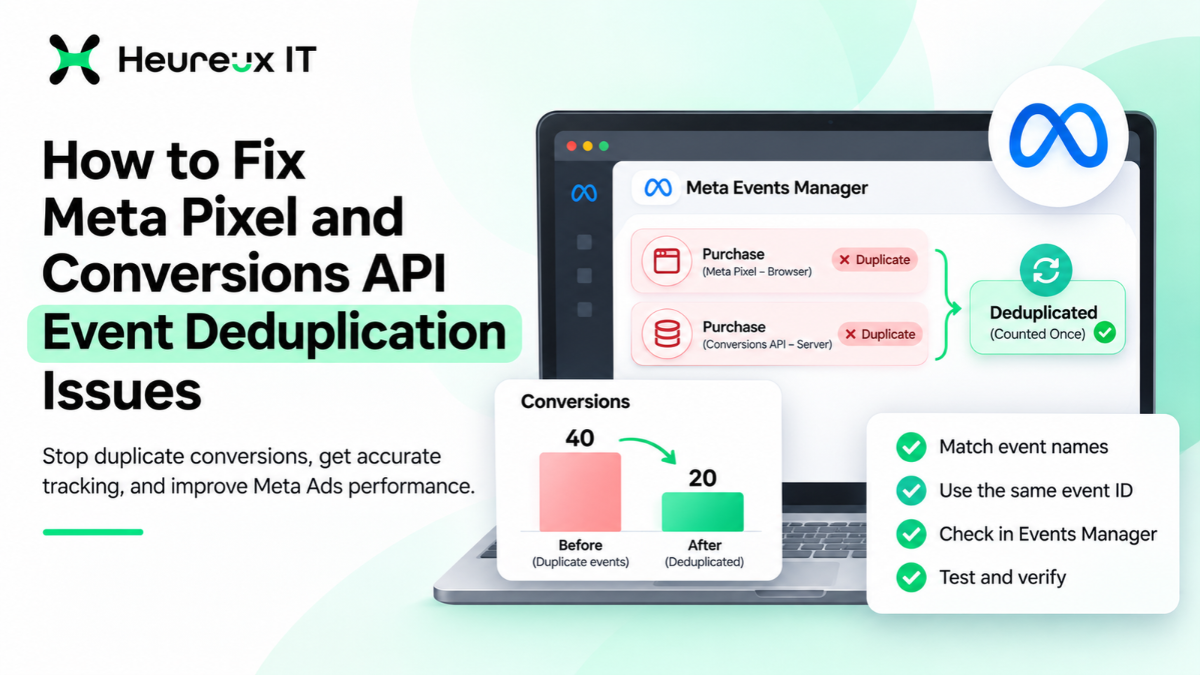
Your Meta Ads dashboard shows 40 purchases, but your Shopify store records only 25. Your cost per purchase looks great, yet your actual sales tell a different story.
One possible cause is duplicate conversion tracking.
When a website uses both the Meta Pixel and Conversions API (CAPI), the same customer action can reach Meta twice. This is normal when both tracking methods are set up correctly. The problem starts when Meta cannot identify those two signals as the same event.
That's where Meta Event Deduplication comes in.
Event deduplication helps Meta recognize matching browser and server events so one customer action doesn't get counted twice.
In this guide, we'll explain how deduplication works, what causes it to fail, and how to fix common issues using Meta Events Manager, Google Tag Manager, Shopify, and WooCommerce.
We'll also cover how to test your setup so you can trust the conversion data behind your Meta Ads Campaigns.
What Is Meta Event Deduplication?
Meta Event Deduplication is the process of identifying duplicate events sent through the Meta Pixel and Conversions API.
The Meta Pixel tracks actions in a visitor's browser. Conversions API sends events from a server or supported integration.
For example, a customer purchases a product worth $120.
The browser sends a Purchase event through the Meta Pixel. Your server also sends a Purchase event through CAPI.
Both events describe the same order.
If Meta receives matching identifiers, it can recognize the overlap and count the purchase once rather than twice.
How Meta Event Deduplication Works
Meta's recommended method uses two matching values:
- Event name: The action being tracked, such as Purchase, Lead, or AddToCart.
- Event ID: A unique identifier assigned to that specific action.
Both tracking sources must send the same event name and event ID for the same conversion.
| Parameter | Meta Pixel (Browser) | Conversions API (Server) |
|---|---|---|
| Event name | Purchase | Purchase |
| Event ID | order_10582 | order_10582 |
| Event source | Browser | Server |
| Purchase value | $120 | $120 |
| Deduplication result | Matching event | One unique purchase |
The key is consistency.
Each separate purchase needs its own identifier. However, the browser and server copies of that purchase must share the same identifier.
Meta's documented event-ID deduplication window is 48 hours after it receives the first event with that ID.
Why Meta Event Deduplication Matters for Advertising Performance
Conversion tracking isn't just about reporting results. Meta also uses conversion signals to help its advertising system find people likely to take valuable actions.
If your tracking sends inaccurate data, you may make campaign decisions based on results that never happened.
1. Inflated conversion numbers
Suppose your store records 50 orders, but Meta receives 50 browser purchase events and 50 server purchase events without recognizing the overlap.
Your event data could show up to 100 purchase events instead of 50.
This does not mean Ads Manager will always report 100 attributed purchases. Attribution rules and event processing also affect reporting.
Still, duplicate events can create a serious measurement problem.
2. Misleading return on ad spend
Consider this example:
| Metric | Actual Results | Inflated Tracking |
|---|---|---|
| Ad spend | $1,000 | $1,000 |
| Purchases | 20 | 40 |
| Average order value | $100 | $100 |
| Reported revenue | $2,000 | $4,000 |
| ROAS | 2.0x | 4.0x |
| Cost per purchase | $50 | $25 |
Illustrative example, assuming all purchases are attributed to the ads.
The campaign appears twice as profitable even though the business hasn't earned more revenue.
3. Poor campaign optimization
Meta relies on conversion events to understand which ads and audiences produce results.
Duplicate or incorrect signals can affect the quality of the information used for optimization.
A campaign may appear successful because of a tracking error rather than real customer demand.
4. Unreliable retargeting audiences
Duplicate events can also make audience activity harder to interpret.
For example, if AddToCart events fire several times for one action, your event totals may suggest more shopping activity than actually occurred.
Accurate event tracking helps you build more reliable audience and campaign reports.
Want help turning this into results for your business?
Explore our Meta Ads services →Meta Pixel vs. Conversions API: What's the Difference?
Before fixing deduplication, it helps to understand why businesses use both methods.
| Feature | Meta Pixel | Conversions API |
|---|---|---|
| Tracking method | Browser-based | Server-based |
| Data source | Website browser | Server or partner integration |
| Browser restrictions | More affected | Less dependent on browser execution |
| Common events | PageView, AddToCart, Lead, Purchase | Lead, Purchase, AddToCart, offline and other supported events |
| Main purpose | Track website activity | Send events through a server connection |
| Deduplication needed | When the same event also comes through CAPI | When the same event also comes through Pixel |
Using both methods can improve the completeness of your event data.
But deduplication is only required when both sources send the same action.
If your Pixel sends AddToCart events and CAPI sends only Purchase events, those events don't overlap, so cross-source deduplication isn't needed for them.
Common Signs of Meta Pixel and CAPI Deduplication Problems
Not every difference between Meta Ads and your website sales means tracking is broken.
Meta, GA4, and Shopify use different reporting and attribution rules. Some differences are expected.
However, certain symptoms deserve investigation.
Warning signs to check
- Meta Events Manager displays a missing deduplication parameter warning.
- Purchase or Lead events appear to fire more than once for a single action.
- Browser and server events contain different event IDs.
- Conversion totals increase sharply after installing a new tracking app.
- Multiple Meta Pixel installations send the same event.
- Your website or CRM shows far fewer completed actions than your event tracking suggests.
The most useful starting point is Meta Events Manager, where you can inspect the event sources and diagnostics.
How to Fix Meta Event Deduplication Issues Step by Step
Step 1: Open Meta Events Manager
Start by checking the events Meta receives.
- Open Meta Business Suite.
- Go to Events Manager.
- Select the correct dataset or Pixel.
- Open the Overview section.
- Select the event you want to investigate, such as Purchase or Lead.
- Review the available diagnostics and event deduplication information.
Focus on events that directly affect campaign optimization.
For an ecommerce store, these usually include Purchase, InitiateCheckout, and AddToCart.
For a lead generation website, check Lead and any custom events used to measure qualified enquiries.
Look for warnings about missing deduplication parameters, event IDs, or unexpected event volume.
Step 2: Check Whether the Same Event Comes From Browser and Server
Open the Test Events tool in Events Manager.
Perform one real test action on your website, such as submitting a test form or completing a test order.
When both Pixel and CAPI are configured to send that action, you should be able to inspect the corresponding browser and server signals.
Check the event name, event ID, connection method, and timing.
Two incoming records do not automatically mean two counted conversions. The purpose of deduplication is to recognize that both records describe one action.
The problem is when those records don't match or the same action is triggered multiple times through one tracking source.
Step 3: Generate One Unique Event ID
Every conversion needs a unique event ID.
For purchases, a stable transaction or order identifier can work well. For form submissions, use a unique submission ID.
For example:
purchase_10582
The same ID must be available to both the browser and server tracking systems.
Do not generate one random ID in the Pixel tag and another random ID in the CAPI tag. Those values won't match.
Also, avoid generating a new ID every time an existing purchase event is retried. A retry of the same action should preserve its original event identifier.
Step 4: Pass the Event ID Through Meta Pixel
A browser-side purchase event can use the following format:
fbq(
'track',
'Purchase',
Heureux IT is a digital marketing agency specialising in Google Ads, Meta Ads and SEO. We help growing businesses turn paid and organic search into measurable revenue.