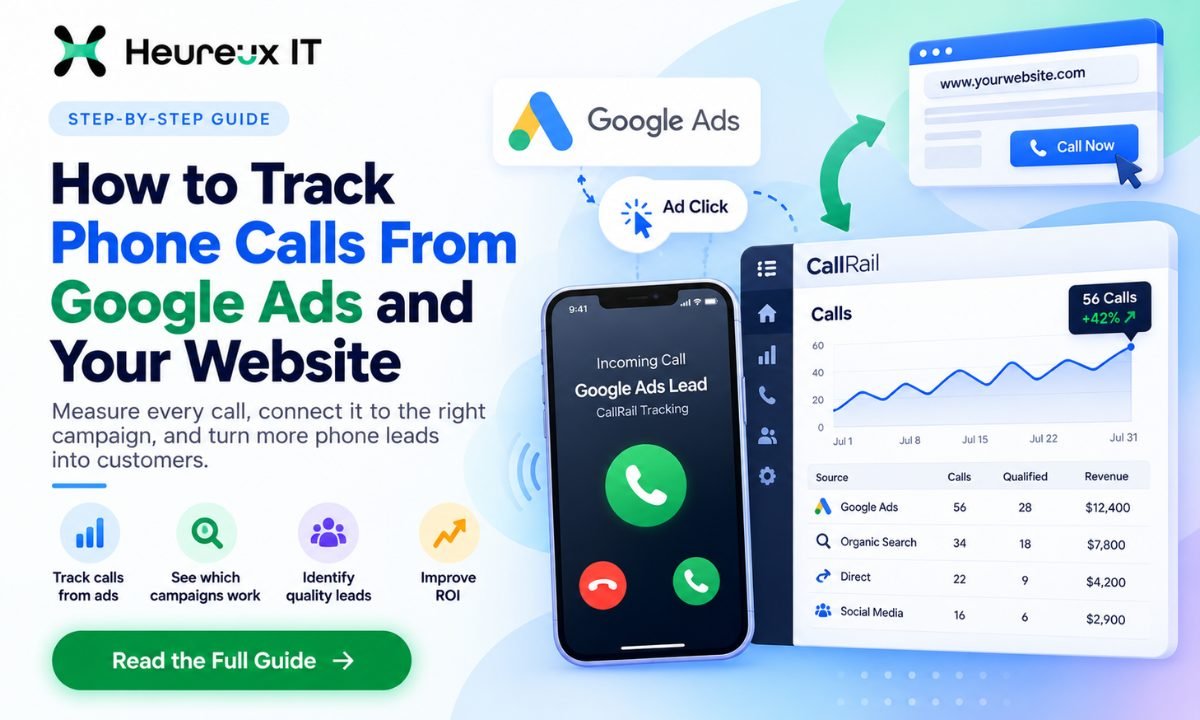
Your Google Ads campaign generated 300 clicks last week. Google Analytics shows people visiting your service pages, and your website is receiving phone calls.
But there's one problem.
You don't know which advertisement, keyword, or marketing channel is making those phones ring.
Some calls might come from Google Ads. Others could come from organic search, direct website visits, or customers who found your business through another marketing channel.
Without proper phone call tracking, it's difficult to separate those sources.
And when you can't identify where your phone leads originate, you may be making advertising decisions with incomplete information.
To track phone calls from Google Ads and your website, you can use Google Ads call conversion tracking or a call tracking platform such as CallRail. These tools help connect incoming calls to advertising campaigns, keywords, landing pages, and other marketing sources.
The information can help you understand which campaigns generate inquiries and which calls become qualified business opportunities.
In this guide, we'll explain how to track phone calls, set up Google Ads phone call conversions, use dynamic number insertion, and connect CallRail with your advertising and customer management systems.
We'll also cover how to measure phone lead quality and avoid common tracking mistakes.
What Is Phone Call Tracking?
Phone call tracking is a method businesses use to identify which marketing sources generate incoming phone calls.
Instead of simply recording that someone called, call tracking helps explain how the caller discovered your business.
For example, imagine you own a plumbing company.
Your business receives 50 phone calls in one week.
Without call tracking, you might know the total number of calls but not where they came from.
With a properly configured system, you may discover that:
- 25 calls came from Google Ads.
- 15 calls came from organic search.
- 6 calls came from direct website visits.
- 4 calls came from other identifiable marketing sources.
These figures are illustrative examples.
You can then compare the number and quality of inquiries generated by each source.
Some tracking platforms go further by connecting calls to particular campaigns, keywords, or landing pages when the required attribution information is available.
This helps businesses evaluate marketing performance beyond website clicks and form submissions.
How Does Phone Call Tracking Work?
Many call tracking systems use tracking phone numbers.
These numbers forward incoming calls to your normal business number while recording permitted attribution information.
For website visitors, the process often uses dynamic number insertion, commonly called DNI.
Here's a simple example.
Someone searches Google for "emergency plumber near me."
They click your advertisement and open your website.
A call tracking script displays a tracking number assigned to their visit.
The visitor calls that number, which forwards the call to your business.
The tracking system associates the call with the visitor's recorded marketing source.
Depending on the integration and available attribution data, you may be able to identify the Google Ads campaign, keyword, or landing page associated with the inquiry.
Your business answers the call as usual, but now you have more information about what generated it.
Why Phone Call Tracking Matters for Businesses
For many service businesses, phone calls represent some of their most valuable customer inquiries.
A visitor might be ready to book an appointment, request a quote, or discuss a service.
But if your marketing reports only include website form submissions, you may be missing a significant part of your lead generation activity.
Measure More Than Website Clicks
Google Ads reports provide information about impressions, clicks, costs, and tracked conversions.
However, clicks alone don't tell you whether someone became a customer.
For example, consider two Google Ads campaigns.
| Metric | Campaign A | Campaign B |
|---|---|---|
| Advertising Spend | $500 | $500 |
| Clicks | 250 | 150 |
| Tracked Form Leads | 5 | 4 |
| Qualified Phone Leads | 3 | 12 |
| Total Qualified Leads | 8 | 16 |
Illustrative campaign data.
If you only measure form submissions, Campaign A appears to generate more leads.
When qualified phone calls are included, Campaign B performs better.
This could change where you invest your advertising budget.
Identify High-Value Marketing Sources
Phone call tracking can help you understand whether inquiries come from paid advertising, organic search, or other sources.
For example, your SEO strategy may generate fewer website form submissions but more phone calls than expected.
Without call tracking, that contribution could be overlooked.
This matters when deciding which services, pages, and marketing channels deserve further investment.
Improve Customer Follow-Up
Call tracking can also help businesses review missed calls, call durations, and lead outcomes.
For a local business, missing a phone call might mean missing a customer who needs immediate help.
Understanding when calls arrive and whether they are answered can help improve staffing and follow-up processes.
The goal isn't simply to increase the number of calls.
It's to understand which calls represent valuable opportunities and what happens after the phone rings.
How to Track Phone Call Conversions in Google Ads
Google Ads provides built-in options for measuring phone call activity.
The method you choose depends on how customers contact your business.
Some customers call directly from an advertisement.
Others click the ad, visit your website, and call the phone number displayed there.
These actions require different tracking setups.
Method 1: Track Calls Directly From Google Ads
Google Ads can track eligible calls made through call-enabled ads and call assets.
A call asset allows your phone number to appear with an advertisement when eligible.
For example, a person searching for "roof repair near me" may see your advertisement with an option to call.
When they use that call option, Google Ads can measure eligible call activity through its call reporting functionality.
To configure this, you'll generally need to:
- Open your Google Ads account.
- Go to Goals and review the Conversions section.
- Create or select the appropriate phone call conversion action.
- Configure your call reporting and conversion requirements.
- Add or review the call assets associated with your campaigns.
- Test and monitor the reported calls.
The available menu wording and setup options can vary by account and campaign type.
Google forwarding numbers are used for supported call reporting configurations in eligible locations.
These numbers allow Google to measure call activity associated with advertisements.
You can also configure conversion criteria, such as a minimum call duration.
For example, a business might choose to count calls lasting at least 60 seconds as conversions.
However, a longer call doesn't automatically mean a qualified customer.
Someone may spend several minutes asking a question unrelated to your services.
Treat call duration as a starting signal rather than definitive proof of lead quality.
Method 2: Track Calls From Your Website After Google Ads Clicks
Not every customer calls directly from an advertisement.
Many visitors prefer to open your website first.
They might read your services, compare options, or check reviews before deciding to call.
Google Ads provides a website call conversion tracking method for eligible setups.
This generally involves configuring a phone call conversion action and installing the required tracking tags or phone number replacement functionality.
When an eligible visitor reaches your website through a Google ad, the configured number replacement system can display a Google forwarding number.
If the visitor calls that number, Google Ads can associate the call with the relevant advertising interaction.
This method is particularly useful for businesses where customers research the service before contacting them.
For example, a personal injury law firm might receive website visitors who read several pages before making a phone call.
Tracking website calls provides additional information beyond measuring clicks to the website.
Method 3: Track Clicks on Phone Numbers
Another option is measuring when visitors click a phone number link on your website.
This is commonly used for mobile websites where a phone number is clickable.
For example, your website may have a button labeled "Call Now."
A tracking event can record when someone selects that button.
However, a phone number click isn't the same as a completed telephone call.
The visitor might cancel before the call connects.
For this reason, click-to-call events should be distinguished from verified phone calls in your reporting.
Method 4: Import Phone Call Conversions From a Third-Party Tool
Businesses can also track calls through a platform such as CallRail and import eligible call conversions into Google Ads.
This method can provide additional information about call sources and lead quality.
For example, you may want Google Ads to receive conversions only after a phone inquiry is confirmed as a qualified lead.
A properly configured integration can help connect these outcomes with the advertising that generated them.
This is useful for businesses that want advertising optimization to reflect more than raw call volume.
Google Ads Call Tracking vs. Third-Party Call Tracking
Google Ads' native call tracking tools can be sufficient for businesses that primarily need to measure Google Ads phone activity.
However, businesses using several marketing channels may need broader attribution and lead management features.
| Feature | Google Ads Call Tracking | Third-Party Call Tracking |
|---|---|---|
| Track eligible calls from Google Ads | Yes | Yes, with suitable integration |
| Track eligible website calls from Google Ads | Yes | Yes |
| Track organic and other marketing sources | Limited | Often supported |
| Keyword-level attribution | Available for eligible Google Ads calls | Available when attribution data permits |
| Call recordings | Not a standard Google Ads call reporting feature | Often available |
| Lead qualification | Basic conversion conditions | More advanced options may be available |
| CRM integration | Depends on setup | Often supported |
| Import qualified conversions into Google Ads | Supported workflows | Supported through eligible integrations |
The right choice depends on your requirements.
If your business only needs basic call volume reporting from Google Ads, native tracking may be enough.
If you need marketing attribution across Google Ads, SEO, and other channels, a third-party tool may provide a more complete view.
What Is CallRail and How Does It Work?
CallRail is a call tracking and lead engagement platform that helps businesses connect incoming inquiries with their marketing activities.
It can associate phone calls with sources such as paid search, organic search, direct visits, and other tracked channels.
CallRail also offers features such as dynamic number insertion, call recordings, reporting, and supported integrations.
For businesses investing in multiple advertising channels, this information can help explain which campaigns and pages generate calls.
For example, imagine an HVAC company receives inquiries from Google Ads, local SEO, and social advertising.
A call tracking system can help separate calls associated with each source.
The business can then review lead quality and compare results.
At Heureux IT, our CallRail Integration and Call Tracking Services focus on connecting call tracking with advertising measurement and CRM workflows.
CallRail Google Ads Integration: Step-by-Step Setup
A CallRail Google Ads integration can help businesses connect call information with paid search performance.
The setup requires attention to tracking numbers, website scripts, Google Ads attribution, and conversion settings.
Step 1: Set Up Your CallRail Account
Start by creating or accessing the appropriate CallRail account.
Add the business information and confirm the telephone number where incoming calls should be forwarded.
This should be the number your team uses to answer customer inquiries.
Before adding tracking numbers, identify which marketing channels you want to measure.
For example, you might want separate reporting for Google Ads and organic search.
Step 2: Create Your Tracking Numbers
CallRail allows businesses to create tracking numbers for supported marketing use cases.
You can use numbers assigned to particular sources or website number pools.
For website visitor-level attribution, a number pool helps associate displayed tracking numbers with individual website sessions.
The pool should be sized appropriately for your website traffic and expected simultaneous visitors.
If you don't have enough numbers for the visitor volume, attribution accuracy may be affected.
Choose the tracking setup based on your traffic and reporting requirements.
Step 3: Install Dynamic Number Insertion
CallRail's dynamic number insertion system uses a website tracking script.
The script replaces selected displayed phone numbers with appropriate tracking numbers for eligible visitors.
For example, someone visiting your site from a paid search advertisement may see a tracking number associated with that visit.
Another visitor arriving through organic search may see a different number.
When these numbers are called, the system can associate the inquiry with its recorded source.
You can install the CallRail tracking script through supported website methods or a tag management system such as Google Tag Manager.
After installation, test number replacement across important website pages.
Check desktop and mobile versions to confirm that the correct telephone numbers appear.
Step 4: Connect CallRail With Google Ads
Next, connect the relevant Google Ads account through CallRail's supported integration workflow.
Make sure the correct Google Ads account and tracking configuration are selected.
Google Ads auto-tagging can help preserve attribution information associated with advertising clicks.
Depending on the setup, tracking parameters can provide additional campaign, keyword, and landing page context.
The goal is to connect the phone calls received through CallRail with the advertising interactions that generated them.
Step 5: Configure Phone Call Conversions
Decide which calls should be treated as conversions.
You might begin with a minimum call duration.
For example, calls lasting over 60 seconds could be considered potential leads.
However, duration alone isn't a reliable qualification method for every business.
A legal firm might receive a long call that doesn't match its practice areas.
A home service company might receive a short but valuable emergency inquiry.
Where available, use call tags, qualification rules, or CRM outcomes to identify meaningful inquiries.
Then configure the supported conversion integration so the intended call outcomes are reported to Google Ads.
Review which conversion actions are primary bidding goals and which are included only for observation.
Avoid counting the same phone call as multiple primary conversions through overlapping tracking methods.
Step 6: Test the Integration
Testing is essential.
Perform representative test calls from your configured tracking journeys.
Check whether the correct tracking number displays and whether the call reaches the business phone.
Then review the captured information in CallRail.
Confirm that marketing source data is available as expected.
Finally, check that eligible conversions are imported into Google Ads according to the integration's reporting and processing schedule.
Don't assume the setup is complete simply because the tracking script is installed.
Want help turning this into results for your business?
Explore our Google Ads services →How to Track Calls From Organic Search and SEO
Phone call tracking isn't only useful for paid advertising.
It can also help businesses understand how organic search contributes to customer inquiries.
Imagine a dental clinic has a page targeting "emergency dentist near me."
The page receives organic traffic and includes a prominently displayed telephone number.
Some visitors may call directly instead of filling out a form.
If the business only measures online form submissions, the SEO page's value may be underestimated.
With an appropriately configured tracking system, those phone calls can be associated with organic search visits when sufficient attribution information is available.
This can help businesses identify which landing pages generate valuable inquiries.
However, organic search call tracking has limitations.
Search engines don't provide all keyword-level information for individual organic visitors, so you shouldn't expect every organic call to reveal the exact search query used.
Page-level and channel-level attribution may still provide useful insights.
Does Phone Call Tracking Affect Local SEO?
Call tracking needs to be configured carefully for local businesses.
Your main business telephone number is part of your business identity across your website, Google Business Profile, and other important listings.
Dynamic number insertion can allow websites to display tracking numbers to eligible visitors while retaining the main business number in the underlying site content.
For many businesses, this is preferable to replacing the primary published number everywhere with inconsistent tracking numbers.
Make sure your Google Business Profile and important citations follow a deliberate, consistent phone number strategy.
A suitable implementation can reduce avoidable local SEO confusion, but no tool can guarantee that tracking changes will have zero SEO impact.
How to Track Phone Call Quality, Not Just Call Volume
Receiving more phone calls doesn't always mean your advertising is performing better.
Some calls may be spam.
Others may come from existing customers, job applicants, or people asking about services your company doesn't provide.
That's why measuring qualified calls is important.
Track Call Duration
Call duration can help identify conversations that may deserve closer review.
For example, a 90-second inquiry may be more relevant than a call that disconnects immediately.
But duration is only one signal.
It shouldn't be the only condition used to determine whether a call was valuable.
Review Calls and Apply Lead Tags
Where lawful and supported, call recordings, transcriptions, or conversation analysis can help your team understand the purpose of an inquiry.
Calls might be categorized as:
- Qualified sales lead
- Existing customer
- General information request
- Spam or irrelevant inquiry
- Appointment booked
Follow applicable recording consent, privacy, and data-handling requirements.
These categories help explain the quality of leads generated by different marketing sources.
Connect Calls With CRM Outcomes
A CRM can help connect incoming calls to later business results.
For example, a call may become a consultation booking, a sales opportunity, or a completed project.
If your CallRail and CRM integrations support those workflows, you can associate eligible call records with source information and qualification outcomes.
This helps move your reporting beyond the initial phone inquiry.
Calculate Cost Per Qualified Call
Suppose two Google Ads campaigns each spend $1,000.
| Metric | Campaign A | Campaign B |
|---|---|---|
| Advertising Spend | $1,000 | $1,000 |
| Total Calls | 50 | 25 |
| Qualified Calls | 10 | 20 |
| Cost Per Qualified Call | $100 | $50 |
Illustrative example.
Campaign A generates twice as many calls.
However, Campaign B generates twice as many qualified calls.
The second campaign has a lower cost per qualified call.
This information can help you make more informed decisions about advertising budgets and optimization.
How Phone Call Tracking Improves Google Ads Optimization
Google Ads campaigns often use automated bidding to optimize toward selected conversion actions.
The quality of conversion data therefore matters.
If your account treats every phone call as equally valuable, it may be difficult to distinguish strong leads from irrelevant inquiries.
By tracking meaningful call outcomes, businesses can improve the information used to evaluate campaigns.
For example, suppose one keyword generates 30 phone calls, but only three are qualified.
Another keyword generates 12 phone calls, and nine are qualified.
The second keyword may represent a stronger opportunity, depending on its cost and customer value.
Call tracking can help identify differences like this.
Over time, businesses can review which campaigns, keywords, devices, and landing pages are associated with qualified inquiries.
This doesn't guarantee better bidding performance, and any changes to conversion goals should be planned carefully.
However, more useful conversion data can support better advertising decisions.
Important Phone Call Tracking Metrics
Once your tracking system is operating, focus on metrics that connect calls with business performance.
| Metric | What It Tells You |
|---|---|
| Total Calls | Overall incoming call activity |
| Calls by Source | Which channels generate calls |
| Qualified Calls | Calls that meet your lead criteria |
| Cost Per Call | Advertising cost divided by tracked calls |
| Cost Per Qualified Call | Advertising cost divided by qualified calls |
| Missed Call Rate | Share of calls that aren't answered |
| Appointment Booking Rate | Share of relevant calls that become bookings |
| Customer Acquisition Cost | Cost of acquiring a paying customer |
Each metric answers a different question.
Total calls can help you understand demand.
Qualified calls provide more information about lead relevance.
Customer acquisition cost connects marketing spending with actual business outcomes.
For service businesses, combining these metrics usually gives a more useful picture than relying on click volume alone.
Common Phone Call Tracking Mistakes to Avoid
Even a good call tracking platform can produce unreliable reporting when its setup is incomplete.
Tracking Only Phone Number Clicks
Click-to-call interactions don't always result in connected calls.
Keep website phone clicks separate from completed call events whenever possible.
Using Too Few Tracking Numbers
A number pool that is too small for your website traffic may limit visitor-level attribution accuracy.
Review expected simultaneous traffic and follow the tracking provider's sizing guidance.
Counting Every Call as a Qualified Lead
Spam calls and existing customer inquiries can distort your reports.
Apply suitable qualification rules and review outcomes.
Importing Duplicate Google Ads Conversions
If a call is reported through both Google's native tracking and a third-party integration, you may unintentionally count the same lead twice.
Review your conversion actions, sources, and primary bidding settings.
Ignoring Privacy and Recording Requirements
Recording and tracking calls may require notices, consent, or other safeguards depending on the relevant laws and jurisdictions.
Call tracking should never be used to secretly monitor customers or bypass applicable privacy requirements.
Forgetting to Test After Website Changes
Website redesigns, tag changes, and phone number updates can affect dynamic number insertion.
Test your tracking whenever important website or advertising configurations change.
When Should You Use Professional Call Tracking Services?
Some businesses can configure basic Google Ads call tracking without outside help.
However, more complicated tracking requirements may justify professional assistance.
For example, you may need additional support when your business uses several advertising channels, multiple websites, different locations, or a CRM that must receive call information.
Professional assistance may also be useful when Google Ads conversions don't match your recorded inquiries.
A full implementation may involve tracking numbers, dynamic number insertion, Google Ads attribution, conversion imports, CRM connections, qualification rules, and reporting validation.
At Heureux IT, our CallRail Integration Services are designed around connecting phone lead tracking with advertising and business reporting.
The aim is to help businesses understand which marketing activities generate phone inquiries and how those inquiries contribute to their goals.
If your advertising reports show website traffic but don't clearly account for phone leads, a call-tracking audit can help identify potential measurement gaps.
Frequently Asked Questions
How can I track phone calls from Google Ads? +
You can use Google Ads phone call conversion tracking for eligible calls from ads or phone numbers on your website. Third-party platforms such as CallRail can also track calls and connect them with advertising information.
Can Google Ads track calls from my website? +
Yes. Google's website call conversion tracking can measure eligible calls after Google Ads interactions when the required tracking and phone number replacement setup is configured correctly.
What is dynamic number insertion? +
Dynamic number insertion is a technology that displays tracking phone numbers to eligible website visitors. It helps associate incoming calls with marketing sources and, when supported, visitor-level attribution information.
What is the difference between phone call tracking and call recording? +
Phone call tracking identifies information about incoming calls, such as their marketing source and duration. Call recording captures the conversation itself when enabled and legally permitted. The two features serve different purposes.
Can CallRail track Google Ads keywords? +
CallRail can associate eligible calls with Google Ads keyword information when the necessary integration, tracking parameters, and attribution data are available. Not every call will necessarily have complete keyword-level information.
Can I track phone calls from organic search? +
Yes. A website call tracking system can help associate calls with organic search visits when attribution data is available. However, individual organic search keywords may not be identifiable.
Does CallRail integrate with Google Ads? +
Yes. CallRail supports Google Ads integration for eligible attribution and conversion tracking workflows. Businesses can configure call tracking and qualifying conversion imports based on their setup.
Can phone call tracking improve Google Ads performance? +
It can improve measurement by identifying calls and their outcomes. Businesses can use this information to evaluate campaigns, adjust budgets, and optimize toward more meaningful lead actions.
Does phone call tracking hurt SEO? +
It doesn't inherently harm SEO, but incorrect implementation can create inconsistent business phone information or other issues. Preserve a clear primary business number strategy and configure dynamic number insertion carefully.
How do I know which Google Ads campaign generated a phone call? +
Configure eligible Google Ads call reporting or connect a suitable third-party call tracking platform. The available attribution information can help associate calls with advertising campaigns when tracking is functioning correctly.
Final Thoughts
Phone calls can be an important source of leads for local businesses, medical practices, legal firms, home service providers, and other service-based companies.
But if your marketing reports only measure clicks and website forms, you may be missing part of the customer journey.
Learning how to track phone calls gives you a clearer understanding of where inquiries originate.
Google Ads provides built-in tools for tracking eligible calls from advertisements and websites.
Platforms such as CallRail can add broader marketing attribution, lead qualification, and integration options.
The most useful approach is to measure not just how many people call, but how many calls become genuine business opportunities.
Start by checking your current Google Ads conversion setup, website phone number tracking, and reporting process.
Then identify what information is missing.
If you need help connecting phone call tracking with Google Ads and your CRM, explore Heureux IT's CallRail Integration and Call Tracking Services.
The goal isn't simply to make your phone ring more often. It's to understand which marketing efforts bring in customers worth answering for.
Heureux IT is a digital marketing agency specialising in Google Ads, Meta Ads and SEO. We help growing businesses turn paid and organic search into measurable revenue.