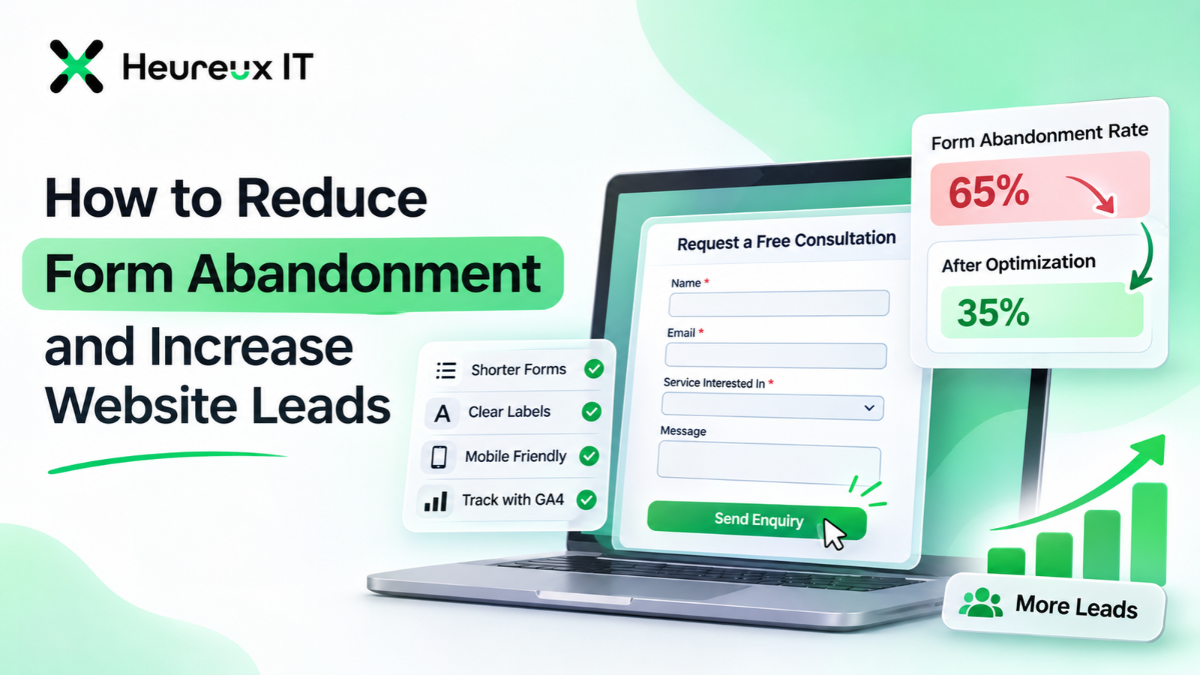
Your website is getting visitors. People are clicking your ads, exploring your services, and even starting to fill out your contact form. But many leave before submitting their information.
This is one of the most frustrating problems for businesses investing in digital marketing. You spend money attracting potential customers, but the final step of the conversion process prevents some of them from becoming leads.
The problem may not be your advertising campaign. It could be your website form.
A lengthy form, confusing questions, poor mobile design, or a technical error can make visitors leave before completing their enquiry.
Understanding your Form Abandonment Rate helps you identify these problems and improve the experience.
At Heureux IT, we understand how website performance, conversion tracking, and paid advertising work together. A successful marketing strategy should not only bring visitors to your website but also make it easy for them to take the next step.
In this guide, we will explain what form abandonment means, why it happens, how to track it, and the changes businesses can make to generate more leads from existing website traffic.
What Is Form Abandonment?
Form abandonment happens when someone starts completing an online form but leaves without submitting it.
It can occur on almost any website, including contact forms, appointment bookings, quote requests, registration forms, and ecommerce checkout pages.
For example, imagine a visitor looking for digital marketing services.
They visit a website, review the services, and click "Request a Free Consultation."
The form asks for their name, email, phone number, company name, website URL, monthly advertising budget, business address, and project details.
After completing a few fields, the visitor decides the process requires too much effort and leaves.
The business loses a potential enquiry even though the visitor showed interest.
This is why understanding the Form Abandonment Rate is important for website conversion optimization.
How Is Form Abandonment Rate Calculated?
Form Abandonment Rate measures the percentage of visitors who begin completing a form but do not finish it.
Formula:
Form Abandonment Rate = (Form Starts − Completed Forms) ÷ Form Starts × 100
Consider this example:
| Website Form Activity | Number |
|---|---|
| Visitors Who Started the Form | 500 |
| Visitors Who Submitted the Form | 175 |
| Visitors Who Abandoned the Form | 325 |
| Form Abandonment Rate | 65% |
| Form Completion Rate | 35% |
In this example, 65% of visitors who started the form did not complete it.
Not every abandoned form represents a guaranteed lost customer. However, the data helps businesses identify opportunities to improve the conversion process.
Why Is Form Abandonment a Problem for Businesses?
Businesses often invest heavily in SEO, Google Ads, Meta Ads, and other marketing channels to attract website visitors.
But attracting traffic is only the beginning.
If visitors cannot complete the final step, the business may struggle to turn that traffic into enquiries.
1. Lost Lead Opportunities
Visitors who begin filling out a form have shown some level of interest in your business.
When they leave without submitting, your sales team may never receive their enquiry.
2. Higher Advertising Costs
Suppose a business spends $2,000 on Google Ads and generates 25 leads.
Its cost per lead is $80.
If website form improvements help the business generate 40 leads from the same advertising spend, its cost per lead becomes $50.
This is an illustrative example, but it shows how conversion improvements can affect advertising efficiency.
3. Poor User Experience
Complicated forms can frustrate visitors and make the business appear difficult to work with.
A simple, clear form creates a better first impression.
4. Inaccurate Conversion Tracking
Some websites track Submit button clicks instead of successful submissions.
This can make the number of reported conversions higher than the number of actual leads received.
Businesses need reliable tracking to understand their real performance.
What Causes a High Form Abandonment Rate?
Before changing your website forms, it is important to understand why visitors leave.
Several factors can contribute to abandonment.
| Common Problem | How It Affects Visitors |
|---|---|
| Too Many Fields | Makes the form feel time-consuming |
| Required Personal Information | Creates privacy concerns |
| Poor Mobile Design | Makes fields difficult to complete |
| Confusing Instructions | Causes uncertainty |
| Technical Errors | Prevents successful submissions |
| Slow Loading | Creates frustration |
| Unclear CTA | Does not explain the next step |
| Lack of Trust | Makes visitors hesitant to share details |
| No Progress Indicator | Makes long forms feel endless |
These problems often appear together.
For example, a long form may become even more difficult when visitors complete it on a smartphone.
The best solution is to identify the actual source of friction instead of assuming that every form needs fewer fields.
12 Ways to Reduce Form Abandonment Rate and Increase Conversions
1. Reduce the Number of Required Fields
One of the first things to review is the number of questions your form asks.
Every additional field requires visitors to spend more time entering information.
For a simple contact form, businesses often need only a name, contact method, and short message.
Consider the following example:
Before Optimization:
- Full Name
- Email Address
- Phone Number
- Company Name
- Website URL
- Business Address
- Monthly Budget
- Service Required
- Project Description
After Optimization:
- Name
- Email Address
- Service Required
- Message
The second form is easier to complete.
However, businesses should not remove fields that are essential for qualifying leads. The goal is to remove unnecessary questions, not useful information.
Recommendation: Review every field and ask whether the information is needed before the first conversation.
2. Make Your Forms Mobile-Friendly
Many website visitors browse and complete forms on mobile devices.
A form that looks good on a desktop may be difficult to use on a smaller screen.
Common mobile problems include small input fields, crowded layouts, hard-to-select dropdowns, and buttons hidden behind the keyboard.
To improve mobile usability:
- Use a single-column form layout.
- Keep enough space between fields.
- Use readable text and visible labels.
- Make buttons easy to tap.
- Enable appropriate mobile keyboards.
- Avoid horizontal scrolling.
- Test the form on different screen sizes.
For example, an email field should display a keyboard that makes entering an email address easy.
Mobile optimization helps visitors complete forms with less effort.
3. Use Multi-Step Forms for Longer Applications
Some businesses need detailed information from potential customers.
Insurance applications, mortgage enquiries, and project quotation forms may require several questions.
Instead of displaying every field on one page, divide the form into smaller sections.
Example:
Step 1: Personal Information
Name, email, and phone number.
Step 2: Service Requirements
Type of service and project details.
Step 3: Additional Information
Budget, preferred date, or other relevant questions.
Step 4: Review and Submit
Allow visitors to confirm their details.
Add a progress bar so visitors can see how much of the form remains.
Multi-step forms can make complex applications easier to navigate, although businesses should test whether they outperform single-page forms.
4. Use Conditional Logic to Display Relevant Questions
Not every visitor needs to answer the same questions.
Conditional logic allows a form to show specific fields based on previous answers.
For example, a digital marketing agency might ask:
Which service are you interested in?
- Google Ads
- Meta Ads
- SEO
- Website Development
If someone selects Google Ads, the form can display questions about advertising goals and budget.
If someone selects Website Development, it can ask whether they need a new website or a redesign.
This makes the form more relevant to each visitor.
It also helps businesses collect useful information without asking everyone unnecessary questions.
5. Use Clear Form Labels and Instructions
Confusing questions can make visitors hesitate.
A field labeled "Details" does not clearly explain what information the business needs.
Instead, use specific labels.
| Unclear Label | Better Label |
|---|---|
| Details | Tell Us About Your Project |
| Contact | Your Email Address |
| Requirements | What Service Do You Need? |
| Budget | What Is Your Estimated Budget? |
| Comments | How Can We Help You? |
Keep labels visible above the input fields.
Avoid relying only on placeholder text because it may disappear when visitors begin typing.
If a field requires a particular format, provide an example before the visitor submits the form.
6. Improve Form Error Messages
Imagine spending several minutes completing a form and receiving the message:
"Invalid Input."
The visitor does not know what went wrong.
A better message would explain the problem:
"Please enter a valid email address so we can contact you."
Good form validation should:
- Identify the field containing the error.
- Explain how to correct the problem.
- Preserve information already entered.
- Avoid unnecessary formatting restrictions.
- Display errors near the relevant fields.
For longer forms, an error summary can also help visitors find problems.
Businesses should test validation on both desktop and mobile devices.
7. Build Trust Around Your Contact Form
Visitors may hesitate to share personal information with an unfamiliar business.
A professional website design helps, but businesses should also explain how submitted information will be used.
Consider placing a short statement near the form:
"Share your project details, and our team will contact you to discuss the next steps."
You can also include relevant testimonials, business contact details, a privacy policy link, and a realistic response-time expectation.
Use genuine trust signals rather than adding unnecessary badges.
Visitors should understand who will receive their information and what happens after submission.
8. Improve Your Call-to-Action Button
The wording of your form button can influence how visitors understand the next step.
A generic "Submit" button does not explain what happens next.
Use text that matches the purpose of the form.
| Form Type | Recommended CTA |
|---|---|
| Contact Form | Send My Enquiry |
| Quote Request | Get My Free Quote |
| Consultation Form | Book My Consultation |
| Newsletter Signup | Subscribe Now |
| Download Form | Get My Free Guide |
| Service Enquiry | Discuss My Project |
The button should be visible, readable, and easy to click.
Avoid using misleading wording or promises that do not match the actual process.
9. Improve Website Loading Speed
A slow website can affect the entire conversion process.
Visitors may leave before the form loads or become frustrated when submission takes too long.
Common issues include oversized images, unnecessary scripts, slow third-party integrations, and server errors.
Businesses should review page performance and test how forms behave on slower internet connections.
Make sure visitors receive clear feedback after clicking the submit button.
If the submission fails, explain what happened and allow them to try again without losing their answers.
10. Track Form Abandonment With GA4 and Google Tag Manager
You cannot identify form problems accurately without measuring user interactions.
Google Analytics 4 and Google Tag Manager can help businesses understand how visitors interact with their forms.
A useful event tracking setup includes:
| Tracking Event | Purpose |
|---|---|
| form_start | Measures when visitors begin a form |
| form_field_error | Tracks validation errors |
| form_submit_attempt | Measures submission attempts |
| form_submit | Records successful submissions |
| generate_lead | Records valid lead generation |
GA4 enhanced measurement can collect certain form interactions, but automatic tracking does not work with every website form.
Custom GTM tracking may be required.
How to Set Up Form Tracking
Step 1: Open Google Tag Manager and enable Preview mode.
Step 2: Visit the website and begin completing the form.
Step 3: Check which events appear when you interact with the fields.
Step 4: Create custom tracking events if the form does not support automatic detection.
Step 5: Track successful submissions through a confirmed success event or thank-you page.
Step 6: Test the events in GA4 DebugView.
Step 7: Compare form starts with completed submissions.
For businesses using Google Ads, accurate tracking is important because conversion data influences campaign reporting and optimization.
Important: A Submit button click should not automatically count as a successful lead.
11. Use Form Recovery Features
Not every visitor leaves because the form is poorly designed.
Some visitors become distracted, lose their internet connection, or need additional information before completing the form.
For longer applications, save-and-resume features can help.
Depending on the platform, businesses may use:
- Saved form progress
- Partial submissions
- Resume links
- Abandoned form reminders
- Internal abandonment notifications
For example, some form builders allow visitors to return to an unfinished application without starting again.
Recovery messages should respect privacy requirements and any applicable consent rules.
For short contact forms, reducing friction may be more useful than adding recovery workflows.
12. Run A/B Tests to Improve Form Performance
Different audiences respond to different form designs.
Instead of making several changes and assuming they will improve conversions, test meaningful variations.
Businesses can compare:
- Short forms versus longer forms
- Single-page versus multi-step forms
- Different CTA button text
- Required versus optional phone numbers
- Different form placements
- Different field labels
Measure both the number of submissions and the quality of leads.
A form that generates more enquiries is not always better if most of those enquiries are unsuitable.
Testing helps businesses make decisions based on actual performance.
How to Measure Form Abandonment in GA4
Once tracking is configured, businesses can use GA4 to compare form starts and successful submissions.
For example:
| Event | Unique Users |
|---|---|
| Form Started | 300 |
| Form Submitted | 105 |
| Form Abandoned | 195 |
Form Abandonment Rate = (300 − 105) ÷ 300 × 100 = 65%
This example assumes that all 105 completed submissions belong to the same group of 300 users who started the form.
In real reporting, businesses should account for repeat form starts, multiple sessions, and submissions completed later.
Which Metrics Should You Monitor?
Form Start Rate: The percentage of relevant visitors who begin the form.
Form Completion Rate: The percentage of form starters who successfully submit.
Form Abandonment Rate: The percentage of form starters who do not complete the process.
Field Error Rate: How often visitors encounter validation problems.
Lead Quality: Whether submitted enquiries match the business's ideal customers.
Cost Per Lead: The advertising cost required to generate each lead.
Reviewing these metrics together provides a clearer picture than looking at form submissions alone.
Want help turning this into results for your business?
Explore our Tracking services →What Is a Good Form Abandonment Rate?
There is no universal Form Abandonment Rate that every website should target.
Performance varies based on industry, visitor intent, form length, device type, and the information being requested.
For example, a simple newsletter signup form and a detailed mortgage application have very different requirements.
Rather than comparing every form against one benchmark, businesses should review their own historical performance.
If your current abandonment rate is 70%, you can investigate the causes and test changes to improve it.
The goal is to increase qualified submissions while maintaining a good user experience.
How Reducing Form Abandonment Improves Google Ads Performance
Businesses running paid advertising should pay close attention to their landing page forms.
Consider this hypothetical campaign:
| Metric | Before Optimization | After Optimization |
|---|---|---|
| Google Ads Spend | $2,000 | $2,000 |
| Website Visitors | 500 | 500 |
| Form Starts | 100 | 100 |
| Completed Leads | 25 | 40 |
| Cost Per Lead | $80 | $50 |
| Form Completion Rate | 25% | 40% |
The business spends the same amount on advertising but receives more enquiries because more visitors complete the form.
This demonstrates why landing page optimization should be part of paid advertising management.
Businesses investing in Google Search Ads and Meta Ads should review the full customer journey, not just clicks and impressions.
A strong advertising campaign needs a website experience that supports conversions.
Common Form Optimization Mistakes to Avoid
Even businesses with professional websites can make mistakes that increase abandonment.
Making Every Field Required
Not every question needs an answer before the first conversation.
Make nonessential fields optional or remove them.
Using Placeholder Text Instead of Labels
Visitors may forget what a field asks once the placeholder disappears.
Use permanent, visible labels.
Ignoring Mobile Form Performance
A form that works on desktop may fail on mobile.
Test different devices and screen sizes.
Tracking Submit Clicks as Conversions
A visitor may click Submit and still encounter an error.
Only successful submissions should count as completed leads.
Failing to Check Lead Delivery
A form can display a success message while email notifications or CRM integrations fail.
Test the entire process, including delivery to the intended recipient.
Making Changes Without Measuring Results
A redesign does not guarantee better conversions.
Use analytics and testing to understand whether changes improve performance.
Website Form Optimization Checklist
Before publishing or updating your forms, review the following:
- Remove unnecessary form fields.
- Make the form responsive on mobile.
- Use clear and visible field labels.
- Identify required and optional fields.
- Add helpful validation messages.
- Preserve entered information after errors.
- Include relevant privacy information.
- Use a clear call-to-action button.
- Test submission success messages.
- Verify email and CRM delivery.
- Configure GA4 and GTM form tracking.
- Measure successful submissions separately from button clicks.
- Review abandonment by device and traffic source.
- Test form improvements over time.
How Heureux IT Helps Businesses Improve Website Conversions
A website form is only one part of the lead generation process.
Businesses also need effective advertising, relevant landing pages, accurate tracking, and reliable lead delivery.
Heureux IT helps businesses improve the connection between website performance and digital marketing results.
This includes reviewing conversion tracking, identifying landing page issues, configuring GA4 and GTM events, and supporting marketing integrations.
For businesses connecting forms with other tools, Zapier integrations can help automate supported workflows when configured correctly.
The aim is to help businesses understand where leads are lost and make better decisions based on reliable data.
Final Thoughts
A high Form Abandonment Rate can prevent businesses from getting the full value of their website traffic.
The cause may be something simple, such as an unnecessary field or unclear button text. It may also be a technical problem that stops forms from submitting.
Start by measuring how visitors interact with your forms. Identify the biggest obstacles, make targeted improvements, and review the results.
Reducing form abandonment is not about making every form as short as possible. It is about making the process clear, useful, and easy to complete.
When businesses improve the experience and track successful submissions correctly, they create better opportunities to turn website visitors into qualified leads.
Frequently Asked Questions
What is Form Abandonment Rate? +
Form Abandonment Rate is the percentage of visitors who begin filling out an online form but leave without successfully submitting it. It helps businesses understand how many potential enquiries are lost during the form completion process.
How do you calculate Form Abandonment Rate? +
Subtract completed forms from form starts, divide the result by form starts, and multiply by 100. If 200 people start a form and 80 complete it, the abandonment rate is 60%.
What causes visitors to abandon website forms? +
Visitors may abandon forms because of too many required fields, poor mobile design, unclear instructions, technical errors, slow loading, or concerns about sharing personal information.
How can I reduce form abandonment? +
Remove unnecessary fields, improve mobile usability, use clear labels, fix validation errors, provide privacy information, and test different form layouts. Track results to identify which changes work.
Can Google Analytics 4 track form abandonment? +
Yes. GA4 can measure form starts and successful submissions when suitable events are configured. Businesses can compare these events to estimate abandonment and use custom tracking for more detailed analysis.
Does reducing form fields improve conversions? +
Removing unnecessary fields can make forms easier to complete, but results vary. Some businesses need additional questions to qualify leads. Testing helps determine the right balance.
Are multi-step forms better for lead generation? +
Multi-step forms can help organize longer applications into manageable sections. However, short forms may perform better on a single page. The best format depends on the audience and information required.
How does form abandonment affect Google Ads? +
When visitors click paid ads but leave without completing forms, businesses may generate fewer leads from their advertising spend. Improving form completion can help reduce cost per lead.
Which tools can measure form abandonment? +
Google Analytics 4, Google Tag Manager, form analytics tools, and user behavior platforms can help measure form interactions and identify drop-off points.
What is the difference between form abandonment and form completion rate? +
Form abandonment measures the percentage of people who start but do not finish a form. Form completion rate measures the percentage who successfully submit it. When both use the same group of form starters, their percentages add up to 100%.
Heureux IT is a digital marketing agency specialising in Google Ads, Meta Ads and SEO. We help growing businesses turn paid and organic search into measurable revenue.