You've decided your business needs a better website.
Maybe your current website looks outdated. Perhaps every small change requires help from a developer. Or you're starting a business and want a professional website without dealing with complicated coding.
You begin comparing website builders and come across Webflow.
It looks powerful, offers plenty of design flexibility, and promises to make website development easier. But is it actually the right platform for your business?
Understanding What Is Webflow can help you decide whether it fits your website goals, budget, and long-term plans.
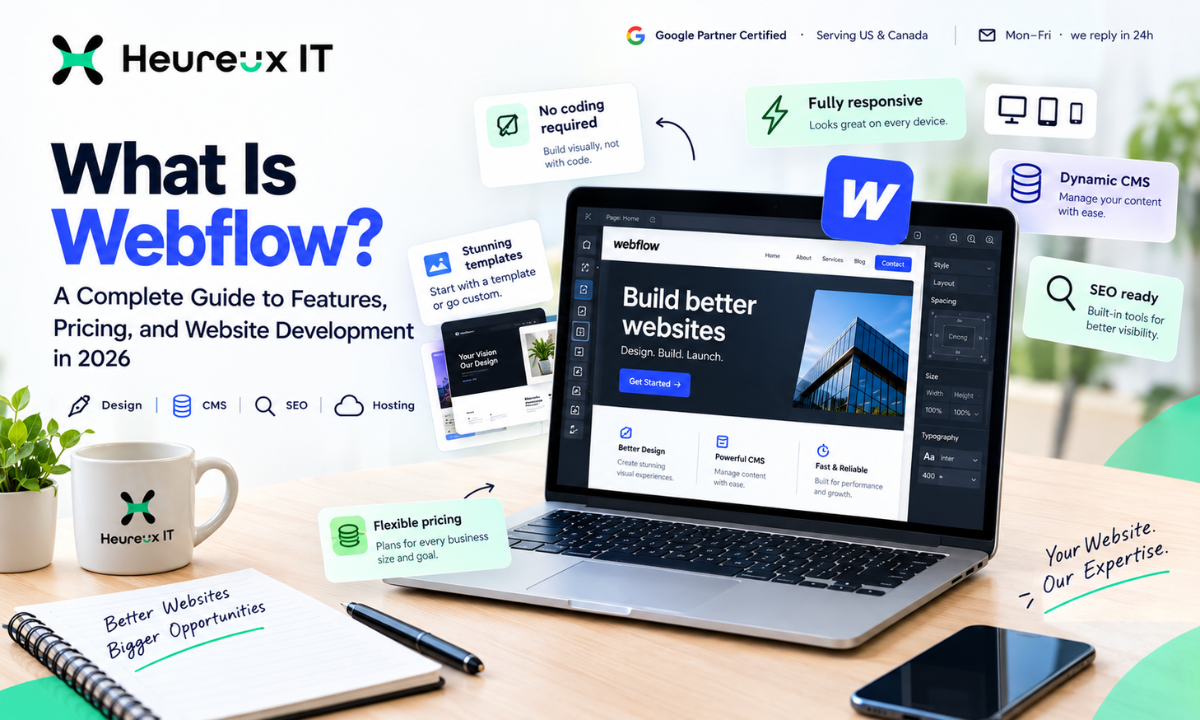
Webflow is a visual website design and development platform that allows users to create responsive websites without manually writing all the code. It combines website design tools, content management, hosting, and SEO features in one environment.
Businesses use it to build marketing websites, landing pages, blogs, portfolios, and SaaS product websites.
At Heureux IT, we help businesses create websites that are not only visually appealing but also easy to navigate, search-engine-friendly, and built around clear business goals.
This guide explains how Webflow works, what it can do, where it falls short, and how to decide whether it is the right choice for your next website.
What Is Webflow?
Webflow is a visual web development platform that lets you design, build, manage, and publish websites through a browser-based interface.
Instead of writing HTML and CSS from scratch, you can create layouts, add content, adjust spacing, and customize website elements visually.
Webflow generates the front-end code needed to display your designs in a web browser.
It also provides a built-in Content Management System (CMS), hosting, and tools for managing important SEO settings.
For example, imagine you're launching a consulting business.
You need a homepage, service pages, an About Us section, a blog, and a contact form.
With Webflow, you can design these pages, organize your content, and publish the website without creating a traditional development environment.
That doesn't mean Webflow eliminates the need for technical knowledge.
Understanding website structure, responsive design, and basic CSS concepts can make the platform much easier to use.
The main advantage is that visual design and website development happen within the same environment.
How Does Webflow Work?
Webflow works by translating visual design decisions into website code.
When you add a heading, create a section, or adjust a layout, you're working with elements that correspond to HTML and CSS properties.
This gives you more control over the website than many basic template-based builders.
Webflow combines several important components.
Webflow Designer
The Designer is where you create and customize website layouts.
You can control typography, colors, spacing, images, backgrounds, and responsive behavior.
It supports familiar web design systems such as Flexbox and CSS Grid.
For example, you can create a homepage with a large headline on the left and an image on the right, then adjust that layout for mobile devices.
Webflow CMS
The CMS helps you manage content that follows a consistent structure.
Instead of designing every blog page separately, you can build a reusable template and publish articles using CMS entries.
The same approach works for case studies, customer testimonials, team profiles, and resource libraries.
Hosting and Publishing
Webflow provides hosted infrastructure for publishing websites.
This means you don't normally need to manage a separate hosting server for a standard Webflow-hosted site.
You can connect a custom domain using an appropriate Site Plan and publish your website.
Interactions and Animations
Webflow includes tools for building hover effects, transitions, scroll animations, and other interactive experiences.
These features can make a website more engaging when they're used thoughtfully.
Integrations
Webflow can connect with analytics platforms, CRMs, email marketing tools, and automation services.
Depending on the requirement, these connections may use native integrations, third-party services, APIs, or custom code.
What Is Webflow Used For?
Webflow supports several types of websites.
Its strongest use cases involve businesses that need flexible design, marketing content, and regular website updates.
Business and Corporate Websites
Businesses can use Webflow to create professional websites that explain their products or services.
A typical business website may include a homepage, service pages, customer testimonials, contact information, and blog articles.
For example, an accounting firm could create separate pages for bookkeeping, tax preparation, and financial consulting.
Each page can explain the service and guide visitors toward booking a consultation.
SaaS Marketing Websites
Software businesses frequently need product pages, integration pages, feature explanations, and demo request forms.
Webflow can help marketing teams publish and update these pages without making every change through an engineering team.
However, the platform is generally better suited to a SaaS company's marketing website than to the complex application that customers log into and use.
Landing Pages
Landing pages focus on a specific marketing objective.
A business running Google Ads might want a dedicated page for one service rather than sending all visitors to its homepage.
Webflow gives teams control over the design, messaging, forms, and layout of these pages.
Blogs and Resource Libraries
Content-driven businesses can use the CMS to publish articles through consistent templates.
For example, a software company can create a resource library containing tutorials, product comparisons, and industry guides.
This helps keep content organized as the website grows.
Portfolio Websites
Designers, photographers, architects, and creative agencies can use Webflow to showcase their work.
The visual design controls make it possible to create distinctive layouts and interactive project presentations.
eCommerce Websites
Webflow supports eCommerce functionality for eligible store requirements.
It can work for smaller product catalogs, especially when visual presentation is a major priority.
Businesses with extensive inventory, fulfillment, and retail management requirements should also evaluate platforms designed specifically for eCommerce.
What Are the Main Features of Webflow?
Webflow combines several features that would otherwise require separate website tools or development work.
1. Visual Website Design
The visual Designer is one of Webflow's most recognizable features.
Instead of choosing only from fixed template sections, users can work directly with layout controls.
You can customize margins, padding, typography, backgrounds, positioning, and responsive styles.
For a business that wants its website to closely match an established brand identity, this flexibility is valuable.
However, more control also means more design decisions.
A poorly planned layout can still produce a confusing website, regardless of the platform.
2. Content Management With Webflow CMS
The Webflow CMS allows businesses to create structured collections of content.
Let's say you operate a marketing agency and publish case studies.
Every case study may include a client industry, project description, challenge, solution, images, and results.
Instead of creating each page manually, you can build one case study template and populate it using CMS fields.
This saves repetitive work and keeps content presentation consistent.
It also makes website expansion more manageable.
3. Responsive Design Controls
A website needs to work across different screen sizes.
Webflow allows designers to preview and modify layouts for desktop, tablet, and mobile breakpoints.
You can adjust font sizes, section layouts, spacing, and element visibility when necessary.
Responsive controls are useful, but they aren't a substitute for testing.
Always check actual mobile usability, especially navigation menus, buttons, forms, and interactive elements.
4. Built-In Hosting
Webflow-hosted websites use managed hosting infrastructure with content delivery and SSL support.
This simplifies publishing and reduces the need for routine server administration.
For many marketing websites, an integrated hosting environment is convenient.
However, businesses still need to manage third-party scripts, account security, privacy settings, and external integrations.
5. Custom Animations
Animations can help communicate information or make a website feel more interactive.
Webflow supports different interaction styles, including hover effects and scroll-triggered animations.
For example, a SaaS website might animate a product workflow to explain how information moves between features.
The important question is whether an animation improves the visitor's experience.
Too many effects can distract users, increase loading work, and create accessibility problems.
6. SEO Features
Webflow provides controls for important technical and on-page SEO elements.
These include page titles, meta descriptions, canonical settings, image Alt Text, redirects, and XML sitemaps.
Businesses can also implement structured data where appropriate.
These features make SEO implementation possible, but they don't automatically guarantee search rankings.
Content quality, relevance, website performance, and competition remain important.
7. AI-Assisted Features
Webflow has introduced AI-assisted capabilities for selected design, content, and optimization tasks.
Depending on the current product features and plan, AI assistance can support activities such as generating content drafts or helping with website-related workflows.
Businesses should review AI-generated outputs before publishing them.
Incorrect information, inconsistent branding, and generic content can still create problems.
AI can help speed up parts of website management, but it doesn't replace thoughtful planning and quality control.
What Are the Benefits of Using Webflow?
The value of Webflow depends on how a business manages its website.
For some companies, design flexibility is the biggest advantage.
For others, the main benefit is reducing the time needed to publish content.
Greater Control Over Website Design
Businesses can create more customized layouts and visual experiences.
This is useful when brand presentation matters and basic templates feel restrictive.
Easier Website Updates
Marketing teams can manage many routine content updates without requiring a developer for every change.
For example, publishing a blog article or updating a service description can become part of a regular marketing process.
Consistent Content Presentation
CMS templates and reusable components help keep website pages organized.
This is particularly valuable for businesses publishing large amounts of structured content.
Integrated Hosting
Managed hosting reduces some of the operational tasks associated with maintaining a traditional website stack.
Support for Lead Generation
Webflow can be used to build landing pages, forms, service pages, and conversion-focused website experiences.
However, results depend on the quality of the offer, content, audience, and overall user experience.
A visually attractive website is not automatically a high-converting website.
Webflow vs. WordPress: What's the Difference?
Webflow and WordPress both allow businesses to create professional websites, but they work differently.
WordPress is an open-source Content Management System with a large collection of themes and plugins.
Webflow combines visual development, CMS functionality, and managed hosting within one platform.
Here's how they compare.
| Feature | Webflow | WordPress |
|---|---|---|
| Website Design | Visual Designer with detailed CSS controls | Themes, block editor, and page builders |
| Content Management | Built-in CMS Collections | Flexible content management |
| Hosting | Managed hosting | Hosting usually selected separately |
| Plugins | Integrations and custom code | Extensive plugin ecosystem |
| SEO | Built-in controls and custom markup | Core features and SEO plugins |
| Maintenance | Platform-managed updates | Depends on hosting, plugins, and setup |
| Customization | Visual tools and custom code | Plugins, themes, and custom development |
| Best For | Design-led marketing websites | Content-heavy or highly extensible websites |
When Should You Choose Webflow?
Webflow may be suitable when you need detailed visual control, consistent CMS templates, and a website that marketing teams can update regularly.
For example, a SaaS business publishing new landing pages and feature announcements may benefit from Webflow's workflow.
When Should You Choose WordPress?
WordPress may be a better option if your business relies on specialized plugins, custom content functionality, or greater control over the hosting environment.
It also provides considerable flexibility for complex content websites.
Neither platform automatically produces better SEO results.
A properly optimized WordPress website can perform just as well as a properly optimized Webflow website.
The decision should depend on project requirements rather than marketing claims.
Webflow vs. Shopify: Which Platform Is Better?
Webflow and Shopify serve overlapping but different business needs.
Shopify focuses primarily on online selling.
Its features support product management, inventory, checkout, order processing, and eCommerce operations.
Webflow focuses more heavily on website design, content management, and marketing flexibility.
Imagine two businesses.
The first is a creative studio selling a small collection of digital products alongside its portfolio.
The second is a retailer managing thousands of physical products across multiple categories.
The creative studio might value Webflow's design flexibility.
The retailer would likely benefit from comparing Shopify's inventory, checkout, and fulfillment capabilities.
Before choosing, consider your expected product count, shipping requirements, payment options, transaction fees, and future integrations.
Webflow vs. Wix and Framer
Wix and Framer are also popular options for businesses comparing website-building platforms.
Wix provides a relatively accessible website creation experience, making it useful for many small businesses.
Framer is known for design-focused website creation, particularly for startups, portfolios, and interactive marketing pages.
Webflow offers detailed responsive layout controls and structured CMS capabilities that can support more involved marketing websites.
None of these platforms is universally better.
A small business that needs a simple website may prefer a faster learning experience.
A marketing team that regularly creates custom landing pages may prioritize advanced design and CMS control.
The best option is the one that meets your requirements without introducing unnecessary complexity.
Want help turning this into results for your business?
Explore our SEO services →Is Webflow Good for SEO?
Yes. Webflow SEO features can support strong search optimization when implemented correctly.
The platform provides tools for managing page information, site structure, redirects, and other technical elements.
However, SEO depends on more than the website builder.
Your content must answer relevant questions, the website must be accessible to search engines, and visitors should have a useful experience.
Optimize SEO Titles and Meta Descriptions
Every important webpage should have a descriptive title and meta description.
For example, a company providing accounting services should use page titles that describe its actual offerings.
Avoid repeating the same generic title across every service page.
Create a Clear Website Structure
Organize pages in a way that helps visitors find relevant information.
A SaaS marketing website might separate Features, Integrations, Solutions, Pricing, and Resources.
Clear navigation also helps search engines understand relationships between pages.
Improve Page Speed
Large images, unnecessary scripts, and complex animations can affect loading performance.
Even with managed hosting, a website can become slow if it contains too many demanding elements.
Review Core Web Vitals and test performance on mobile devices.
Use Appropriate Structured Data
Structured data helps search engines understand the information on a webpage.
Depending on the content, suitable schema may include Organization, BlogPosting, BreadcrumbList, or Product.
Schema should describe information that actually appears on the page.
Adding schema does not guarantee higher rankings or rich search results.
Manage Redirects Correctly
Redirects are important when URLs change.
If a business moves from another website platform to Webflow, old URLs should redirect to their most relevant new destinations.
Without proper redirects, visitors may encounter broken pages and search visibility may be affected.
Can Webflow Help With AI Search and Answer Engine Optimization?
Search behavior is changing as people use Google AI Overviews, ChatGPT, Perplexity, and other AI-powered tools to research businesses and products.
These systems may summarize information from various sources and help users compare options.
Answer Engine Optimization (AEO) focuses on making content easier to understand and useful for answer-oriented search experiences.
Webflow provides the tools needed to organize website content, create clear page structures, and implement relevant technical information.
For example, a software company can publish detailed pages that explain its product features, limitations, integrations, and common customer questions.
Helpful content should provide direct answers rather than rely on vague promotional language.
Businesses can also improve information quality by using original research, accurate product descriptions, and credible supporting evidence.
However, there is no special Webflow setting that guarantees AI citations.
AI visibility depends on multiple factors, many of which website owners cannot directly control.
How Much Does Webflow Cost in 2026?
Webflow Pricing depends on website requirements, hosting needs, CMS usage, and collaboration features.
Webflow separates website publishing needs from workspace and team management requirements.
Webflow Site Plans
Site Plans determine the publishing and hosting capabilities available to a website.
A simple informational website may have different requirements from a content-driven website with hundreds of CMS entries.
Businesses should compare custom domain support, CMS limits, bandwidth, and other publishing features.
Webflow Workspace Plans
Workspace Plans help individuals and teams manage projects and collaboration.
Requirements may vary depending on how many people need access and what responsibilities they have.
Additional Website Costs
A website budget should account for more than platform subscription fees.
Custom design, development, content writing, SEO, analytics, integrations, and ongoing updates can all affect project costs.
For example, a business using an existing template may spend less initially than one requiring a fully customized website with CRM integration.
Prices and plan features change, so always review Webflow's current official pricing before deciding.
What Are the Limitations of Webflow?
Webflow provides strong design capabilities, but it has limitations.
Understanding them before starting a project can prevent unnecessary expenses.
A Learning Curve for Beginners
Although Webflow is visual, it uses website design concepts such as the box model, CSS Grid, and responsive breakpoints.
Users unfamiliar with these concepts may need time to become comfortable with the Designer.
Complex Backend Functionality
Webflow is not a complete replacement for custom application development.
If your project requires advanced user authentication, complicated database operations, or specialized server-side logic, additional development tools may be necessary.
eCommerce Requirements
Webflow supports online stores, but it may not be the best choice for businesses with extensive catalogs or complicated retail operations.
Platform and Integration Costs
As your website becomes more complex, subscription fees and third-party service costs may increase.
Website Migration Risks
Moving an existing website to Webflow requires careful preparation.
Missing redirects, changed URL structures, lost metadata, and incorrectly migrated content can affect search visibility.
These issues aren't unique to Webflow, but they should be addressed during any migration.
How to Build a Website With Webflow
Creating a professional website starts with planning.
The platform provides development tools, but you still need to decide what your website should accomplish.
1. Define Your Website Goals
Decide whether the website will generate inquiries, book appointments, promote software, or sell products.
This helps determine the pages and features you need.
2. Plan Your Website Structure
Create a sitemap showing your important pages.
A service business may need Home, Services, About, Case Studies, Blog, FAQ, and Contact pages.
3. Choose a Template or Custom Design
Webflow provides templates that can help you get started.
For a more distinctive website, you may choose a custom design.
4. Build Responsive Pages
Use Webflow Designer to create layouts, add images, and customize styles.
Review mobile and desktop layouts throughout development.
5. Configure CMS Collections
Create Collections for content that needs regular updates.
For example, a Blog Collection can contain article titles, author details, images, categories, and content.
6. Connect Analytics and CRM Tools
Integrate appropriate tools for measuring website activity and managing customer inquiries.
These might include Google Analytics 4, Google Tag Manager, and HubSpot.
7. Configure SEO Settings
Review titles, descriptions, canonical tags, sitemaps, and indexing settings.
Use descriptive headings and create helpful content.
8. Test Before Publishing
Check forms, buttons, navigation, responsive layouts, and tracking.
Correct any problems before connecting the final domain and launching.
When Should You Hire a Webflow Developer?
You may benefit from hiring a professional when your project involves advanced design, complex CMS architecture, integrations, or website migration.
A Webflow Developer can help translate business requirements into a functional website.
For example, a B2B company might need custom lead-generation landing pages connected to HubSpot, conversion tracking, and reusable content sections.
The developer can build the required structure and test important functionality before launch.
For a simple portfolio, learning the platform and using a template may be sufficient.
The decision depends on your budget, technical knowledge, and project complexity.
Why Choose Heureux IT for Webflow Website Development?
At Heureux IT, we believe a business website should do more than look attractive.
It should communicate the company's value, help visitors find information, and make the next action clear.
Our Webflow Website Development approach considers website design, content structure, mobile usability, Technical SEO, and Conversion Tracking.
We help businesses plan websites around their marketing goals rather than adding features without a clear purpose.
For example, a service business may need dedicated landing pages and reliable inquiry tracking.
A SaaS company may need feature pages, integration content, and a clear demo request process.
Different businesses need different website strategies.
At Heureux IT, we focus on building a foundation that supports usability, search visibility, and ongoing marketing improvements.
Final Thoughts
Webflow offers a practical way to create professional websites with detailed visual design controls, integrated content management, and managed hosting.
It can be a strong choice for marketing websites, SaaS businesses, agencies, and companies that publish content regularly.
However, it isn't the ideal platform for every project.
Complex applications, advanced eCommerce operations, and specialized technical requirements may call for different solutions.
Before choosing Webflow, consider your website goals, available budget, technical requirements, and long-term plans.
A successful website needs more than attractive design. It should help visitors understand your business and make it easy for them to take meaningful action.
At Heureux IT, we help businesses plan, design, and optimize websites with performance and usability in mind.
If you're planning a new website or considering a move to Webflow, explore our Webflow Website Development Services to understand how the platform can support your business.
Frequently Asked Questions
What Is Webflow Used For? +
Webflow is used to design, develop, manage, and host websites. It is commonly used for business websites, landing pages, SaaS marketing sites, blogs, portfolios, and smaller eCommerce projects.
Is Webflow Free or Paid? +
Webflow offers free and paid options. The free option is useful for exploring and building projects, while paid plans provide additional publishing, hosting, CMS, and collaboration capabilities.
Do You Need Coding Skills to Use Webflow? +
No. You can create many websites visually without writing code manually. However, understanding basic HTML, CSS, and responsive design concepts can help with more advanced projects.
Is Webflow Better Than WordPress? +
Neither platform is universally better. Webflow provides integrated visual development and hosting, while WordPress offers extensive plugins and customization options. The right choice depends on your website requirements.
Is Webflow Good for SEO? +
Yes. Webflow provides built-in controls for titles, descriptions, redirects, sitemaps, and other SEO elements. Strong rankings still depend on useful content, technical implementation, and competition.
Can Webflow Be Used for eCommerce? +
Yes. Webflow supports eCommerce websites, particularly smaller stores with strong design requirements. Businesses with complex inventory and fulfillment needs should compare dedicated eCommerce platforms.
How Long Does It Take to Build a Webflow Website? +
The timeline depends on website size, design complexity, content preparation, and integrations. A simple website may take several days, while a custom business website may require multiple weeks.
Can You Connect Webflow With HubSpot and Google Analytics? +
Yes. Webflow can connect with CRM, analytics, and marketing platforms through supported integrations, third-party automation tools, and custom implementations.
Heureux IT is a digital marketing agency specialising in Google Ads, Meta Ads and SEO. We help growing businesses turn paid and organic search into measurable revenue.