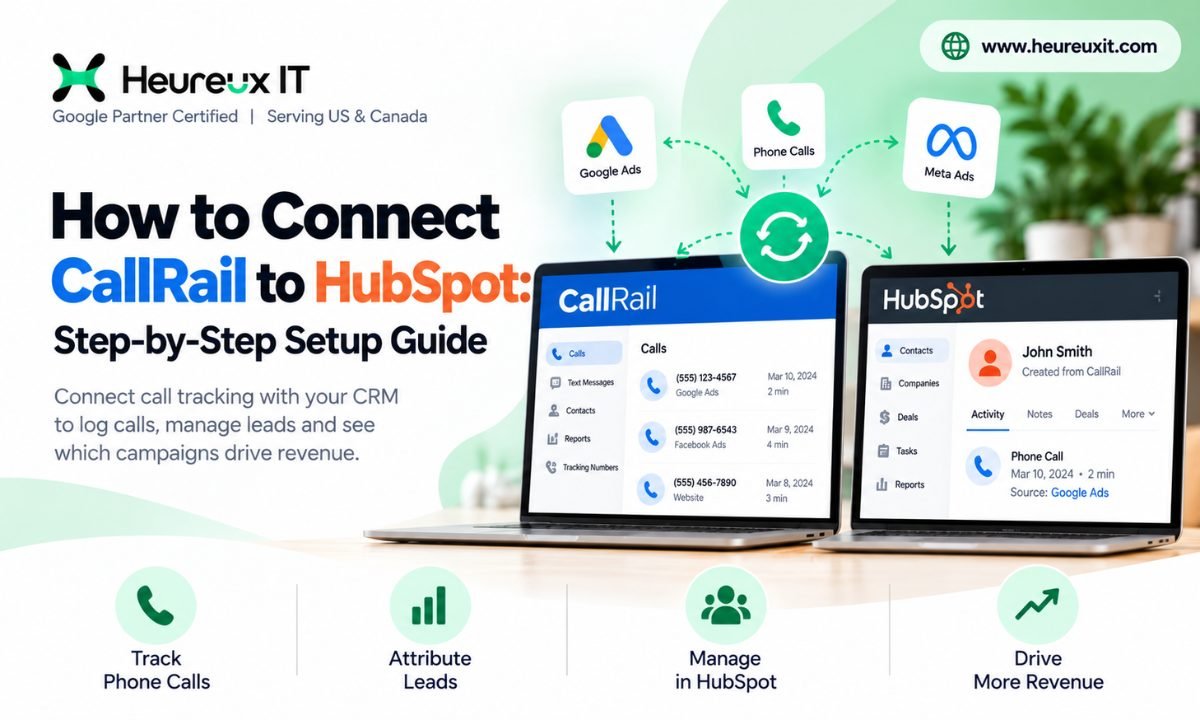
The CallRail HubSpot Integration connects CallRail's call tracking platform with HubSpot's customer relationship management system.
CallRail helps businesses understand where inbound phone calls originate. Depending on the tracking setup, this information may include advertising campaigns, referral sources, keywords, and website interactions.
HubSpot CRM stores customer information and helps sales teams manage leads, conversations, deals, and follow-up activities.
By connecting the two systems, businesses can bring supported call records into their CRM and reduce the need to enter call information manually.
For example, imagine a plumbing company running Google Ads campaigns.
A potential customer clicks an advertisement, visits the website, and calls the business using a tracked number.
CallRail records the call and its available attribution information. When the integration is configured correctly, supported call information can be associated with a HubSpot contact.
The sales team can then review the interaction and manage the potential customer in its normal CRM workflow.
This connection helps reduce the gap between marketing activity and sales conversations.
What Does the CallRail HubSpot Integration Do?
The integration is designed to improve visibility into phone leads and customer interactions.
Its exact behavior depends on the available integration features, account settings, and how customer records are matched.
1. Connects Phone Calls With CRM Records
One of the primary benefits is the ability to associate tracked phone interactions with customer information.
Instead of reviewing every call in one system and manually updating another, teams can use synchronized information to support follow-up activities.
This is especially helpful for businesses receiving frequent inbound calls.
2. Improves Lead Management
When a potential customer calls, sales representatives need enough information to understand the inquiry and respond effectively.
Relevant call details can help teams identify recent conversations and avoid unnecessary manual data entry.
A better-connected CRM can also support more consistent lead follow-up.
3. Supports Marketing Attribution
CallRail helps businesses identify available information about where tracked phone inquiries originated.
Combining this with CRM data may help marketing teams evaluate which channels generate valuable conversations.
However, connecting CallRail to HubSpot does not automatically guarantee complete campaign attribution.
Businesses must verify that the required source details are captured and transferred correctly.
4. Helps Connect Marketing With Sales Outcomes
Marketing performance should not be measured only through clicks or phone call volume.
Businesses also need to understand whether inquiries result in appointments, qualified opportunities, and paying customers.
By connecting call records with relevant HubSpot contacts and deals, teams can build a stronger foundation for evaluating the value of their marketing activities.
Why Is Call Tracking for Marketing Important?
Call Tracking for Marketing helps businesses understand which marketing activities generate inbound phone inquiries.
Without call tracking, a business may receive many phone calls but have limited information about where those customers found its contact number.
For example, a dental clinic might receive calls from Google Ads, organic search, its Google Business Profile, and social media campaigns.
If every customer calls the same untracked number, identifying the original source can be difficult.
Call tracking solutions can use dedicated tracking numbers and other attribution methods to provide additional information.
Better Advertising Decisions
When marketing teams understand which campaigns generate valuable inquiries, they can make more informed budget decisions.
A campaign with fewer calls may be more profitable than another with a higher call volume if those calls turn into better customers.
Improved Lead Quality Analysis
Not every incoming call is a qualified lead.
Some callers may ask general questions, contact the wrong business, or seek services the company does not provide.
Call records and CRM outcomes can help businesses distinguish useful inquiries from irrelevant activity.
More Accurate Performance Reporting
Businesses often evaluate digital campaigns using form submissions and website purchases.
Call tracking adds another important interaction type to the reporting process.
This is particularly valuable for businesses where customers prefer speaking directly with someone before making a purchase.
How to Connect CallRail to HubSpot: Step-by-Step Setup
The native connection is a practical starting point for businesses that want to synchronize supported call information with HubSpot.
The exact menu names and available settings may vary as the platforms update their interfaces.
Step 1: Prepare Your CallRail and HubSpot Accounts
Before starting, confirm that you have access to both platforms.
You should have:
- An active CallRail account with the necessary tracking setup.
- A HubSpot account with appropriate permissions.
- Authorization to connect third-party applications.
- Access to the CallRail company you want to connect.
- Existing tracking numbers or a plan to configure them.
Also identify which information your marketing and sales teams need.
For example, you may want to track call activity, customer phone numbers, lead status, and original marketing sources.
Step 2: Open the CallRail Integration Settings
Sign in to your CallRail account.
Navigate to the account or company integration settings.
Find the available HubSpot connection.
CallRail provides a native integration option, although the setup interface and available capabilities can depend on your account configuration.
Review the information presented before authorizing the connection.
Step 3: Connect Your HubSpot Account
Select the option to connect or authorize HubSpot.
You should be directed through HubSpot's application authorization process.
Choose the appropriate HubSpot account if you have access to multiple portals.
Review the requested permissions carefully before approving them.
The integration needs the relevant permissions to access supported CRM information and perform its configured synchronization actions.
Once authorization is completed, return to CallRail to confirm the connection status.
Step 4: Review Available Integration Settings
After connecting both platforms, review the available synchronization settings and integration documentation.
Depending on the supported functionality, you may need to consider how calls are associated with contacts and which activities appear in HubSpot.
Confirm that the configuration matches your business's lead management process.
Do not assume every CallRail field, recording, or attribution detail will automatically transfer.
Step 5: Make a Test Phone Call
Before relying on the integration for reporting, perform a controlled test.
Use one of your tracking numbers and make a test call.
Check that the call is recorded in CallRail according to your account's tracking and recording settings.
Next, review HubSpot to determine whether the expected contact or call activity appears.
Allow for any synchronization delay described by the provider.
Step 6: Verify the Contact Information
Open the relevant HubSpot record.
Review the phone number, call activity, and other synchronized information.
Check whether the call is associated with an existing contact or whether the integration created or matched a new record.
If the information does not appear as expected, inspect the integration settings and account permissions.
Step 7: Test Marketing Attribution
A successful connection should be evaluated beyond simply confirming that a call record appears.
Make a test call from a controlled marketing source where possible.
For example, visit the website using a test URL containing appropriate UTM parameters and verify that CallRail captures the intended attribution.
Then review which details are available in HubSpot.
If the marketing source is missing, investigate whether the limitation comes from tracking configuration, native integration behavior, or CRM field mapping.
Step 8: Review Lead Management Workflows
Once the integration is functioning, determine how the sales team should handle incoming call leads.
For example, the business may want sales representatives to review new call activities, qualify contacts, or associate opportunities with CRM deals.
Configure additional HubSpot workflows only when they are needed and supported by your subscription.
This helps create a more consistent process for managing phone inquiries.
How to Track Google Ads Calls and Revenue in HubSpot
Connecting your call tracking platform to a CRM is only the beginning.
The next goal is understanding how marketing activities contribute to customers and revenue.
Consider a home services company running multiple Google Ads campaigns.
The business receives 100 phone calls in one month, but those calls do not necessarily represent 100 qualified leads.
Some callers may be existing customers. Others may request services outside the company's location or budget.
To evaluate performance, the company needs to connect call information with actual sales outcomes.
Step 1: Capture the Original Marketing Source
Configure CallRail to capture available attribution information using suitable tracking numbers and website tracking methods.
Depending on the setup, useful information may include:
- Marketing channel
- Campaign name
- Source and medium
- Landing page
- Available keyword or search information
Dynamic Number Insertion can help attribute calls from website visitors when implemented correctly.
Step 2: Associate Calls With CRM Contacts
Ensure tracked calls are associated with the appropriate customer records.
Check whether existing contacts are being matched correctly and whether unnecessary duplicates are appearing.
Step 3: Track Lead Qualification
Sales teams should identify which calls become qualified opportunities.
For example, a business may categorize inquiries as qualified leads, unqualified leads, existing customer inquiries, or missed opportunities.
These categories should reflect actual business processes.
Step 4: Connect Qualified Leads With Deals
When a phone inquiry develops into a sales opportunity, associate the relevant contact with a HubSpot deal.
Maintain accurate deal stages and record the final outcome.
This helps businesses understand how phone inquiries contribute to their sales pipeline.
Step 5: Evaluate Revenue Attribution
A hypothetical example shows why tracking beyond calls matters.
| Metric | Campaign A | Campaign B |
|---|---|---|
| Advertising Spend | $1,000 | $1,000 |
| Phone Calls | 50 | 30 |
| Qualified Leads | 15 | 20 |
| Closed Customers | 3 | 6 |
| Revenue | $3,000 | $6,000 |
Campaign B generates fewer calls but produces more qualified leads and customers.
This example demonstrates why businesses should consider lead quality and sales revenue instead of measuring campaign success only through call volume.
Actual revenue attribution requires reliable source data, contact-to-deal associations, and consistent CRM reporting rules.
Common CallRail and HubSpot Integration Problems
Even after connecting both platforms, some businesses experience problems with data synchronization or reporting.
Problem 1: HubSpot Shows "Offline Sources - Integration"
A common concern is that HubSpot may classify a contact under an integration-related source instead of showing the original advertising channel.
For example, a caller originally generated by Google Ads may appear as an integration-created contact.
This distinction matters because HubSpot's Original Traffic Source is not necessarily the same as CallRail's attributed call source.
Creating a contact through an integration does not guarantee that HubSpot will classify it as a Paid Search lead.
Recommended solution: Check the available attribution data in CallRail and identify whether corresponding properties are populated in HubSpot.
Where native synchronization does not provide the required source fields, consider supported custom properties, workflows, or additional automation.
Do not overwrite HubSpot's original attribution properties without understanding the impact on existing reporting.
Problem 2: Calls Are Not Appearing in HubSpot
If expected call activities are missing, review the connection status and application permissions.
Verify that you are checking the correct HubSpot account and that the call belongs to the connected CallRail company.
Inspect the integration's supported synchronization behavior and allow for any documented processing delays.
If the problem continues, review provider documentation or contact technical support.
Problem 3: Duplicate Contacts Are Created
Duplicate records can make CRM reporting less reliable.
For example, an existing customer may call from a different phone number, causing a new contact record to be created or matched incorrectly.
Review phone-number formatting, contact matching behavior, and existing records.
Use HubSpot's supported duplicate-management tools where appropriate.
Problem 4: Campaign Attribution Is Missing
If calls appear in HubSpot without campaign information, the issue may relate to how the call was originally tracked.
Check tracking numbers, website scripts, UTM parameters, and available source information in CallRail.
If CallRail contains the desired attribution details but HubSpot does not, investigate field synchronization and integration limitations.
Problem 5: Revenue Is Not Connected to Calls
Logging call activities is different from tracking closed revenue.
If deals are not associated with the correct contacts, the business may struggle to determine which phone inquiries led to sales.
Review CRM association rules, deal management processes, and reporting definitions.
Want help turning this into results for your business?
Explore our SEO services →Other CallRail Integrations Businesses Should Know
CallRail can be part of a broader marketing and analytics setup.
Different integrations serve different purposes, so choose tools based on the information your business needs.
Google Ads and Call Tracking
Connecting suitable call-tracking data with Google Ads can help businesses evaluate phone inquiries generated by paid search.
Depending on the integration and configuration, eligible call conversions may also support campaign measurement.
Verify conversion definitions and avoid importing duplicate conversions.
Google Analytics 4
Call-related analytics can provide additional context about website interactions and marketing activity.
Businesses should confirm what events and parameters are available through their chosen integration.
CRM and Marketing Automation Platforms
Other CRM or automation tools may support CallRail data through native integrations, APIs, or third-party workflows.
Examples of possible automation requirements include assigning incoming leads, notifying sales representatives, and updating customer records.
Reporting and Dashboard Tools
Businesses may combine call-tracking and sales information in reporting platforms to evaluate marketing performance.
The goal is to create a consistent view of advertising spending, customer inquiries, lead quality, and revenue.
Call Tracking Services vs Basic Phone Call Reporting
Basic phone reporting usually focuses on the number of incoming and missed calls.
Professional Call Tracking Services provide additional information about marketing sources and customer interactions.
| Basic Call Reporting | Marketing Call Tracking |
|---|---|
| Total inbound calls | Calls associated with available marketing sources |
| Missed call counts | Source-level call performance |
| Basic call history | Marketing attribution information |
| Limited campaign context | Campaign analysis when tracking is properly configured |
| Manual lead review | Potential CRM and reporting integrations |
The value of call tracking depends on accurate implementation and how effectively the business uses the information.
Best Practices for Call Tracking and CRM Integration
Businesses should follow a consistent process to maintain reliable data.
Use a clear conversion definition. Decide whether a conversion means any incoming call, a sufficiently long call, or a genuinely qualified lead.
Avoid duplicate conversion reporting. If multiple systems report the same phone call, review how those conversions are counted in analytics and advertising platforms.
Review source accuracy. Test whether tracking numbers and attribution settings identify the intended marketing sources.
Maintain CRM data quality. Review contact matching, deal associations, and lead status updates regularly.
Protect customer privacy. Follow applicable consent, call recording, and data protection requirements. Recording consent rules vary by jurisdiction.
Review performance consistently. Compare advertising costs with qualified leads and sales, rather than focusing only on call counts.
Why Choose Heureux IT for CallRail and HubSpot Integration?
At Heureux IT, we help businesses connect marketing platforms with customer relationship management systems.
Our work focuses on improving Conversion Tracking, CRM Integration, Marketing Attribution, and advertising reporting.
We understand that businesses need more than a working software connection.
They need accurate information that helps marketing and sales teams understand customer behavior.
Our approach focuses on reviewing existing tracking setups, identifying attribution gaps, configuring supported integrations, and testing important customer interactions.
Whether your business uses Google Ads, Meta Ads, or multiple marketing channels, reliable call and CRM data can help you make more informed advertising decisions.
Frequently Asked Questions
Can CallRail Connect Directly to HubSpot? +
Yes. CallRail offers a native HubSpot integration that allows supported call information to be connected with HubSpot CRM records. Available functionality depends on the integration configuration.
Does CallRail Automatically Send Marketing Sources to HubSpot? +
Not necessarily. The information synchronized depends on available integration features and settings. Businesses should verify whether their required campaign and source fields appear correctly.
Can I Track Google Ads Phone Leads in HubSpot? +
Yes, with an appropriately configured call-tracking and CRM setup. However, tracking calls and accurately attributing closed revenue are separate requirements.
Why Does HubSpot Show Offline Sources for CallRail Leads? +
HubSpot may classify a contact as created through an integration instead of identifying the original marketing channel. Review CallRail source data, HubSpot properties, and supported synchronization options to understand the difference.
Do I Need Zapier to Connect CallRail With HubSpot? +
Not necessarily. The native integration may be sufficient for basic supported synchronization. Additional tools may be helpful when custom field mapping or workflows are required and cannot be achieved through the native setup.
Can CallRail and HubSpot Help Measure Marketing ROI? +
They can support ROI measurement by connecting call activity with CRM records and sales outcomes. Reliable calculations also require accurate advertising costs, source attribution, and revenue data.
Conclusion
The CallRail HubSpot Integration helps businesses bring phone call activity and customer information closer together.
Connecting both platforms can improve lead management, reduce manual data entry, and support better communication between marketing and sales teams.
However, a successful integration requires more than authorizing two accounts.
Businesses should also test call synchronization, verify attribution data, review CRM records, and connect qualified leads with sales outcomes.
At Heureux IT, we help businesses improve call tracking, CRM integrations, and Conversion Tracking so they can make better marketing decisions.
Need help connecting CallRail with HubSpot or fixing inaccurate lead attribution? Contact Heureux IT to discuss your integration and tracking requirements.
Heureux IT is a digital marketing agency specialising in Google Ads, Meta Ads and SEO. We help growing businesses turn paid and organic search into measurable revenue.