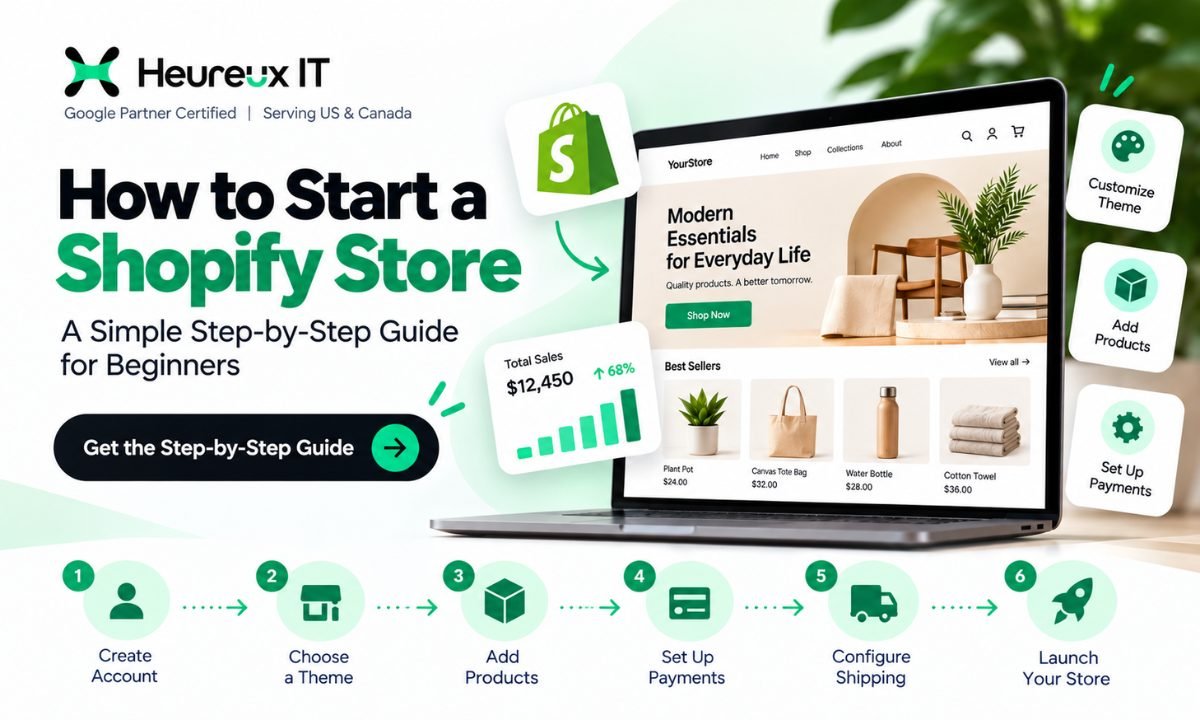
Starting an online business has become easier with platforms like Shopify. You no longer need advanced coding skills or a large development team to create an eCommerce website.
But building a successful online store involves more than choosing a theme and uploading products. You need to understand your customers, create a trustworthy website, configure payments, plan shipping, and develop a marketing strategy.
Learning How to Start a Shopify Store can help you avoid expensive mistakes and build a business with a stronger foundation.
Shopify provides tools for product management, inventory, payments, checkout, and online selling. Whether you want to sell clothing, beauty products, home accessories, or digital products, the platform offers features to support different business models.
At Heureux IT, we help businesses build and improve eCommerce websites through Shopify Website Development, conversion-focused design, SEO, and digital advertising.
This guide explains the complete Shopify Store Setup process, from planning your business to launching and promoting your website.
What Is Shopify and How Does It Work?
Shopify is an eCommerce platform that allows businesses to create online stores, manage products, accept payments, and process orders.
Instead of developing a website from scratch, store owners can use Shopify's built-in tools to manage essential business activities.
For example, a clothing brand can create product pages, add sizes and colors, accept customer payments, track inventory, and manage orders from one dashboard.
Shopify also provides website themes, shipping settings, analytics tools, and integrations with third-party applications.
What Can You Sell on Shopify?
Shopify supports many types of businesses, including:
- Physical products such as clothing, accessories, and electronics.
- Digital products such as templates, ebooks, and downloadable resources, using suitable delivery tools.
- Print-on-demand products through third-party suppliers.
- Subscription products through compatible apps or services.
- Services, appointments, and other eligible offerings.
Products and business models must comply with Shopify's terms, payment-provider requirements, and relevant laws.
Why Choose Shopify for Your Online Store?
Shopify is popular among new and established businesses because it combines website creation with eCommerce management.
Easy Website Management
Shopify offers a visual theme editor that allows users to customize important website sections without writing code.
Businesses can change images, text, colors, and layouts to match their branding.
Mobile-Friendly Shopping Experience
Customers increasingly browse online stores using smartphones.
Shopify themes generally support responsive layouts, although businesses should still test how their specific store looks and works on different screen sizes.
Built-In Checkout and Payment Options
Shopify provides a hosted checkout experience and supports multiple payment options, depending on the merchant's country and chosen payment provider.
Inventory and Order Management
Store owners can track products, manage stock levels, process orders, and monitor sales activity.
Room for Business Growth
Shopify supports integrations, apps, and custom development, making it possible to expand store functionality as business requirements change.
Step 1: Choose Your Business Idea and Target Audience
Before creating your Shopify account, decide what you want to sell and who will purchase your products.
A clear business idea helps you make better decisions about inventory, pricing, website design, and marketing.
For example, selling premium fitness accessories requires a different approach from selling affordable home decoration products.
How to Identify Your Target Audience
Consider the following questions:
- Who is most likely to buy your products?
- What problems do your products solve?
- Where do your potential customers live?
- How much are customers willing to spend?
- Which competing brands do they already purchase from?
You can use customer interviews, search behavior, competitor research, and marketplace reviews to understand buyer preferences.
Practical Tip: Start with a focused product category instead of trying to sell unrelated products to everyone. A clear niche can make branding and marketing easier.
Step 2: Research Products and Competitors
Product selection directly affects the success of an online store.
Before investing in inventory, research whether people are interested in your products and whether you can sell them profitably.
Look at competing websites, marketplace listings, customer feedback, and pricing.
Pay attention to common customer complaints. They may reveal opportunities to offer a better product or shopping experience.
How to Source Products
You can obtain products through several methods:
Wholesale Suppliers: Purchase inventory from suppliers and resell it through your store.
Manufacturing: Develop your own products with a manufacturer.
Dropshipping: Work with suppliers who fulfill orders directly for customers.
Print on Demand: Sell customized items produced after customers place orders.
Handmade Products: Create original products and manage production yourself.
Each model has different costs, shipping responsibilities, and profit margins.
Calculate product costs, packaging, delivery, payment fees, returns, and advertising expenses before setting your selling price.
Step 3: Create Your Shopify Account
Once you have a business idea and products, the next step is creating your store.
Visit Shopify's official website and choose the option to start a store.
Follow the onboarding instructions and provide your business details.
Shopify may ask about your products, selling experience, and business location.
After completing the initial setup, you will access the Shopify Admin Dashboard.
This dashboard is where you manage products, orders, customers, discounts, analytics, and website settings.
Important Settings to Review
Check your business name, contact information, store currency, time zone, and business address.
Also review the available subscription plans before selecting one.
Promotional offers and subscription prices may change, so use Shopify's current pricing information rather than relying on older blog articles.
Step 4: Choose a Shopify Store Name and Domain
Your store name plays an important role in brand recognition.
Choose something that is easy to remember, pronounce, and spell.
Avoid names that are too similar to established competitors or existing trademarks.
Shopify provides a default myshopify.com domain, but a custom domain usually creates a more professional customer-facing identity.
For example, a branded domain such as yourbrand.com is easier to share with customers than a temporary store address.
You can purchase a domain through Shopify or connect one from another domain provider.
Before making your choice, check domain availability and potential trademark conflicts.
Step 5: Choose and Customize Your Shopify Theme
Your website design creates an important first impression.
A confusing website can make customers leave before exploring your products.
Shopify provides free and paid themes for different store categories.
To choose a theme, navigate to the Themes area under Online Store in your Shopify dashboard.
Select a theme that matches your products, branding, and required features.
Important Shopify Store Design Elements
Clean Homepage: Explain what your business sells and make important product categories easy to find.
Simple Navigation: Organize your menu so customers can browse products without confusion.
Consistent Branding: Use matching colors, typography, and visual styles.
Product Photography: Show clear images that help customers understand what they are purchasing.
Mobile-Friendly Layout: Make menus, buttons, product options, and checkout elements easy to use on mobile devices.
Clear Calls to Action: Use recognizable buttons such as "Shop Now," "View Products," or "Add to Cart."
At Heureux IT, our Shopify Website Development approach focuses on building websites that support both the brand experience and practical business goals.
Step 6: Add Products to Your Shopify Store
Product pages are among the most important parts of an eCommerce website.
Customers cannot physically inspect products, so your pages must provide the details they need to make purchasing decisions.
To add a product, open the Products section in Shopify Admin and select Add Product.
Enter the product information and save it.
What Should a Shopify Product Page Include?
Product Title: Use a clear name that describes the item.
Product Description: Explain the product's features, benefits, materials, dimensions, and intended use.
High-Quality Images: Include multiple angles and lifestyle photographs when helpful.
Accurate Pricing: Display the selling price and any applicable product options.
Product Variants: Add available sizes, colors, or other variations.
Inventory Information: Enter SKU details and relevant stock settings.
Shipping Details: Include weight and other information required for fulfillment.
How to Write Better Product Descriptions
A product description should answer common customer questions.
For example, instead of describing a backpack as "High-quality outdoor bag," explain its material, storage capacity, important compartments, and suitable uses.
Use natural language and avoid copying the same description across multiple products.
Unique, helpful product information can improve customer understanding and support Shopify SEO.
Step 7: Organize Products Into Collections
Collections help customers browse related products.
For example, a clothing store might create collections for Men's Clothing, Women's Clothing, Summer Collection, and New Arrivals.
A skincare store may organize products by product category, skin concern, or routine.
To create a collection, navigate to Products and then Collections.
Shopify supports manual collections and automated collections based on specified conditions.
Why Are Collections Important?
Collections help improve website navigation, product discovery, and the overall shopping experience.
They also provide opportunities to create useful category pages with clear headings, descriptions, and search-friendly content.
Avoid creating unnecessary collections with almost identical products or descriptions.
Step 8: Set Up Shopify Payments and Checkout
Customers need a secure and convenient way to purchase products.
In Shopify Admin, navigate to Settings and then Payments to review available payment providers.
Shopify Payments is supported in eligible countries. Other payment gateways may be available depending on business location and provider requirements.
What Should You Consider When Choosing a Payment Provider?
Review transaction fees, supported currencies, payment methods, settlement times, and customer preferences.
For example, a store selling internationally may benefit from supporting payment methods familiar to buyers in its target markets.
Payment availability and fees vary by country, Shopify plan, and provider.
How to Improve Your Checkout Experience
Keep the buying process simple.
Avoid requesting unnecessary information. Make payment options clear and explain additional charges before customers complete their orders.
Where available, accelerated payment methods can make checkout more convenient for returning customers.
Before launching, complete a test transaction using Shopify's supported testing methods.
Step 9: Configure Shipping Zones and Delivery Rates
Shipping costs influence purchasing decisions.
Unexpected delivery charges can cause customers to abandon their carts.
Shopify allows merchants to configure shipping zones, rates, and delivery methods according to their business needs.
Navigate to Settings and then Shipping and Delivery.
Common Shipping Options
Flat-Rate Shipping: Customers pay a fixed delivery charge.
Free Shipping: Shipping costs are covered by the business, sometimes subject to minimum order requirements.
Weight-Based Shipping: Delivery costs depend on package weight.
Calculated Shipping: Rates are determined using available carrier integrations and relevant store settings.
Select shipping methods that match your products, delivery destinations, and fulfillment costs.
How to Create a Better Shipping Experience
Clearly communicate estimated delivery times, shipping charges, and tracking availability.
If you sell fragile or perishable products, explain any special shipping requirements.
Also establish procedures for delayed deliveries, damaged items, and lost packages.
Want help turning this into results for your business?
Explore our SEO services →Step 10: Create Essential Store Pages
Customers want to know whether they can trust a business before making a purchase.
A professional Shopify Store Setup should include essential informational and policy pages.
Homepage
Introduce your brand, highlight key product categories, and guide customers toward shopping.
About Us
Explain your business story, values, and what makes your products different.
Contact Us
Provide clear ways for customers to contact your business, such as email, phone, or a contact form.
Shipping Policy
Explain delivery destinations, shipping fees, estimated timelines, and fulfillment conditions.
Return and Refund Policy
Describe eligible returns, refund conditions, timeframes, and customer responsibilities.
Privacy Policy and Terms of Service
Explain how customer information is handled and outline relevant website and purchase conditions.
These policies should reflect your actual operations and the laws applicable to your business.
Step 11: Optimize Your Shopify Store for SEO
Launching a website does not automatically mean it will appear prominently in Google search results.
Shopify SEO helps search engines understand your products, collections, and website content.
Optimize Page Titles and Meta Descriptions
Each important page should have a descriptive SEO title and meta description.
For example, a collection selling waterproof hiking backpacks should clearly communicate that category rather than use a generic heading such as "Products."
Use Clear URLs
Keep product and collection URLs readable.
Avoid unnecessary words and confusing naming conventions.
Improve Product Images
Compress large image files, use descriptive filenames, and add useful Alt Text.
Alt Text should describe the image naturally rather than repeat keywords unnecessarily.
Add Helpful Content
Create useful product descriptions, buying guides, and answers to customer questions.
For example, a shoe store could publish a guide explaining how to choose the correct running shoe size.
Improve Website Performance
Large images, unnecessary apps, and heavy custom scripts can affect loading speed.
Check mobile performance and regularly review changes that may slow the website.
Use Structured Data
Structured data helps search engines understand page information such as products, prices, availability, and business details.
Many Shopify themes already provide some Product Structured Data.
Review existing markup before adding another schema implementation to avoid conflicting or duplicate information.
Step 12: Install Essential Shopify Apps
Shopify apps can extend your store's functionality.
Depending on your requirements, you may consider apps for customer reviews, email marketing, product subscriptions, loyalty programs, shipping, and analytics.
However, installing too many apps can increase costs and affect website performance.
Before adding an app, check whether Shopify already provides the required feature.
Review permissions, pricing, compatibility, developer support, and customer feedback.
Start with the essentials and add new features when there is a clear business need.
Step 13: Set Up Analytics and Conversion Tracking
Analytics helps business owners understand what customers do on their websites.
Without reliable tracking, it becomes difficult to evaluate marketing performance.
Shopify provides built-in reports, while additional analytics tools can offer deeper insights.
Important eCommerce Metrics to Track
| Metric | What It Measures |
|---|---|
| Sessions | Visits to your online store |
| Conversion Rate | Percentage of sessions resulting in an order |
| Average Order Value | Average revenue generated per order |
| Customer Acquisition Cost | Cost of acquiring a new customer |
| Return on Ad Spend | Revenue attributed to advertising compared with advertising cost |
| Cart Abandonment | Shoppers who add items to a cart but do not complete an order |
Google Analytics 4 and advertising platform integrations can help measure customer interactions and purchases.
At Heureux IT, we also focus on Conversion Tracking and analytics accuracy to support better marketing decisions.
When connecting multiple tracking apps, make sure the same purchase is not counted twice.
Step 14: Test Your Shopify Store Before Launch
Testing is one of the most important steps before publishing your website.
A store may look attractive but still contain broken buttons, checkout issues, or incorrect delivery settings.
Shopify Pre-Launch Checklist
- Confirm all product information and prices are accurate.
- Test the website on desktop and mobile.
- Check menus, buttons, and product collections.
- Verify payment and checkout functionality.
- Review shipping zones and delivery charges.
- Confirm inventory settings.
- Test order confirmation emails.
- Check contact forms and customer support information.
- Review policies, taxes, and refund settings.
- Verify analytics and purchase tracking.
Use Shopify's supported test-order functionality, where available, to check the complete customer journey.
Once testing is complete, select an appropriate plan and review the storefront password settings.
Your store can be made publicly accessible when the required setup steps are finished.
Step 15: Promote Your Shopify Store and Attract Customers
Publishing a store is only the beginning.
To generate sales, your business needs a marketing strategy that reaches potential customers.
Google Shopping Ads
Google Shopping Ads help eligible retailers promote products to people searching for relevant items.
Accurate product feeds, competitive offers, and properly configured conversion goals are important.
Google Search Ads
Search campaigns allow businesses to reach shoppers searching for specific products or product categories.
Relevant keywords and effective landing pages help improve advertising efficiency.
Meta Ads
Facebook and Instagram advertising can help introduce products to potential customers.
These platforms are particularly useful for products that benefit from strong visuals, demonstrations, and creative storytelling.
Search Engine Optimization
SEO can help your store attract organic traffic through product pages, collections, and helpful content.
Results take time, but useful content and strong technical foundations can support long-term search visibility.
Email Marketing
Email marketing can help businesses communicate with customers, promote new products, and encourage repeat purchases.
Build your email list through appropriate consent-based signup methods and follow applicable marketing laws.
How Much Does It Cost to Start a Shopify Store in 2026?
The total cost depends on your Shopify plan, website requirements, products, apps, and marketing budget.
| Expense | What to Expect |
|---|---|
| Shopify Subscription | Recurring plan fee, depending on current pricing and location |
| Domain Name | Annual cost depending on domain extension and registrar |
| Theme | Free or optional paid theme |
| Apps | Free plans, subscriptions, or usage-based fees |
| Payment Processing | Fees based on payment provider and transaction terms |
| Product Inventory | Depends on product sourcing and business model |
| Website Development | Depends on customization and professional support |
| Marketing | Flexible budget for advertising, SEO, and customer acquisition |
A simple store using a free theme may have relatively low setup costs.
A larger eCommerce business with custom features, multiple integrations, and professional development can require a significantly larger investment.
Shopify subscription prices and offers change, so confirm current amounts before making financial decisions.
How Long Does It Take to Build a Shopify Store?
The timeline depends on the number of products, required features, and how prepared your business is.
A basic store with a few products and an existing theme may be created within several days.
A medium-sized website with more products, collections, and integrations could require several weeks.
Complex projects involving custom Shopify Website Development, migration, advanced integrations, or extensive product catalogs can take longer.
These are general planning estimates, not guaranteed completion times.
Product preparation, payment verification, and business approvals can also affect launch schedules.
Common Shopify Store Setup Mistakes to Avoid
Many new store owners focus heavily on website design while overlooking important business operations.
One common mistake is launching without understanding product costs and profit margins.
For example, selling a product for $50 does not mean earning $50 in profit. Product costs, shipping, processing fees, advertising, and returns all affect profitability.
Another mistake is installing too many apps before understanding whether they are necessary.
Businesses should also avoid copying product descriptions, using poor-quality images, hiding shipping information, or launching without testing checkout.
Perhaps the biggest mistake is expecting customers to find a new online store automatically.
A successful store needs ongoing improvements in product presentation, customer experience, search visibility, and marketing.
Why Choose Heureux IT for Shopify Website Development?
Building an online store requires both technical setup and an understanding of how customers shop.
At Heureux IT, we help businesses develop Shopify websites that are designed around their products, customers, and business goals.
Our services include Shopify Store Design, Website Development, Landing Page Optimization, SEO, Conversion Tracking, and digital marketing.
We focus on helping businesses create clear product pages, improve website usability, and build the technical foundation needed for effective marketing.
Whether you are launching your first eCommerce website or improving an existing store, our approach focuses on practical improvements rather than unnecessary complexity.
Frequently Asked Questions
Can Beginners Start a Shopify Store? +
Yes. Shopify provides tools for creating and managing an online store without advanced coding skills. Beginners still need to learn product management, payments, shipping, and marketing.
Do I Need Coding Skills to Create a Shopify Website? +
No. Many Shopify stores can be built using themes and visual editing tools. Coding knowledge may be required for advanced customization or specialized functionality.
How Much Money Do I Need to Start a Shopify Store? +
The cost depends on your subscription, domain, products, applications, and marketing. A basic setup can be relatively affordable, while a customized store may require a larger budget.
Can I Sell Products Internationally With Shopify? +
Yes. Shopify supports international commerce features, but payment methods, currencies, taxes, shipping, and regulatory requirements depend on your business location and target markets.
Is Shopify Good for SEO? +
Shopify includes SEO-related features such as editable page titles, meta descriptions, redirects, and automatically generated sitemaps. Strong rankings still depend on content quality, technical performance, competition, and other factors.
How Long Does It Take to Make the First Sale on Shopify? +
There is no fixed timeline. Your first sale depends on product demand, pricing, customer trust, traffic, and marketing. Some businesses generate sales quickly, while others need more time to establish an audience.
Conclusion
Understanding How to Start a Shopify Store is the first step toward building an online business.
From choosing products and designing your website to configuring payments, optimizing SEO, and setting up marketing campaigns, every stage contributes to the customer experience.
A well-planned Shopify website should be easy to navigate, trustworthy, mobile-friendly, and designed to help customers make informed purchasing decisions.
At Heureux IT, we provide Shopify Website Development and digital marketing services to help businesses establish and improve their online presence.
Planning to launch or redesign your Shopify store? Contact Heureux IT to discuss your eCommerce website and growth goals.
Heureux IT is a digital marketing agency specialising in Google Ads, Meta Ads and SEO. We help growing businesses turn paid and organic search into measurable revenue.