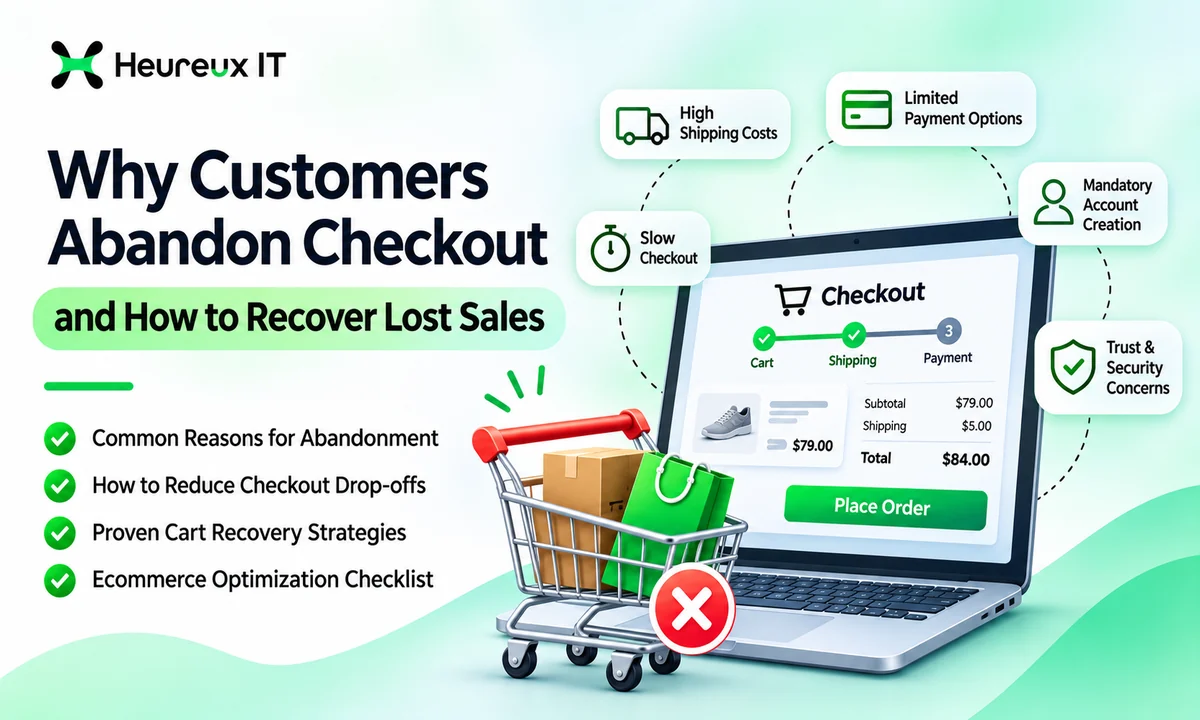
Imagine spending hundreds of dollars on advertising, attracting customers to your online store, and seeing them add products to their carts.
Everything appears to be working.
Visitors are browsing, product pages are receiving traffic, and customers are reaching checkout.
But when you review your sales, many of those orders never happen.
Some shoppers leave after seeing the shipping costs. Others struggle with payment options, complicated forms, or a checkout page that doesn't work on their phones.
This problem is known as Checkout Abandonment.
It's one of the most frustrating challenges for Ecommerce businesses because customers have already shown interest in buying.
However, not every abandoned purchase represents a customer who was ready to pay. Some visitors use their carts to compare prices, save products, or explore delivery costs.
The goal is to understand which customers are leaving because of avoidable problems.
By improving checkout design, payment options, delivery information, and customer trust, businesses can reduce buying friction and create more opportunities for completed orders.
In this guide, we'll explain why customers abandon checkout, how to measure abandonment, and the practical strategies that can help your Ecommerce store recover lost sales.
What Is Checkout Abandonment?
Checkout Abandonment occurs when a customer starts the checkout process but leaves without completing the purchase.
For example, someone might select a pair of shoes, add them to the cart, enter a delivery address, and proceed toward payment.
If they leave before placing the order, that is an abandoned checkout.
This doesn't always mean they no longer want the product.
They may have encountered an unexpected charge, payment problem, or issue with the checkout experience.
Cart Abandonment vs Checkout Abandonment
| Cart Abandonment | Checkout Abandonment |
|---|---|
| Customer adds a product to the cart | Customer starts checkout |
| May still be comparing products | Has progressed further toward purchasing |
| Can involve browsing or saving items | May involve payment or form friction |
| Focus on product interest and cart experience | Focus on checkout usability and payment completion |
Both require attention, but the solutions may differ.
A customer who abandons a cart may need more product information.
Someone who reaches checkout and encounters a payment error needs a functioning payment process.
How to Calculate Cart Abandonment Rate
Cart abandonment rate measures the share of shopping sessions with cart activity that don't result in a purchase.
A simplified formula is:

For example, suppose your store records 1,000 carts and 300 of them result in purchases.
Carts Created
1,000
Carts Purchased
300
Abandonment Rate
70%
Purchased
Abandoned
Illustrative example, not actual store data. Use consistent cart and purchase definitions when measuring results.
For checkout abandonment, use checkout starts rather than all created carts as the denominator.
Different analytics platforms may count sessions, checkout attempts, carts, and orders differently. Consistent measurement matters more than comparing incompatible figures.
Why Do Customers Abandon Checkout?
Several issues can contribute to abandoned purchases.
Understanding them helps businesses identify which improvements deserve attention.
1. Unexpected Shipping Costs and Additional Fees
A shopper may decide to buy a product based on its advertised price.
Then, during checkout, additional charges appear.
These might include shipping fees, taxes, service charges, or international delivery costs.
If the final amount is higher than expected, the customer may reconsider.
How to Fix It
Display shipping information earlier in the shopping journey.
Explain when taxes or other fees apply.
If you offer free shipping above a certain order value, communicate the threshold clearly.
Customers should understand the expected cost before reaching the final payment step.
2. Complicated Checkout Forms
Long forms create unnecessary work.
Customers may be asked to enter information that isn't required to deliver their order.
Repeated questions, unclear labels, and confusing steps can interrupt the purchase.
How to Fix It
Request only the information needed to complete the transaction.
Use clear form labels and appropriate autofill features.
Allow customers to correct errors without losing information they've entered.
For longer checkout processes, show the steps that remain.
The aim is to make buying straightforward.
3. Mandatory Account Creation
Not every shopper wants to create an account.
A first-time customer may prefer a single purchase without setting up a password.
Requiring registration can create extra effort and discourage completion.
How to Fix It
Offer guest checkout where your platform and business model allow it.
Customers who want an account can be invited to create one after purchase.
If registration is necessary for a subscription or service, explain why.
4. Limited Payment Methods
Customers have different payment preferences.
Some use debit or credit cards. Others prefer digital wallets or locally supported payment methods.
A customer may leave if their preferred option isn't available.
How to Fix It
Review payment preferences in your target market.
Offer suitable and supported payment methods.
Make payment options visible before customers reach the final checkout step.
Evaluate processing fees, security, availability, and customer demand before adding new methods.
More options aren't automatically better. The right options are what matter.
5. Payment Failures and Technical Errors
Sometimes, a customer wants to complete a purchase but cannot.
A payment may fail because of a declined card, authentication problem, broken redirect, or checkout error.
Poor error messages can make the problem worse.
How to Fix It
Monitor failed payment attempts and recurring error patterns.
Test checkout across browsers and devices.
Display useful error messages and safe retry options.
Investigate whether customers are experiencing payment declines or technical failures.
These require different solutions.
6. Slow Mobile Checkout
A checkout that works on desktop may be difficult to use on smartphones.
Small buttons, slow pages, lengthy forms, and difficult payment redirects can create frustration.
Mobile customers may also face interruptions when switching between payment applications.
How to Fix It
Test checkout on actual mobile devices.
Use touch-friendly buttons and readable form fields.
Reduce unnecessary typing.
Optimize loading performance.
Check that payment authentication works correctly.
For stores using Shopify, professional Shopify Website Development can support improvements to mobile usability and store functionality.
7. Lack of Customer Trust
Shoppers may hesitate to provide payment information to an unfamiliar business.
Missing contact details, unclear return policies, inconsistent branding, and suspicious payment redirects can create doubt.
How to Fix It
Make business contact details accessible.
Provide accurate shipping, return, refund, and privacy information.
Use HTTPS and appropriate payment security practices.
Display genuine product reviews and customer feedback.
Avoid fake security badges or unsupported guarantees.
Customer confidence develops through transparency and a reliable experience.
8. Unclear Delivery or Return Policies
A customer may reach the checkout without knowing when an order will arrive.
Another may worry about whether a product can be returned.
These concerns are especially relevant for expensive products, international orders, and time-sensitive purchases.
How to Fix It
Show estimated delivery times where possible.
Explain refund eligibility and return conditions.
Provide clear information about shipping restrictions.
Make these details available before the final purchase step.
Want help turning this into results for your business?
Explore our SEO services →9. Customers Are Comparing Products or Prices
Not every abandoned cart indicates a website problem.
Some customers use carts while comparing prices or researching products.
Others save items for later.
How to Respond
Make product information useful and accurate.
Offer clear comparisons or FAQs when appropriate.
Provide a convenient way for customers to return to saved items.
Avoid using false urgency or misleading stock claims to pressure purchases.
10. Unclear Product Value
Customers may hesitate because they aren't certain the product meets their needs.
For example, a customer purchasing footwear may need sizing details.
Someone buying electronics may need compatibility information.
How to Fix It
Improve product descriptions and specifications.
Use accurate photography.
Provide genuine reviews and relevant FAQs.
Explain benefits without exaggerating product capabilities.
Good product pages reduce uncertainty before checkout begins.
How to Reduce Cart Abandonment: 8 Practical Strategies
Understanding the causes is useful, but the next step is addressing them.
1. Simplify the Entire Checkout Journey
Review the process from cart to completed purchase.
Remove unnecessary fields, confusing steps, and repeated requests for information.
Make sure the purchase button and payment confirmation are clear.
2. Display Total Costs Early
Provide shipping estimates and explain applicable charges.
If costs vary by location, help customers estimate them before the final step.
3. Improve Mobile Performance
Review product pages, cart pages, and checkout on mobile devices.
Pay particular attention to page loading, form usability, and payment redirects.
4. Build Trust Before Checkout
Show genuine customer feedback and clear business policies throughout the shopping journey.
Don't wait until the payment page to address important concerns.
5. Use Relevant Payment Options
Choose payment methods based on customer needs and supported markets.
Review recurring payment failures and authentication issues.
6. Create Clear Calls to Action
Customers should understand how to proceed from cart to checkout.
Use direct labels such as "Proceed to Checkout" and "Place Order."
Avoid placing unnecessary distractions near the final payment step.
7. Test Checkout Improvements
Use controlled experiments to compare changes.
For example, test whether showing delivery information earlier reduces abandonment.
Measure completed purchases rather than clicks alone.
Heureux IT's CRO & A/B Testing Services support structured conversion optimization.
8. Review Customer Behavior
Use analytics and customer feedback to identify where shoppers leave.
Not every store has the same problems, so improvement priorities should come from its own data.
Abandoned Cart Recovery: How to Bring Customers Back
Even a well-designed checkout will have some abandoned purchases.
Recovery strategies can help reconnect with customers who have shown interest.
1. Send Abandoned Cart Emails
An abandoned-cart email reminds customers about products they left behind.
A useful reminder may include the product name, image, and a link to resume shopping.
Keep the message clear and respectful.
Only send marketing messages when you have the appropriate consent or other lawful basis.
2. Use Retargeting Ads
Retargeting can help businesses reconnect with previous website visitors when eligible and permitted by applicable privacy settings.
For example, a customer who viewed a product may later see a relevant advertisement.
However, retargeting shouldn't compensate for a broken checkout.
First address the reason customers couldn't purchase.
Heureux IT's Meta Ads Retargeting Services can help businesses develop relevant re-engagement campaigns.
3. Use SMS or Messaging Carefully
Some customers prefer reminders through messaging services.
Messages should be relevant, permission-based, and easy to opt out of where required.
Avoid sending repeated reminders across multiple channels.
4. Offer Incentives When Appropriate
Free shipping, relevant bundles, or occasional promotions may help some customers return.
However, discounts aren't always necessary.
If the checkout problem is a payment error, a discount won't solve it.
Evaluate margins before offering incentives.
5. Make Returning to Checkout Easy
When practical, preserve cart contents so returning customers don't need to start again.
Ensure recovery links lead to a secure and recognizable website experience.
Never expose sensitive payment information in reminder links.
How to Track Checkout Abandonment With GA4
Google Analytics 4 can help businesses understand shopping behavior when Ecommerce tracking is configured correctly.
Important events include:
| GA4 Event | What It Measures |
|---|---|
| view_item | Product views |
| add_to_cart | Products added to carts |
| view_cart | Cart views |
| begin_checkout | Checkout starts |
| add_shipping_info | Shipping information submitted |
| add_payment_info | Payment information submitted |
| purchase | Completed purchases |
By reviewing these steps, businesses can identify where shoppers leave.
For example, if many customers start checkout but few complete purchases, investigate payment failures, delivery charges, and the final checkout steps.
Accurate GA4 Tracking helps provide the data needed for this analysis.
Ecommerce Checkout Optimization Checklist
Use this checklist to review your store before investing more in advertising.
Checkout Optimization
0/11 completed
- Display shipping costs and taxes clearly
- Offer guest checkout where appropriate
- Remove unnecessary form fields
- Test checkout on mobile devices
- Provide suitable payment methods
- Check payment failures and error messages
- Explain delivery and return policies
- Display genuine customer reviews
- Check cart and checkout tracking
- Review abandoned-cart reminders
- Test improvements before rolling them out
- Reset Copy Checklist
Common Mistakes When Recovering Abandoned Carts
One mistake is sending discounts to every shopper without understanding why they left.
Another is focusing only on email recovery while ignoring technical checkout problems.
Some businesses also confuse cart abandonment with checkout abandonment, even though they may require different fixes.
Finally, measuring clicks on recovery emails without tracking completed purchases can give an incomplete picture.
The objective is to reduce unnecessary buying friction and recover purchases in a profitable way.
How Heureux IT Approaches Checkout Optimization
At Heureux IT, we understand that Ecommerce businesses need more than website traffic.
The shopping experience must support customers from product discovery through payment.
Our approach considers product-page relevance, mobile usability, checkout performance, conversion measurement, and opportunities for structured testing.
For businesses experiencing abandoned checkouts, the priority may be investigating shipping costs, payment failures, or complicated forms.
For established stores, the focus may involve testing customer experience improvements and measuring their effect on purchases.
Our goal is to help businesses make better use of their existing traffic and improve their customers' buying experience.
Final Thoughts
Checkout Abandonment is a common challenge for Ecommerce businesses, but not every abandoned purchase is unavoidable.
Unexpected charges, confusing forms, payment failures, slow mobile pages, and missing information can discourage interested customers.
Start by identifying where shoppers leave.
Then improve the issues affecting those steps.
Use clear pricing, suitable payment methods, straightforward checkout forms, and reliable tracking.
Abandoned-cart reminders and retargeting can support recovery, but the strongest foundation is a shopping experience customers can trust.
At Heureux IT, we help businesses improve Ecommerce conversion performance through website optimization, tracking, and A/B testing.
Explore our Conversion Rate Optimization Services or Contact Heureux IT to discuss opportunities to improve your store's checkout experience.
Frequently Asked Questions
What Is Checkout Abandonment? +
Checkout Abandonment occurs when a customer starts checkout but leaves without completing the purchase.
What Is the Difference Between Cart Abandonment and Checkout Abandonment? +
Cart abandonment happens after a shopper adds products to a cart without buying. Checkout abandonment happens after the shopper begins checkout.
Why Do Customers Abandon Checkout? +
Common reasons include unexpected costs, long forms, limited payment options, payment failures, security concerns, and unclear delivery information.
How Can I Reduce Cart Abandonment? +
Improve product information, show costs early, simplify checkout, support suitable payment methods, and remove avoidable technical problems.
What Is Abandoned Cart Recovery? +
Abandoned Cart Recovery involves reconnecting with interested shoppers through appropriate reminders, retargeting, or improved return-to-cart experiences.
Do Abandoned Cart Emails Work? +
They can encourage some customers to return, especially when messages are relevant and the original problem has been addressed. Results vary.
How Can I Improve Checkout on Mobile? +
Use responsive layouts, touch-friendly buttons, short forms, reliable payment flows, and efficient loading.
Can Payment Failures Increase Checkout Abandonment? +
Yes. Card declines, authentication errors, and technical failures can prevent customers from completing purchases.
How Do I Measure Checkout Abandonment? +
Compare checkout starts with completed purchases using consistent analytics definitions and review where customers leave the process.
Should I Offer Discounts to Recover Abandoned Carts? +
Only when appropriate. Discounts can reduce margins and may not address the underlying reason a shopper abandoned checkout.
Heureux IT is a digital marketing agency specialising in Google Ads, Meta Ads and SEO. We help growing businesses turn paid and organic search into measurable revenue.