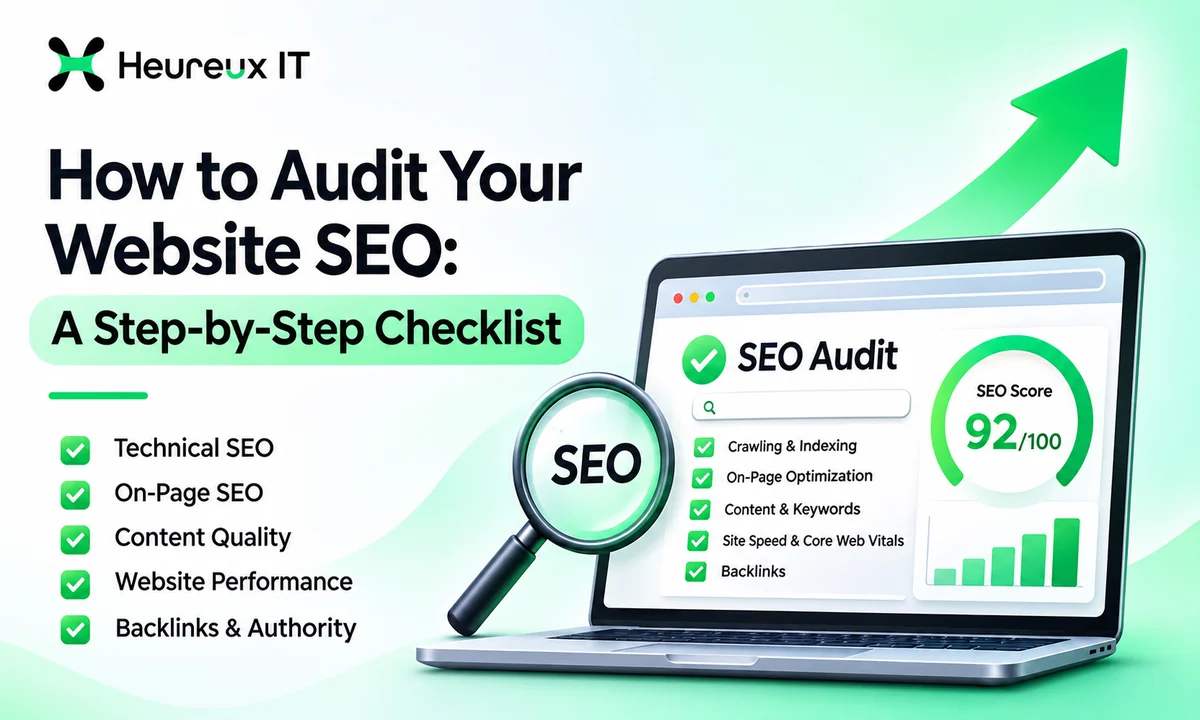
Your website looks good, your services are clearly listed, and you've spent time publishing content.
But when you search Google for your important business keywords, competitors appear above you.
Perhaps your website receives traffic but very few inquiries. Or maybe your blog posts aren't appearing in search results at all.
Before changing your keywords, publishing more articles, or building additional backlinks, you need to understand what's happening.
That's where an SEO Audit Checklist becomes useful.
An SEO audit examines your website's technical setup, content, keywords, internal links, user experience, and backlinks.
It helps identify problems that may prevent search engines from discovering important pages or make it difficult for customers to find useful information.
For example, an otherwise helpful service page may contain an accidental noindex tag.
An Ecommerce website may generate thousands of unnecessary filtered URLs.
A blog may attract impressions but struggle to earn clicks because its title doesn't match the searcher's needs.
These problems require different solutions.
In this guide, you'll learn how to conduct a Website SEO Audit in 2026, which tools to use, and how to turn your findings into an action plan.
What Is an SEO Audit?
An SEO audit is a structured evaluation of a website's ability to perform in organic search.
It examines the technical, content, and external factors that influence website discoverability and search performance.
A complete audit typically covers:
- Technical SEO and indexing
- Keywords and search intent
- Title tags and on-page content
- Internal linking and website architecture
- Mobile usability and loading performance
- Structured data
- Backlink quality
- Local SEO, where relevant
- Analytics and conversion measurement
The purpose isn't to generate a long list of errors.
It's to understand which problems matter and identify the changes most likely to improve your website.
Why Is an SEO Audit Important in 2026?
Search behavior continues to change as customers use Google Search, AI-powered answers, and other tools to research products and services.
However, the foundations of SEO remain important.
Search engines still need to discover your pages, access their content, and understand their relevance.
An audit helps uncover problems before you invest more resources into content or promotion.
Identify Technical Problems
Broken links, incorrect canonical tags, server errors, and indexing restrictions can affect important webpages.
Improve Content Relevance
An audit can show whether your content answers customer questions and matches search intent.
Find Keyword Opportunities
By comparing your pages with search results and competitors, you can discover relevant topics your website doesn't cover well.
Improve User Experience
Mobile navigation, loading performance, and clear page structure can make your website easier to use.
Support Business Goals
An audit should connect search visibility with qualified traffic, leads, and sales.
Higher rankings are useful, but business results matter more than rankings alone.
Types of SEO Audits
A complete review includes several different audit areas.
| SEO Audit Type | Main Focus |
|---|---|
| Technical SEO Audit | Crawling, indexing, canonicals, redirects, and website performance |
| On-Page SEO Audit | Titles, headings, content, URLs, and internal links |
| Content SEO Audit | Search intent, usefulness, accuracy, and content gaps |
| Off-Page SEO Audit | Backlinks, referring domains, and external visibility |
| Local SEO Audit | Google Business Profile, local relevance, and business listings |
| Ecommerce SEO Audit | Product pages, collections, URL parameters, and product data |
Businesses should choose the checks that fit their website.
A small service website may not require an extensive Ecommerce audit.
An online store with thousands of products may require a deeper technical review.
How to Perform an SEO Audit: 15-Step Checklist
1. Set Up Google Search Console and GA4
Before auditing your website, make sure you can access reliable performance data.
Google Search Console shows information about indexing, search queries, clicks, impressions, and crawling.
Google Analytics 4 helps measure website traffic, engagement, and conversions.
What to Check
Confirm that Google Search Console has the correct website property.
Review whether the appropriate GA4 property is collecting data.
Check whether important conversions, such as form submissions or purchases, are measured.
Without reliable data, it becomes difficult to compare website performance before and after optimization.
2. Check Whether Google Is Indexing Important Pages
A page generally needs to be indexed before it can appear in Google's standard search results.
Open Google Search Console and navigate to Indexing → Pages.
Review important pages that are not indexed.
Common Indexing Statuses
| Status | What to Investigate |
|---|---|
| Discovered - currently not indexed | Crawl scheduling and server accessibility |
| Crawled - currently not indexed | Content usefulness, duplication, and canonical signals |
| Excluded by 'noindex' tag | Unintended indexing restrictions |
| Blocked by robots.txt | Crawling restrictions |
| Duplicate, Google chose different canonical | Whether the selected canonical is appropriate |
| Server error (5xx) | Website or hosting failures |
Use URL Inspection for important pages.
Remember that not every URL needs indexing. Duplicate URLs and intentionally excluded pages may be handled correctly.
3. Audit Your Robots.txt File and XML Sitemap
Your robots.txt file controls which website paths compliant crawlers may access.
Your XML sitemap helps search engines discover important URLs.
Check Robots.txt
Visit your website's /robots.txt path.
Look for rules that may unintentionally block important sections.
For example:
User-agent: *
Disallow: /
This rule blocks crawling of all paths for compliant crawlers.
It may be suitable for some private development environments, but not for a public website that needs search visibility.
Check Your Sitemap
Confirm that your XML sitemap is accessible and lists preferred, indexable URLs.
Remove outdated URLs and unnecessary redirects.
Submit your sitemap through Google Search Console.
A sitemap helps discovery, but it doesn't guarantee indexing or rankings.
4. Review Website Crawl Errors and Redirects
Search engines and visitors should be able to reach important website pages.
A technical audit should identify broken links, server errors, and unnecessary redirects.
Common HTTP Status Codes
| Status Code | Meaning |
|---|---|
| 200 | Page returned successfully |
| 301 | Permanent redirect |
| 302 | Temporary redirect |
| 404 | Page not found |
| 410 | Page intentionally removed |
| 500 | Internal server error |
| 503 | Service temporarily unavailable |
A 404 isn't automatically a problem when a page has genuinely been removed.
However, broken links pointing to important content should be corrected.
Check for redirect loops and long redirect chains.
Prioritize issues affecting valuable service pages, products, and articles.
Want help turning this into results for your business?
Explore our SEO services →5. Check Canonical Tags and Duplicate URLs
Canonical tags indicate a preferred version when multiple URLs contain duplicate or similar content.
For example, product filters, tracking parameters, and alternative URL structures may produce several addresses for the same content.
A canonical tag may look like this:
<link rel="canonical" href="https://example.com/products/shoes">
What to Review
Confirm that important pages point to the intended canonical URL.
Check for conflicting canonical tags.
Ensure internal links and sitemaps support your preferred versions.
For Ecommerce stores, review product variations and filtered collection URLs.
Google treats canonical tags as signals, not absolute commands, so also examine the canonical selected by Google.
6. Audit Website Speed and Core Web Vitals
Website performance affects user experience.
Slow loading and unstable layouts can make browsing difficult, particularly on mobile devices.
Google's Core Web Vitals measure three aspects of the user experience.
| Metric | What It Measures | Good Threshold |
|---|---|---|
| Largest Contentful Paint (LCP) | Main content loading | 2.5 seconds or less |
| Interaction to Next Paint (INP) | Interaction responsiveness | 200 milliseconds or less |
| Cumulative Layout Shift (CLS) | Visual stability | 0.1 or less |
These are Google's good-experience thresholds, generally assessed using the 75th percentile of field data.
Google for Developers
How to Improve Performance
Use PageSpeed Insights to review representative URLs.
Investigate oversized images, unnecessary scripts, slow server responses, and layout shifts.
Prioritize changes that improve the actual browsing experience.
Perfect Core Web Vitals scores do not guarantee higher rankings, so consider them alongside content relevance and other SEO factors.
7. Review Mobile Usability
Google primarily uses the mobile version of website content for indexing.
Your mobile pages should provide access to important information and links.
Mobile SEO Checklist
Open key pages on a smartphone and review:
- Readable text without zooming
- Clear navigation
- Buttons with enough space
- Images that fit the screen
- Accessible forms
- Consistent mobile and desktop content
Also check whether mobile users can complete important actions, such as calling your business or submitting an inquiry.
Don't rely on a desktop preview alone.
8. Audit SEO Titles and Meta Descriptions
Title tags help search engines and users understand what a page contains.
Meta descriptions can influence how a page is presented in search snippets, although Google may generate different snippet text.
Review Your SEO Titles
Check whether titles are clear, relevant, and distinct across important pages.
Include the primary keyword naturally where it fits.
Avoid excessive repetition or promotional claims that don't match the content.
Review Meta Descriptions
Write concise descriptions that explain the page's value.
There isn't a fixed character limit that guarantees full display. Google truncates snippets based on available space and relevance.
Focus on accuracy, clarity, and useful wording rather than an exact character count.
9. Check Heading Structure and On-Page SEO
A well-organized page helps readers find information.
It also provides context for search engines.
Review Heading Tags
Use a clear H1 that describes the main topic.
Organize supporting sections with H2 and H3 headings.
For example:
- H1: Residential Plumbing Services
- H2: Emergency Plumbing Repairs
- H2: Water Heater Installation
- H2: Frequently Asked Questions
Multiple H1 elements are not automatically an SEO error, but a clear heading hierarchy improves content structure.
Review whether keywords appear naturally in relevant titles, headings, and body content.
A structured On-Page SEO process can help improve these elements.
10. Perform Keyword Research and Competitor Analysis
A website may struggle with organic visibility because its pages target the wrong keywords.
For example, a business might optimize for "digital solutions" when its customers search for specific services.
Identify Keyword Opportunities
Use Search Console to review queries generating impressions and clicks.
Find terms where your website has relevant content but limited visibility.
Compare those searches with competing pages.
Review Search Intent
Determine whether people want information, comparisons, local services, or a product purchase.
Your page should match that purpose.
Analyze Competitors
Compare actual ranking pages, not just entire domain authority scores.
Review their content coverage, search intent, page structure, and useful features.
Professional Keyword Research helps identify relevant opportunities and content gaps.
11. Audit Content Quality and Search Intent
Content quality should be a major part of every SEO audit.
A website can have correct technical settings and still struggle if its pages don't help readers.
Review Content Usefulness
Ask whether each important page answers the customer's main question.
Look for missing information, unclear explanations, outdated claims, and unnecessary repetition.
Find Duplicate Content
Some duplicate pages are normal, especially on Ecommerce websites.
However, multiple pages targeting the same intent without offering distinct value may need consolidation.
Review Existing Blogs
Group content into three categories:
Keep: Accurate, useful content serving its purpose.
Improve: Pages needing updated information, stronger examples, or clearer structure.
Consolidate or Remove: Redundant pages with no distinct purpose, after reviewing their traffic, links, and relevance.
Avoid deleting pages based only on low traffic or word count.
Heureux IT's Content SEO Services can support a structured approach to content improvement.
12. Check Internal Linking and Website Architecture
Internal links help search engines discover pages and help visitors navigate your website.
A useful website structure should make important content easy to reach.
Identify Orphan Pages
An orphan page has no crawlable internal links pointing to it.
These pages may be difficult for visitors and search engines to discover.
Review Anchor Text
Use descriptive wording that explains the destination.
For example, a page discussing website speed might link to a relevant technical SEO service page.
Avoid adding unrelated links solely to increase the number of internal links.
Check Link Health
Fix broken links and remove references to outdated content where appropriate.
Maintain logical relationships between the homepage, service pages, categories, and articles.
13. Review Images and Structured Data
Images and structured data help describe website content.
Heureux IT is a digital marketing agency specialising in Google Ads, Meta Ads and SEO. We help growing businesses turn paid and organic search into measurable revenue.