You published a blog that ranked on the first page of Google. It generated hundreds of monthly visits, attracted backlinks, and brought new customers to your website.
A few months later, things started to change.
Your rankings slipped, organic clicks declined, and the article stopped generating as many leads. Even though you continued publishing new content, your overall website traffic remained flat.
This could be a sign of content decay.
Content Decay SEO focuses on identifying declining pages, understanding why they are losing visibility, and improving their performance through targeted updates.
Instead of investing all your resources in creating new content, you can also work on recovering the value of content you already have.
What Is Content Decay in SEO?
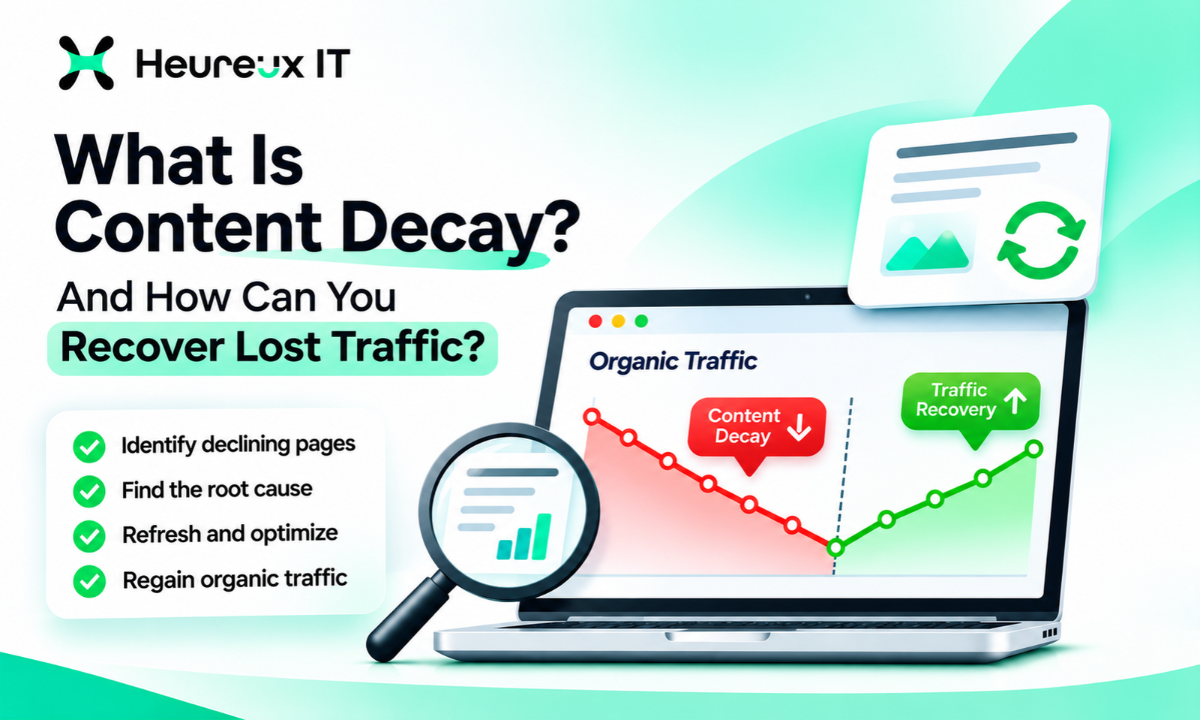
Content decay is the gradual decline in organic traffic, keyword rankings, and search visibility of a previously successful webpage.
It often happens when information becomes outdated, competitors publish better resources, or users change what they expect to find in search results.
For example, consider a blog about Google Ads bidding strategies.
When the article was published, it explained the available bidding options and included current screenshots. Over time, Google introduced new features, changed its interface, and updated its recommendations.
The article remained unchanged while competing websites published more relevant guides.
As a result, its organic performance started declining.
This is a common example of content decay.
What Are the Different Stages of Content Decay?
Most successful content follows a performance cycle.
| Stage | Description |
|---|---|
| Publication | The page goes live and search engines discover it. |
| Growth | Keyword rankings and organic traffic begin increasing. |
| Peak Performance | The page reaches a period of strong visibility. |
| Decline | Rankings, clicks, or conversions begin falling. |
| Recovery | Meaningful updates may help restore performance. |
Not every page follows this pattern. Some evergreen articles maintain strong rankings for years, while others require frequent updates.
Regular monitoring helps you identify declining pages before they lose most of their traffic.
Why Does Content Decay Matter for SEO?
Content decay reduces the value of your previous SEO investments.
When several high-performing pages start losing visibility, the traffic generated by new articles may only replace the traffic lost from older ones.
1. Declining Organic Traffic
Pages that once ranked for valuable keywords may start receiving fewer visitors as their rankings decline.
2. Fewer Leads and Sales
If declining pages previously generated inquiries, purchases, or appointments, content decay can affect business revenue.
3. Reduced Content Value
Outdated information, inaccurate examples, and broken references can make existing resources less helpful.
4. Lost Competitive Advantage
Competitors may attract your potential customers by publishing more complete and relevant content.
5. Lower Return on Content Investment
Creating quality content requires time and resources. Maintaining existing articles can help businesses continue benefiting from that investment.
What Causes Content Decay?
Understanding the cause of declining traffic helps you choose the right recovery strategy.
1. Outdated Information
Statistics, software features, pricing, industry regulations, and business practices change over time.
An article containing outdated information may no longer answer the questions readers have today.
2. Increased Organic Competition
Your competitors continue publishing and improving their content.
A page that once offered the best explanation of a topic may lose rankings when stronger resources become available.
3. Changes in Search Intent
Search intent describes what a user wants to achieve through a search.
A keyword that once returned educational guides might now display product comparisons, videos, or service pages.
Your content may still be accurate but no longer match what users expect. Conducting regular SEO Keyword Research can help you identify these changes and align your content with current search behavior.
4. Keyword Cannibalization
Publishing multiple pages that target the same search intent can create unnecessary competition between your own URLs.
Reviewing overlapping content can help identify whether pages should remain separate or be consolidated.
5. Lost Backlinks and Internal Links
Other websites may remove links pointing to your content.
Your own website may also lose internal links after a redesign, navigation update, or content cleanup.
These changes can reduce the support a page receives.
6. Technical SEO Problems
Indexing issues, incorrect canonical tags, broken links, redirect chains, and accidental noindex directives can contribute to declining visibility.
Following Technical SEO Best Practices can help you identify and resolve these problems before assuming that the content itself needs updating.
7. AI Overviews and Zero-Click Searches
Google AI Overviews, featured snippets, and other search features can answer questions directly on the search results page.
This means your website may maintain its rankings while receiving fewer organic clicks.
A standard content refresh may not resolve this type of traffic loss.
How to Identify Different Types of Content Decay
Not every declining page needs a complete rewrite.
Use your search performance data to identify the likely cause.
| Type of Decay | Common Warning Signs | Recommended Action |
|---|---|---|
| Ranking Decay | Lower rankings, clicks, and impressions | Improve content and link support |
| Freshness Decay | Outdated facts, tools, and examples | Refresh information |
| Intent Decay | Search results favor a different content format | Realign content with search intent |
| Click Decay | Stable rankings but declining CTR | Review SERP features and search snippets |
| Demand Decay | Lower impressions with stable rankings | Investigate search demand |
| Keyword Cannibalization | Traffic shifts between competing URLs | Review and consolidate overlapping pages |
These patterns are starting points for investigation, not automatic proof of a particular problem.
How to Find Content Decay Using Google Search Console
Google Search Console is one of the most useful free tools for identifying declining organic performance.
Step 1: Open the Performance Report
Log in to Google Search Console and select your website property.
Navigate to Performance → Search Results.
Enable the following metrics:
- Total Clicks
- Total Impressions
- Average CTR
- Average Position
Step 2: Compare Date Ranges
Open the date filter and select Compare.
Compare the last three months with the previous three months.
For websites with seasonal traffic, compare the same three-month period from the previous year when data is available.
This helps distinguish sustained declines from normal changes in demand.
Step 3: Identify Pages Losing Organic Traffic
Open the Pages tab and sort the Clicks Difference column to identify the largest losses.
Here is an example:
| Landing Page | Previous Clicks | Current Clicks | Change |
|---|---|---|---|
| Google Ads Guide | 1,500 | 900 | -40% |
| Technical SEO Checklist | 1,200 | 800 | -33.3% |
| GA4 Tracking Guide | 950 | 650 | -31.6% |
| Meta Ads Strategy | 800 | 720 | -10% |
Illustrative data for demonstration purposes.
These pages deserve further investigation, particularly if they generate qualified traffic or leads.
Step 4: Identify Declining Search Queries
Select an affected page and open the Queries tab.
Review which keywords have lost clicks, impressions, or ranking positions.
A page may be losing visibility for only a few important keywords rather than its entire topic.
Understanding these changes helps you make targeted improvements.
Step 5: Calculate the Content Decay Rate
You can measure the percentage of organic clicks lost using this formula:
Content Decay Rate = (Previous Clicks − Current Clicks) ÷ Previous Clicks × 100
For example:
- Previous clicks: 1,500
- Current clicks: 900
- Content decay rate: 40%
The page has lost 40% of its organic clicks during the selected comparison period.
However, you still need to investigate whether the loss came from content decay, seasonality, technical issues, or changes in search results.
How to Identify Content Decay Using Google Analytics 4
Google Search Console shows how pages perform in search results. GA4 helps you understand what visitors do after reaching your website.
Open GA4 and navigate to the Landing Page report.
Filter the traffic by Organic Search and compare the relevant periods.
Review these metrics:
- Organic sessions
- Engaged sessions
- Engagement rate
- Average engagement time
- Key events
- Lead submissions
- Purchases and revenue
For example, one article may have lost 500 monthly visitors without affecting lead generation.
Another page may have lost only 100 visitors but generated 15 fewer leads.
The second page may deserve more attention because it has a greater impact on the business.
How to Prioritize Pages for Content Recovery
Not all declining pages deserve the same amount of work.
Prioritize pages based on their business value, historical performance, and potential to recover traffic.
| Page Type | Recovery Priority |
|---|---|
| High-Converting Service Pages | Very High |
| Commercial Comparison Pages | Very High |
| Previously High-Traffic Blogs | High |
| Evergreen Educational Guides | High |
| Low-Traffic Informational Pages | Medium |
| Expired News and Irrelevant Content | Low |
Start with pages that have the strongest combination of recoverable traffic and business value.
Want help turning this into results for your business?
Explore our SEO services →How to Fix Content Decay and Recover Lost Organic Traffic
Once you identify the affected pages, create a recovery plan based on their specific problems.
1. Update Outdated Facts and Information
Review every section of the article and replace information that is no longer accurate.
Update statistics, pricing, software features, screenshots, examples, and instructions.
Remove references to discontinued products or outdated industry practices.
2. Improve Search Intent Alignment
Search for your primary keyword and examine the current top-ranking pages.
Look at their format, topics, headings, and the problems they solve.
If users now expect a comparison table rather than a general explanation, adjust your content to meet that need.
3. Identify and Fill Content Gaps
Compare your article with competing resources.
Identify important questions or topics your content does not cover.
Apply relevant SEO Content Optimization Techniques and add useful examples, practical instructions, comparisons, or original insights.
Do not increase the word count simply to make the article longer.
4. Optimize SEO Titles and Meta Descriptions
A page may receive thousands of impressions without generating many clicks.
Review its SEO title and meta description to make sure they accurately reflect the content and match the search intent.
For example:
Old Title: Google Ads Tips for Businesses
Updated Title: 15 Google Ads Optimization Tips to Reduce Wasted Spend
The updated title gives users a clearer reason to visit the page.
5. Strengthen Internal Linking
Older articles often become buried as websites publish new content.
Find relevant pages that can link to the declining article.
Use descriptive anchor text and fix broken internal links.
You should also connect the updated article with related guides, service pages, and supporting resources.
6. Recover Lost Backlinks
Use backlink analysis tools to identify links that have disappeared.
Check whether the referring page still exists and whether the original link points to a broken or redirected URL.
When appropriate, contact the website owner and request that the link be restored or updated.
Using relevant Off-Page SEO Techniques can also help you attract new backlinks and strengthen the visibility of your refreshed content.
7. Improve Content Structure and Readability
Make your article easier to read and navigate.
Use clear headings, short paragraphs, comparison tables, relevant images, and step-by-step instructions.
Add a table of contents for longer guides when it helps readers find information.
8. Resolve Keyword Cannibalization
Review other pages targeting similar keywords.
If two or more articles serve the same search intent without offering distinct value, consider combining them into one useful resource.
Redirect retired URLs to the relevant surviving page.
9. Strengthen Content Trust and Expertise
Improve the credibility of your article by adding genuine expertise and useful information.
Following Google E-E-A-T Principles can help you focus on experience, expertise, authoritativeness, and trustworthiness.
Include original examples, real case studies when available, accurate data, author details, and first-hand insights.
Avoid invented testimonials, unsupported statistics, or claims that cannot be verified.
10. Review Technical SEO and Indexing
Before publishing updates, check the page's technical health.
Confirm that the URL returns a successful HTTP response, uses the correct canonical tag, remains indexable, and receives relevant internal links.
After making meaningful changes, you can request indexing through Google Search Console.
Content Decay vs. Content Pruning
Content decay and content pruning are related, but they serve different purposes.
| Feature | Content Decay | Content Pruning |
|---|---|---|
| Meaning | Decline in existing content performance | Review and management of existing content |
| Main Goal | Recover lost visibility and traffic | Improve overall content usefulness |
| Focus | Declining pages | Weak, outdated, or unnecessary pages |
| Common Actions | Refresh, optimize, and recover | Keep, update, merge, or remove |
| Page Removal Required | No | Sometimes |
Content decay helps you identify the problem. Content pruning provides one possible way to manage affected pages.
How AI Search Is Changing Content Decay SEO
Traditional SEO performance is no longer measured through rankings alone.
A page can maintain its organic position while losing clicks because users receive answers directly from AI-powered search experiences.
To remain useful in this environment, businesses should create content that offers more than basic definitions.
Consider including original research, calculators, templates, detailed examples, expert insights, and actionable guides.
These resources give readers a reason to visit your website beyond reading a short summary.
Clear, accurate, and well-structured information may also help AI search systems understand your content.
However, no content optimization strategy guarantees AI citations or organic traffic recovery.
Best Tools to Identify and Fix Content Decay
| Tool | Primary Purpose |
|---|---|
| Google Search Console | Identify declining clicks, impressions, and rankings |
| Google Analytics 4 | Measure landing page traffic and conversions |
| Google Trends | Review changes in search demand |
| Semrush | Analyze keywords, competitors, and content gaps |
| Ahrefs | Monitor ranking changes and backlinks |
| Screaming Frog | Identify technical and internal linking issues |
| Google Sheets | Track content audits and recovery progress |
You can begin with Google Search Console, GA4, and a spreadsheet before investing in paid SEO tools.
How to Prevent Content Decay
Content maintenance should be part of your ongoing SEO strategy.
A regular review schedule can help you detect problems before they become more difficult to resolve.
| Frequency | Recommended Action |
|---|---|
| Weekly | Monitor important keyword rankings |
| Monthly | Review declining organic landing pages |
| Quarterly | Refresh priority articles and review search intent |
| Every Six Months | Conduct a broader content audit |
| Annually | Review the overall content strategy |
Pages covering fast-changing subjects may need more frequent updates.
Evergreen articles may require fewer changes as long as their information remains accurate and useful.
Explore more content maintenance and optimization strategies on the Heureux IT SEO and digital marketing blog.
How Long Does It Take to Recover Lost Organic Traffic?
Content recovery does not have a guaranteed timeline.
Search engines need to crawl, process, and reassess updated content.
Some pages may show changes within a few weeks. Others may take several months or fail to recover their previous traffic.
Monitor these metrics after making changes:
- Organic clicks and sessions
- Search impressions
- Keyword rankings
- Organic CTR
- Leads and sales
- Backlink performance
Compare performance using consistent date ranges and account for seasonal changes.
Avoid making repeated changes before you have enough data to evaluate the initial update.
How Heureux IT Can Help You Fix Content Decay
At Heureux IT, we help businesses identify declining website pages and develop SEO strategies based on performance data.
Our Professional SEO Services include:
- SEO content audits
- Organic traffic loss analysis
- Keyword performance reviews
- Competitor content analysis
- On-page SEO optimization
- Internal linking improvements
- Technical SEO audits
- Content refresh strategies
- Ongoing performance monitoring
Whether your service pages are losing qualified leads or your older blogs are receiving fewer visitors, we can help identify the underlying issues and plan meaningful improvements.
Visit Heureux IT to learn more about our digital marketing and SEO solutions.
Final Thoughts
Content decay is a natural challenge for websites that publish content over time.
Even articles that once performed well can lose organic visibility as competition increases, information changes, and search behavior evolves.
A successful Content Decay SEO strategy starts with understanding why performance declined.
Use Google Search Console and GA4 to identify affected pages. Review search intent, content quality, backlinks, and technical SEO before selecting the right solution.
Instead of focusing only on publishing new articles, make time to maintain the content that has already earned your website valuable visibility.
Frequently Asked Questions
What Is Content Decay in SEO? +
Content decay is the gradual decline in organic traffic, keyword rankings, and search visibility of a previously successful webpage.
What Causes Content Decay? +
Common causes include outdated information, increased competition, changes in search intent, lost backlinks, keyword cannibalization, and changes in search results.
How Can I Identify Content Decay? +
Use Google Search Console and GA4 to compare organic clicks, impressions, rankings, sessions, and conversions across consistent date ranges.
Can Content Decay Be Reversed? +
Yes, some declining pages can recover through meaningful content updates, improved search intent alignment, technical SEO fixes, and stronger internal linking. Recovery is not guaranteed.
How Often Should I Update Old Blog Posts? +
Review important blog posts every three to six months. Update them when information becomes outdated, search intent changes, or organic performance declines.
Does Changing the Publication Date Improve SEO? +
Changing the publication date alone does not guarantee better rankings. Make meaningful improvements to the content before updating its modification date.
Should I Delete Content That Is Losing Traffic? +
Not automatically. Review its backlinks, conversions, search demand, and business value before deciding whether to update, merge, or remove it.
Can AI Overviews Cause Organic Traffic Loss? +
Yes. AI Overviews can answer questions directly in Google search results, which may reduce organic clicks even when webpage rankings remain stable.
What Is the Difference Between Content Decay and Content Pruning? +
Content decay describes declining content performance. Content pruning involves reviewing existing pages and deciding whether to keep, update, merge, or remove them.
How Long Does Content Decay Recovery Take? +
Recovery may take several weeks or months, depending on the cause of the decline, competition, content improvements, and how search engines process the changes.
Heureux IT is a digital marketing agency specialising in Google Ads, Meta Ads and SEO. We help growing businesses turn paid and organic search into measurable revenue.