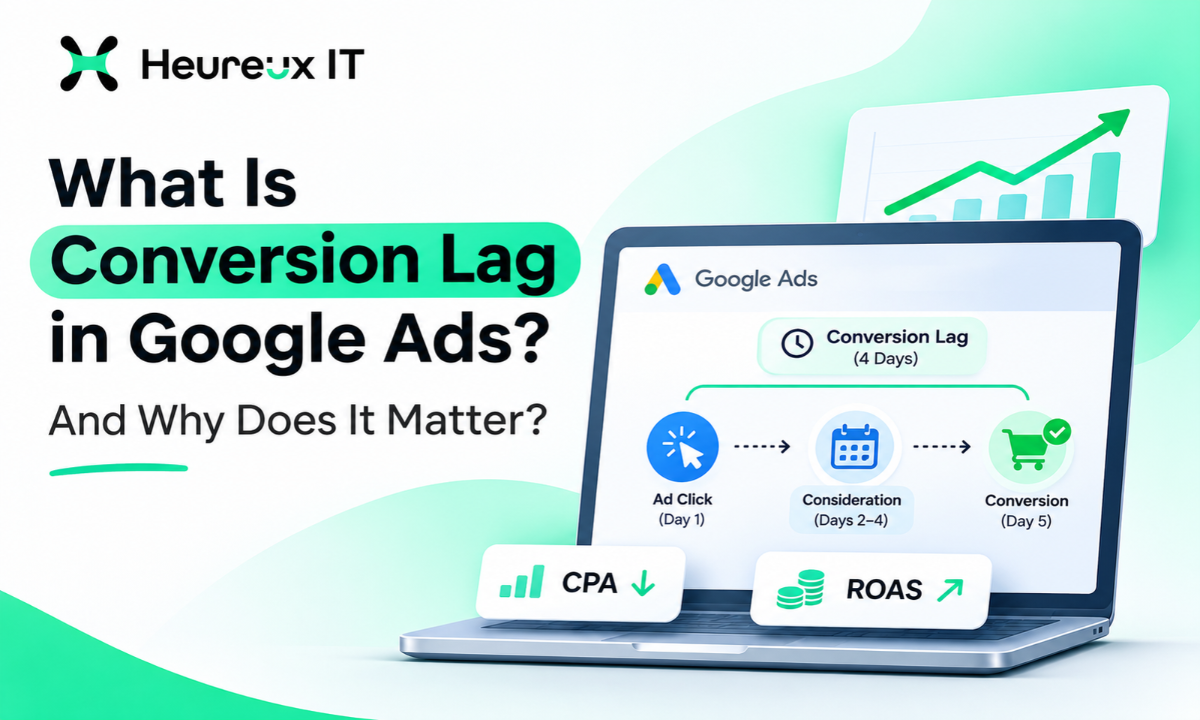
Imagine reviewing your Google Ads campaigns on Monday morning and noticing that your cost per acquisition has increased, conversions have declined, and your return on ad spend is below target.
Your first reaction might be to reduce the budget, change your bidding strategy, or pause underperforming keywords.
But what if those campaigns are not performing as poorly as they appear?
Some customers may have clicked your ads but have not yet completed a purchase, submitted a form, or booked an appointment.
This delay is known as Google Ads Conversion Lag. Understanding how it works can help you avoid unnecessary campaign changes, improve performance reporting, and make better advertising decisions.
What Is Conversion Lag in Google Ads?
Conversion lag refers to the time between a user's interaction with an advertisement and the completion of a conversion action.
A conversion action can include:
- Product purchases
- Lead form submissions
- Phone calls
- Appointment bookings
- Software subscriptions
- Qualified leads
- App installations
For example, a potential customer clicks your Google ad on Monday, compares your services with competitors, and submits an inquiry on Friday.
The conversion lag in this example is four days.
Google Ads generally attributes conversions to the date of the associated ad interaction in its standard conversion reporting. As a result, historical campaign data can change as new conversions arrive.
This is why recent advertising reports may not reflect the full performance of your campaigns.
How Does Google Ads Conversion Lag Work?
Consider an ecommerce business running Google Ads campaigns with the following customer journey.
| Date | Customer Action |
|---|---|
| November 1 | Clicks a Google ad |
| November 2 | Revisits the website |
| November 3 | Compares product options |
| November 4 | Adds a product to the cart |
| November 5 | Completes the purchase |
Although the purchase happened on November 5, the conversion may be attributed to the original November 1 ad click.
If the campaign manager reviewed performance on November 3, the purchase would not have appeared in the report.
The campaign generated the opportunity, but the customer needed more time to convert.
This behavior is common across Google Search Ads, ecommerce campaigns, and other paid advertising channels.
Why Does Conversion Lag Happen?
Customers do not always convert immediately after clicking an advertisement. Several factors influence the time they take to make a decision.
1. Product Research and Comparison
Customers often visit multiple websites, compare prices, read product reviews, and evaluate alternatives before purchasing.
2. High-Value Products and Services
Expensive products, professional services, financial solutions, and software subscriptions usually require more consideration than everyday purchases.
3. Multiple Decision-Makers
B2B purchases may require discussions, product demonstrations, management approval, and budget confirmation.
4. Returning Website Visitors
Some visitors discover a brand through an advertisement but return days later when they are ready to complete an action.
5. Offline Sales Processes
A potential customer may submit an inquiry today but become a qualified lead or paying customer several weeks later.
6. Conversion Reporting Delays
Even after a conversion occurs, processing delays or scheduled CRM imports may affect when it appears in Google Ads.
These reporting delays are separate from customer decision-making time, but both can contribute to incomplete recent reports.
How Conversion Lag Affects Google Ads Performance Metrics
Conversion lag can make several important advertising metrics appear weaker than their eventual results.
| Metric | Potential Impact of Conversion Lag |
|---|---|
| Conversions | Lower reported conversion count |
| Cost Per Acquisition (CPA) | Higher reported acquisition cost |
| Return on Ad Spend (ROAS) | Lower reported return on ad spend |
| Conversion Rate | Lower reported conversion rate |
| Conversion Value | Incomplete attributed revenue |
| Cost Per Lead (CPL) | Higher reported cost per lead |
Advertisers should consider these temporary reporting differences before evaluating campaign performance.
Google Ads Conversion Lag Example
Suppose an ecommerce campaign generates 1,000 clicks from $2,000 in advertising spend. Each purchase generates $200 in revenue.
Over the following two weeks, more customers from those clicks complete their purchases.
| Reporting Time | Ad Spend | Purchases | Revenue | CPA | ROAS |
|---|---|---|---|---|---|
| Day 1 | $2,000 | 10 | $2,000 | $200 | 1.0x |
| Day 3 | $2,000 | 16 | $3,200 | $125 | 1.6x |
| Day 7 | $2,000 | 25 | $5,000 | $80 | 2.5x |
| Day 14 | $2,000 | 40 | $8,000 | $50 | 4.0x |
Illustrative data based on a fixed group of ad clicks.
On Day 1, the campaign appears to generate a 1.0x ROAS with a $200 acquisition cost.
By Day 14, the same advertising spend has generated a 4.0x ROAS and a $50 acquisition cost.
The difference comes from delayed purchases, not additional advertising spend.
Pausing the campaign after reviewing its first-day results could have prevented future profitable traffic.
This is one reason why effective Ecommerce PPC Management requires more than reviewing daily revenue and ROAS.
How Long Does Conversion Lag Last in Google Ads?
There is no standard conversion lag period that applies to every business.
The length depends on customer behavior, product pricing, purchase complexity, and the conversion action being measured.
| Business or Conversion Type | Possible Conversion Lag |
|---|---|
| Low-Cost Ecommerce Products | Same day to 2 days |
| Local Service Inquiries | Same day to 7 days |
| High-Value Ecommerce Products | Several days to weeks |
| Healthcare Appointments | Several days to weeks |
| B2B Lead Generation | 1–4 weeks or longer |
| Enterprise SaaS Sales | Several weeks to months |
| Real Estate and Financial Services | Several weeks to months |
These ranges are illustrative, not official Google benchmarks.
Your own conversion data provides a more reliable basis for choosing reporting periods and optimization schedules.
How to Check Conversion Lag in Google Ads
Google Ads provides several ways to understand how long customers take to convert.
Method 1: Use the Days to Conversion Report
The Days to Conversion segment shows how recorded conversions are distributed across different time intervals.
Follow these steps:
- Sign in to your Google Ads account.
- Navigate to Campaigns.
- Select a historical date range.
- Click the Segment icon above the campaign table.
- Select Conversions.
- Choose Days to conversion.
Google Ads will display conversion data grouped by the time customers took to convert.
Here is an example:
| Days to Conversion | Conversions | Percentage |
|---|---|---|
| Less Than 1 Day | 40 | 40% |
| 1–2 Days | 20 | 20% |
| 2–3 Days | 15 | 15% |
| 3–7 Days | 15 | 15% |
| 7–14 Days | 7 | 7% |
| 14–30 Days | 3 | 3% |
| Total | 100 | 100% |
Illustrative conversion distribution.
In this example, 90% of recorded conversions occur within seven days.
The advertiser could use a seven-day buffer when evaluating campaign performance while continuing to monitor later conversions.
Method 2: Use Attribution Path Metrics
The attribution report helps you understand how customers interact with your advertisements before converting.
To access the report:
- Open Google Ads.
- Navigate to Goals.
- Find Attribution under Measurement.
- Select Path metrics.
- Choose the relevant date range and conversion actions.
Depending on the available reporting options, you can review the time customers take to convert and the number of advertising interactions involved in their journey.
This information is useful for businesses with longer sales cycles.
Method 3: Review Conversion Lag Estimates
Google Ads provides conversion delay reporting and forecasts for eligible campaigns.
These estimates can help advertisers understand how conversion counts, CPA, and ROAS might change as more conversions arrive.
Eligible campaign types listed in Google's documentation include:
- Search campaigns
- Performance Max campaigns
- App campaigns for installs
- App campaigns for engagement
Depending on campaign eligibility, conversion lag estimates may appear in reporting hover cards or other performance views.
These figures are forecasts, not guaranteed future conversions.
Conversions vs. Conversions by Conversion Time
Google Ads offers different reporting columns that help advertisers understand when conversions are attributed and when they occurred.
| Feature | Conversions | Conversions by Conversion Time |
|---|---|---|
| Reporting Date | Associated ad interaction date | Actual conversion date |
| Main Purpose | Evaluate advertising effectiveness | Review conversion activity by date |
| Historical Data | Can change as conversions arrive | Can change due to processing and adjustments |
| Best Used For | Campaign and bidding decisions | Sales and CRM reconciliation |
For example, a customer clicks an advertisement on November 1 and purchases on November 5.
The standard Conversions column may attribute the purchase to November 1, while Conversions by Conversion Time shows the purchase on November 5.
How to Add Conversion Time Columns
Navigate to your campaign table and follow these steps:
- Click Columns.
- Select Modify columns.
- Open the Conversions category.
- Add Conversions (by conv. time).
- Add Conv. value (by conv. time).
- Add other relevant conversion-time metrics.
- Click Apply.
Using both reporting methods provides a more complete view of advertising performance and business activity.
However, dividing conversion-time revenue by same-day ad spend does not necessarily produce an accurate campaign ROAS because the revenue may come from earlier advertising interactions.
Want help turning this into results for your business?
Explore our Google Ads services →How Conversion Lag Affects Google Ads Smart Bidding
Smart Bidding uses conversion data and other signals to optimize auction-time bids.
Common conversion-based bidding strategies include:
- Maximize Conversions
- Maximize Conversion Value
- Target CPA
- Target ROAS
Google's automated bidding systems can account for expected conversion delays. However, long delays, limited conversion volume, inaccurate tracking, and frequent campaign changes can still make optimization more difficult.
For example, a campaign may report fewer qualified leads during its first week because customers have not completed the qualification process.
Reducing the budget or changing the target CPA before these leads arrive may prevent the campaign from reaching its potential.
This is particularly important when managing Performance Max campaigns, where automated bidding depends on meaningful conversion signals.
Advertisers should provide accurate tracking data, realistic bidding targets, and enough time to evaluate results.
Conversion Lag in Ecommerce vs. B2B Lead Generation
Ecommerce and B2B campaigns often follow different customer journeys.
| Feature | Ecommerce | B2B Lead Generation |
|---|---|---|
| Conversion Goal | Purchase | Qualified Lead or Sale |
| Decision-Making | Often Individual | Multiple Stakeholders |
| Sales Cycle | Hours to Weeks | Weeks to Months |
| Revenue Tracking | Online Transactions | CRM and Offline Sales |
| Optimization Signals | Purchase Value | Lead Quality and Deal Value |
| Conversion Lag | Often Shorter | Often Longer |
For an ecommerce campaign, purchase tracking may provide timely revenue data.
For a B2B campaign, a form submission might be only the first step toward generating revenue.
Tracking qualified leads, booked demonstrations, opportunities, and closed sales can provide a clearer view of campaign performance.
Businesses seeking to improve automated campaigns can also review our guide to Performance Max campaign optimization.
Conversion Lag vs. Conversion Window
Although these terms are related, they describe different aspects of conversion measurement.
| Feature | Conversion Lag | Conversion Window |
|---|---|---|
| Definition | Time taken to complete a conversion | Period during which a conversion can receive ad credit |
| Determined By | Customer behavior | Conversion tracking settings |
| Configurable | Not directly | Yes |
| Primary Purpose | Understand conversion timing | Define eligible attribution duration |
For example, if a customer converts 20 days after clicking an advertisement, the conversion lag is 20 days.
If the click-through conversion window is 30 days, that conversion may still qualify for attribution.
If the window is only seven days, the conversion may fall outside the eligible period.
Google Ads supports click-through conversion windows ranging from 1 to 90 days for certain conversion sources and actions.
Choose a window that reflects your actual customer journey and the available tracking settings.
How to Change the Conversion Window in Google Ads
To review or adjust your conversion window:
- Sign in to Google Ads.
- Navigate to Goals.
- Open the Conversions Summary.
- Select the relevant conversion action.
- Open Settings and select Edit settings.
- Find the Click-through conversion window.
- Select an appropriate duration.
- Save your changes.
Avoid changing conversion windows without reviewing historical performance and customer behavior.
The goal is to capture meaningful conversions, not simply increase reported conversion numbers.
How to Manage Google Ads Conversion Lag
Conversion lag cannot always be eliminated, but advertisers can manage its effect on reporting and optimization.
1. Evaluate Mature Performance Data
Review historical periods that have allowed enough time for most conversions to arrive.
If most customers convert within seven days, exclude the most recent seven days from major performance evaluations.
2. Compare Equivalent Reporting Periods
Avoid comparing a recently completed week against an older week without accounting for conversion maturity.
Use consistent reporting periods and allow similar time for both sets of conversions to develop.
3. Set the Right Conversion Window
Review the Days to Conversion distribution before selecting a conversion window.
A window that is too short may exclude valuable conversions from longer customer journeys.
4. Improve Conversion Tracking Accuracy
Incorrect tags and duplicate conversions can make lag analysis unreliable.
Verify that form submissions, purchases, calls, and other conversion actions are recorded correctly.
A reliable conversion tracking setup helps separate normal conversion delays from technical measurement problems.
5. Import Offline Conversions
For businesses that generate leads online and close sales offline, CRM data can help connect advertising spend with business results.
Track qualified leads, completed appointments, sales opportunities, and closed deals where appropriate.
Import eligible conversion data into Google Ads to provide better feedback about customer quality and revenue.
6. Select Meaningful Primary Conversion Actions
Primary conversion actions should represent valuable business outcomes that can support your bidding strategy.
For an ecommerce business, this might be a completed purchase.
For a B2B business, a qualified lead or booked demonstration might offer a useful balance between conversion speed and quality.
Avoid optimizing campaigns toward low-value actions simply because they happen sooner.
7. Avoid Frequent Bidding and Budget Changes
Changing budgets and bidding targets every few days can make it harder to evaluate the impact of individual changes.
Review campaign performance over a suitable period before making major adjustments.
8. Monitor Your Full Conversion Funnel
Use Google Ads, Google Analytics 4, and CRM data together to understand the customer journey.
Our guide to fixing conversion tracking with GA4 and GTM explains how to build a more reliable measurement system.
How to Account for Conversion Lag in Weekly Google Ads Reports
Weekly reporting remains important, even when conversions take time to arrive.
A useful report separates recent activity from more mature performance data.
| Metric | Previous Mature Week | Latest Week |
|---|---|---|
| Ad Spend | $1,200 | $1,200 |
| Clicks | 800 | 850 |
| Conversions | 48 | 35 |
| CPA | $25 | $34.29 |
| Conversion Value | $4,800 | $3,500 |
| ROAS | 4.00x | 2.92x |
| Reporting Status | Mostly Mature | Provisional |
Illustrative reporting data.
The latest week appears to have a higher CPA. However, some conversions may still arrive.
Include a reporting note explaining the expected conversion delay, and revisit the period after sufficient time has passed.
This helps clients understand performance changes without drawing premature conclusions.
Common Conversion Lag Mistakes to Avoid
Advertisers should avoid these common mistakes:
- Pausing campaigns based on incomplete conversion data.
- Comparing mature and immature reporting periods.
- Changing bidding targets after a short-term CPA increase.
- Using conversion windows that are too short.
- Ignoring offline conversions and CRM data.
- Optimizing toward low-quality conversion actions.
- Assuming every performance decline is caused by conversion lag.
- Treating forecasted conversions as confirmed results.
Conversion lag should not become an excuse to ignore genuine campaign problems.
Continue monitoring tracking errors, irrelevant search terms, broken landing pages, budget issues, and declines in lead quality.
How Heureux IT Helps Businesses Manage Conversion Lag
At Heureux IT, we help businesses evaluate Google Ads performance using accurate conversion data and meaningful business outcomes.
Our digital marketing services include:
- Google Ads account audits
- Conversion lag analysis
- GA4 and Google Tag Manager setup
- Conversion tracking troubleshooting
- Offline conversion implementation
- Smart Bidding optimization
- CPA and ROAS analysis
- Weekly and monthly performance reporting
- Budget optimization
Whether you run ecommerce campaigns or generate leads for a service-based business, we help identify the factors affecting your advertising results.
Request a Google Ads audit to better understand your campaign performance and conversion tracking setup.
Final Thoughts
Google Ads Conversion Lag is an important part of understanding how paid advertising generates leads, purchases, and revenue.
A campaign that appears to be underperforming today may deliver additional conversions over the following days or weeks.
By reviewing conversion lag reports, setting appropriate conversion windows, maintaining accurate tracking, and evaluating mature performance data, advertisers can make better decisions about budgets and bidding strategies.
The objective is not to wait indefinitely for results. It is to understand when your data is complete enough to make an informed decision.
Frequently Asked Questions
What Is Conversion Lag in Google Ads? +
Conversion lag is the time between an advertisement interaction and the completion of a conversion action, such as a purchase, lead submission, or appointment booking.
How Do I Check Conversion Lag in Google Ads? +
Open Campaigns, click Segment, select Conversions, and choose Days to conversion. You can also review attribution path metrics.
How Long Does Google Ads Conversion Lag Last? +
Conversion lag can range from a few minutes to several weeks or months, depending on customer behavior and the conversion action being measured.
Does Conversion Lag Affect ROAS? +
Yes. Delayed purchases can make recent reported ROAS appear lower until additional conversion value is attributed to the campaign.
Does Conversion Lag Increase CPA? +
Conversion lag can make reported CPA appear higher because advertising costs are already recorded while some conversions have not yet occurred or been reported.
What Is the Difference Between Conversion Lag and a Conversion Window? +
Conversion lag measures the actual time taken to convert. A conversion window determines how long after an ad interaction a conversion remains eligible for attribution.
Does Smart Bidding Account for Conversion Lag? +
Yes. Google Smart Bidding can account for expected conversion delays. However, accurate tracking, reliable conversion signals, and stable campaign settings remain important.
Can I Reduce Conversion Lag in Google Ads? +
You may reduce customer decision time through better landing pages, simpler checkout processes, clearer offers, and improved lead follow-up. You cannot eliminate every conversion delay.
Does Performance Max Have Conversion Lag? +
Yes. Performance Max campaigns can experience conversion lag because customers may need time to complete purchases, submit inquiries, or perform other conversion actions.
How Long Should I Wait Before Optimizing Google Ads? +
Use your historical conversion lag data to determine an appropriate evaluation period. Allow most expected conversions to arrive before making major performance-based campaign changes.
Heureux IT is a digital marketing agency specialising in Google Ads, Meta Ads and SEO. We help growing businesses turn paid and organic search into measurable revenue.