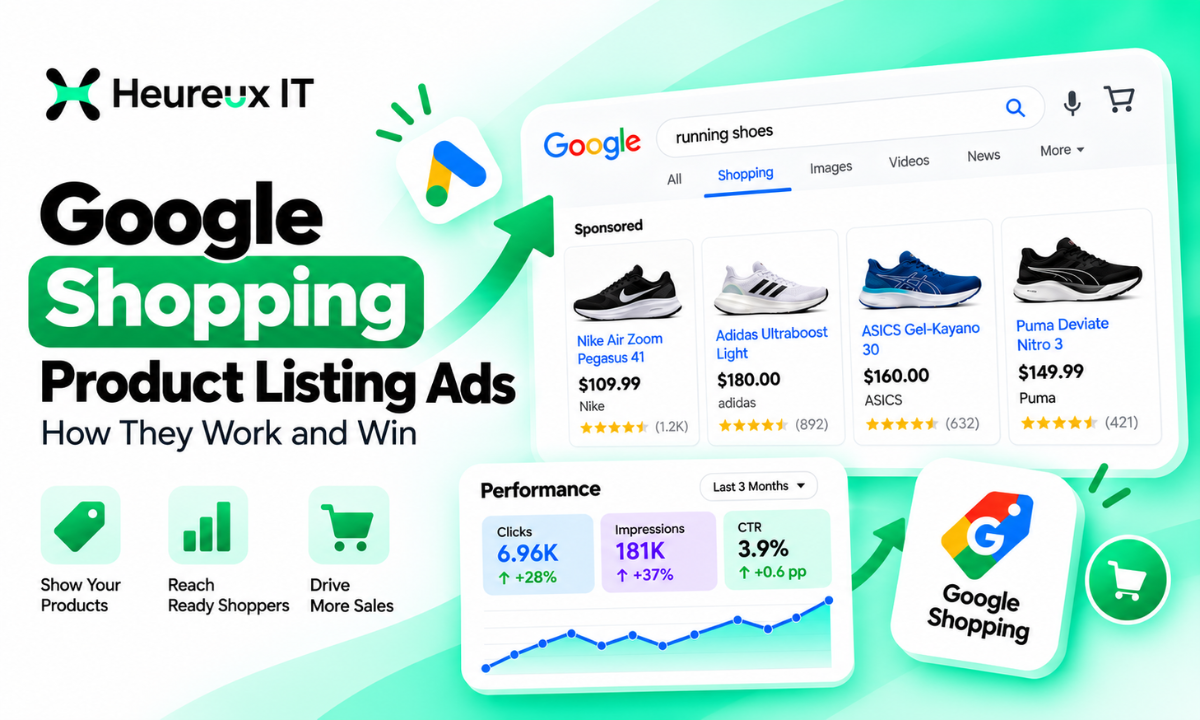
When someone searches Google for a product, they may see a collection of images, prices, product names, and retailers directly in the search results.
These listings allow shoppers to compare available products before visiting an online store.
For Ecommerce businesses, this creates an opportunity to connect with potential customers who are already searching for products they want to purchase.
That's where Google Shopping Product Listing Ads become valuable.
Unlike traditional text advertisements, Google Shopping ads present essential product details directly within eligible shopping placements. Customers can view a product's image, price, and retailer before deciding whether to click.
However, running profitable Shopping campaigns requires more than uploading products and setting a budget.
Your Google Merchant Center account, product data feed, bidding strategy, campaign structure, and conversion tracking all influence advertising performance.
A retailer with accurate product information and well-organized campaigns may attract more relevant shoppers than one using incomplete or outdated product data.
In this guide, we'll explain how Google Shopping ads work, how to set up campaigns, optimize product feeds, and measure advertising results to support Ecommerce growth.
What Are Google Shopping Ads?
Google Shopping ads are paid product advertisements that display information such as product images, titles, prices, and store names across eligible Google advertising placements.
They are also commonly called Product Listing Ads (PLAs).
These advertisements are primarily designed for retailers selling physical products through online stores or eligible local inventory.
For example, someone searching for "men's black running shoes" may see Shopping advertisements displaying different shoe models, prices, and retailers.
Instead of opening several websites to compare basic product details, shoppers can evaluate options directly from the advertisements.
What Information Appears in Shopping Ads?
Depending on eligibility and ad format, a Shopping advertisement may display a product image, title, price, retailer name, promotional pricing, ratings, or shipping details.
Not every advertisement displays every attribute.
The information shown depends on the product feed, available features, and applicable advertising requirements.
Where Do Google Shopping Ads Appear?
Standard Shopping ads can appear across eligible Google placements, including Google Search, the Shopping tab, Google Images, and participating search partners when enabled.
Feed-based Performance Max campaigns can access additional Google advertising inventory.
The available placements depend on the campaign type and eligibility.
How Do Google Shopping Product Listing Ads Work?
Google Shopping advertising works differently from traditional keyword-based Search campaigns.
In a Search campaign, advertisers select keywords and create text advertisements.
With Shopping ads, Google primarily uses product information submitted through Google Merchant Center to determine which products may match relevant searches.
Three components work together.
1. Product Data Feed
A product feed contains structured information about the items a retailer sells.
It includes attributes such as product titles, descriptions, images, prices, availability, and identifiers.
For example, a sports retailer might submit a product titled "Men's Lightweight Running Shoes – Black – Size 10."
This information helps Google understand the product and its characteristics.
2. Google Merchant Center
Google Merchant Center stores and processes the retailer's product data.
It also provides information about product eligibility and issues that may prevent listings from appearing.
Retailers should ensure their product information remains accurate and consistent with their websites.
3. Google Ads Campaign
Google Ads manages the advertising campaign, including budgets, bidding, geographic settings, and performance reporting.
After connecting Merchant Center to Google Ads, retailers can create campaigns promoting eligible products.
When a relevant shopping search occurs, Google evaluates product relevance and other auction factors to determine which advertisements may appear.
Why Google Shopping Ads Matter for Ecommerce
Google Shopping ads can help retailers reach shoppers who are actively researching or comparing products.
Reach Shoppers With Purchase Intent
Someone searching for a specific product model, color, or size may already be considering a purchase.
Shopping ads allow retailers to present relevant products during that process.
However, purchase intent varies, and not every click results in a sale.
Display Products Before the Click
Images and prices allow shoppers to understand what is being advertised.
Someone who finds the product unsuitable can continue comparing other options without visiting the retailer's website.
This can help customers make more informed decisions.
Promote Multiple Products
Retailers can advertise eligible products across their catalogs without manually creating a separate text advertisement for every item.
This is particularly valuable for stores selling many products or variations.
Support Online and Local Sales
Eligible merchants may promote online inventory, local store inventory, or both through supported advertising experiences.
Businesses selling through multiple channels can use Shopping campaigns to support product discovery.
Google Shopping Ads vs Google Search Ads
Google Shopping and Search ads operate within Google Ads, but they use different approaches to advertising.
| Feature | Shopping Ads | Search Ads |
|---|---|---|
| Main Format | Product Image, Title, Price | Text Headlines and Descriptions |
| Primary Matching | Product Feed Data | Keywords and Campaign Signals |
| Product Feed | Required | Generally Not Required |
| Main Application | Retail Products | Products, Services, Other Goals |
| Optimization Focus | Feed, Products, Bidding | Keywords, Ad Copy, Bidding |
| Destination | Product Page | Relevant Landing Page |
For example, an electronics retailer might use Shopping ads to promote a particular laptop model.
The same business could use Search ads for broader searches such as "electronics store near me."
Both campaign types can complement each other when they support the retailer's advertising objectives.
Setting Up a Google Shopping Campaign
Launching a Shopping campaign requires preparing your store, configuring Merchant Center, and connecting the relevant advertising systems.
Step 1: Create a Google Merchant Center Account
Set up Merchant Center using your business information.
Complete the required website verification or association process.
Ensure customers can access product details, pricing, checkout information, shipping information, and applicable business policies.
Step 2: Upload Your Products
Add your product information to Merchant Center.
Depending on your Ecommerce platform, products can be submitted through supported integrations, structured files, or automated data sources.
For example, a Shopify retailer may use an integration that synchronizes inventory with Merchant Center.
Choose a method that keeps prices and availability updated.
Step 3: Check Product Eligibility
Review the product status information in Merchant Center.
Some items may be eligible immediately, while others may require corrections.
Common issues include missing attributes, inaccurate pricing, incorrect availability, or policy-related problems.
Resolve relevant issues before relying on those products for advertising.
Step 4: Link Merchant Center With Google Ads
Connect your Merchant Center account to the Google Ads account responsible for advertising.
Ensure the appropriate permissions are available.
Once linked, eligible product data can be used in supported Shopping campaigns.
Step 5: Configure Purchase Tracking
Before launching, verify that purchase conversions and transaction values are recorded correctly.
Accurate measurement helps advertisers evaluate revenue, acquisition costs, and campaign profitability.
If the same purchase is reported through multiple measurement methods, proper deduplication is important.
Step 6: Create Your Shopping Campaign
In Google Ads, create a campaign and select the relevant objective and Shopping campaign type.
Choose your Merchant Center account, configure campaign settings, and establish your advertising budget.
Select an appropriate bidding strategy and organize your eligible products.
Step 7: Organize Product Groups
Product grouping helps retailers analyze advertising results across their inventory.
For example, a fashion retailer may separate footwear, jackets, and accessories.
More detailed segmentation may be appropriate when product categories have different margins or purchase behavior.
Step 8: Review and Launch
Check product eligibility, campaign settings, budgets, geographic targeting, and conversion measurement.
After launching, monitor product delivery, traffic, purchases, and revenue.
A live campaign still requires performance evaluation and ongoing optimization.
Standard Shopping vs Performance Max: Which Is Better?
Google offers multiple campaign types for promoting retail inventory, including Standard Shopping and Performance Max.
Both use Merchant Center product information but provide different levels of automation and control.
| Feature | Standard Shopping | Performance Max |
|---|---|---|
| Primary Approach | Product-Focused Campaign | Goal-Based Automated Campaign |
| Advertising Reach | Selected Shopping Inventory | Multiple Google Channels |
| Bidding | Eligible Manual and Automated Strategies | Automated Bidding |
| Product Organization | Product Groups | Listing Groups |
| Creative Assets | Primarily Product Feed | Product Feed and Supported Assets |
| Main Advantage | More Direct Control | Broader Automated Delivery |
When to Choose Standard Shopping
Standard Shopping can be appropriate when retailers want greater control over product grouping, available bidding strategies, and shopping-related reporting.
For example, a retailer with several product categories might use Standard Shopping to evaluate category-level performance.
When to Choose Performance Max
Performance Max uses automated bidding and delivery to pursue selected conversion goals across multiple Google channels.
It may suit retailers with reliable conversion tracking, suitable product feeds, and clear revenue objectives.
Businesses considering this approach can explore Heureux IT's Performance Max Advertising Services.
Can You Run Both?
Eligible advertisers can run Standard Shopping and Performance Max together.
However, campaign interaction, inventory overlap, reporting, and Google's prioritization rules must be considered.
The most suitable structure depends on account performance and business objectives.
Want help turning this into results for your business?
Explore our Google Ads services →Google Shopping Feed Optimisation: The Foundation of Better Ads
Google Shopping Feed Optimisation involves improving product information so Google can understand, classify, and display eligible products accurately.
Product feeds directly influence how Google matches inventory with shopping searches.
Even a well-structured campaign can struggle when product information is incomplete or misleading.
Optimize Product Titles
Product titles should accurately describe the item being sold.
Include relevant attributes such as brand, product type, model, material, color, or size.
For example:
Basic Title: Running Shoes
Optimized Title: Men's Lightweight Running Shoes – Black – Size 10
The second title provides clearer information about the product.
Avoid irrelevant keywords, excessive promotional wording, or unsupported claims.
Improve Product Descriptions
Descriptions should explain important product features and specifications.
For example, a furniture product description may include dimensions, materials, finish, and suitable applications.
Accurate descriptions help Google interpret the product and help shoppers understand its characteristics.
Use High-Quality Product Images
Select clear photographs that accurately represent the advertised item.
Avoid misleading visuals, unnecessary promotional overlays, and watermarks that conflict with applicable requirements.
Provide additional product images where supported.
Maintain Accurate Pricing and Availability
Product feed information should match the corresponding landing page and checkout experience.
For example, if the Merchant Center lists a product at $79 but the website displays $99 without an applicable explanation, the inconsistency may cause eligibility problems.
Automated inventory synchronization can help reduce these issues.
Submit Correct Product Identifiers
Many products have identifiers such as GTINs, manufacturer part numbers, and brand names.
Provide accurate identifiers when they exist and are required.
Never invent identifiers simply to complete the feed.
Use Custom Labels
Custom labels help retailers organize products by business-specific characteristics.
For example, products may be grouped by profit margin, seasonal demand, price range, or bestseller status.
These labels can support reporting and campaign organization.
Professional Google Shopping Management Services can help retailers coordinate feed quality, product segmentation, bidding, and campaign optimization.
How to Optimize Google Shopping Campaigns for Sales
Once product information is accurate, advertisers should focus on improving campaign efficiency and identifying valuable products.
Segment Products Strategically
Products with different margins and purchasing patterns may require different approaches.
For example, a $25 accessory and a $600 appliance shouldn't automatically share identical profitability expectations.
Use product economics to determine appropriate segmentation.
Review Search Terms
Available search term reporting helps advertisers understand which queries are associated with Shopping traffic.
For Standard Shopping campaigns, negative keywords can help exclude irrelevant searches.
Shopping campaigns do not use advertiser-selected positive keywords in the same way as traditional Search campaigns.
Evaluate Product-Level Results
Analyze which products receive traffic, generate purchases, and produce meaningful revenue.
A product attracting clicks without conversions may require investigation.
Possible factors include pricing, product availability, search relevance, or landing page usability.
Avoid making decisions based on insufficient data.
Improve Product Landing Pages
Your product pages should provide clear images, accurate specifications, visible pricing, delivery information, and straightforward checkout options.
A relevant Shopping advertisement may attract visitors, but the website must support their purchasing decisions.
Test Appropriate Bidding Strategies
Available bidding options vary by campaign type.
Standard Shopping supports eligible manual and automated bidding approaches.
Performance Max relies on automated bidding aligned with the campaign's conversion objective.
Evaluate each strategy using purchase volume, transaction value, profitability, and available conversion data.
How to Measure Google Shopping Ads Performance
Google Shopping performance should be evaluated using business outcomes rather than clicks alone.
Important Shopping Metrics
| Metric | What It Measures |
|---|---|
| Impressions | Advertising Visibility |
| Clicks | Visits Generated |
| CTR | Clicks Relative to Impressions |
| Average CPC | Average Cost Per Click |
| Purchases | Attributed Orders |
| Conversion Rate | Purchases Relative to Measured Interactions |
| Cost Per Purchase | Advertising Cost Per Purchase |
| ROAS | Attributed Revenue Relative to Ad Spend |
Example of Shopping ROAS
Suppose an Ecommerce retailer spends $1,000 on Shopping advertisements and generates $4,000 in attributed revenue.
The calculation is:
\[ ROAS=\frac{\$4,000}{\$1,000}=4.0x \]
The retailer generated $4 in attributed revenue for every $1 spent on advertisements.
However, 4.0x ROAS doesn't automatically mean the campaign is profitable.
Product costs, shipping, discounts, transaction fees, and other expenses must also be considered.
Why Accurate Conversion Tracking Matters
Incomplete tracking can make campaign performance difficult to evaluate.
Accurate Conversion Tracking helps advertisers measure purchases and revenue more consistently.
For Ecommerce businesses, tracking should be validated before making major budget or automated bidding decisions.
Common Google Shopping Ads Mistakes to Avoid
Using Generic Product Titles
Vague titles provide limited product information.
Use descriptive, relevant titles that accurately reflect the item being sold.
Ignoring Merchant Center Issues
Disapproved products and missing attributes can reduce eligible inventory.
Review diagnostics and resolve problems systematically.
Sending Visitors to Weak Product Pages
Confusing product pages can reduce completed purchases.
Improve website usability alongside campaign management.
Focusing Only on Low CPC
Low-cost traffic isn't necessarily profitable.
Evaluate purchase value, conversion rate, and margins instead of prioritizing clicks alone.
Treating Every Product Identically
Different products have different demand, competitive conditions, and margins.
Use performance data to determine which products need separate strategies.
Scaling Without Reliable Tracking
Increasing spend without dependable purchase measurement can make optimization decisions less effective.
Verify tracking before scaling.
Google Shopping Ads For Ecommerce Growth
Google Shopping campaigns can support retailers across different product categories.
An apparel brand might promote seasonal clothing collections.
An electronics store could advertise products with specific technical specifications.
A furniture retailer may benefit from clear photography, accurate dimensions, and detailed product descriptions.
Eligible businesses with physical locations may also consider local inventory advertising.
However, every retailer needs a strategy aligned with its inventory, customers, margins, and sales objectives.
There is no universal campaign setup that guarantees identical performance across businesses.
How Heureux IT Approaches Google Shopping Management
At Heureux IT, we understand that effective Google Shopping advertising requires more than launching a campaign.
Product information needs to be accurate, campaigns need appropriate structure, and performance should be evaluated against business objectives.
Our approach considers Merchant Center readiness, product feed quality, campaign selection, bidding, and purchase measurement.
For a growing retailer, the priority may be improving product visibility and identifying profitable categories.
For an established Ecommerce business, the focus may involve managing acquisition costs, improving feed relevance, and expanding advertising for suitable products.
The objective is to help businesses make informed decisions and develop campaigns that support measurable sales opportunities.
Final Thoughts
Google Shopping Product Listing Ads give retailers a visual way to promote products to people searching on Google.
By displaying product information before the click, these advertisements can help shoppers compare available options and discover relevant stores.
However, strong performance depends on more than visibility.
Accurate Merchant Center information, optimized product titles, appropriate bidding, reliable conversion tracking, and a smooth shopping experience all contribute to advertising effectiveness.
Whether you choose Standard Shopping, Performance Max, or a coordinated approach using both, consistent measurement and optimization remain essential.
At Heureux IT, we help Ecommerce retailers develop Google Shopping strategies focused on relevant traffic, product visibility, and sustainable sales opportunities.
Explore our Google Shopping advertising services to understand how professional campaign management can support your Ecommerce growth.
Frequently Asked Questions
What Are Google Shopping Product Listing Ads? +
Google Shopping Product Listing Ads are paid advertisements that display product images, titles, prices, and store names across eligible Google advertising placements.
How Do Google Shopping Ads Work? +
Google uses Merchant Center product information, campaign settings, and other signals to match eligible products with relevant shopping searches.
Do Google Shopping Ads Use Keywords? +
Shopping ads don't use advertiser-selected positive keywords like traditional Search campaigns. Google primarily matches products using Merchant Center data. Eligible campaigns may use negative keywords.
What Is a Google Shopping Campaign? +
A Google Shopping Campaign promotes eligible products through Google Ads using product information supplied by a linked Merchant Center account.
How Do I Set Up Google Shopping Ads? +
Create Merchant Center, submit products, resolve eligibility issues, link Google Ads, configure purchase tracking, and launch a Shopping or eligible Performance Max campaign.
What Is Google Shopping Feed Optimisation? +
Google Shopping Feed Optimisation involves improving product titles, descriptions, images, identifiers, pricing, and availability to support accurate product listings.
Is Standard Shopping Better Than Performance Max? +
Neither is universally better. Standard Shopping offers different controls, while Performance Max provides broader automated delivery. The right approach depends on business goals and account performance.
How Much Do Google Shopping Ads Cost? +
Advertising costs depend on competition, product category, bidding, targeting, and auction conditions. Standard Shopping generally uses CPC billing, while Performance Max supports different billing arrangements.
How Can I Improve Google Shopping ROAS? +
Improve product feed accuracy, evaluate bidding, review product-level results, optimize landing pages, and maintain reliable conversion measurement.
Can Small Ecommerce Stores Use Google Shopping Ads? +
Yes. Eligible smaller retailers can run Google Shopping ads when they meet Merchant Center requirements and have appropriate product data, advertising budgets, and conversion measurement.
Heureux IT is a digital marketing agency specialising in Google Ads, Meta Ads and SEO. We help growing businesses turn paid and organic search into measurable revenue.