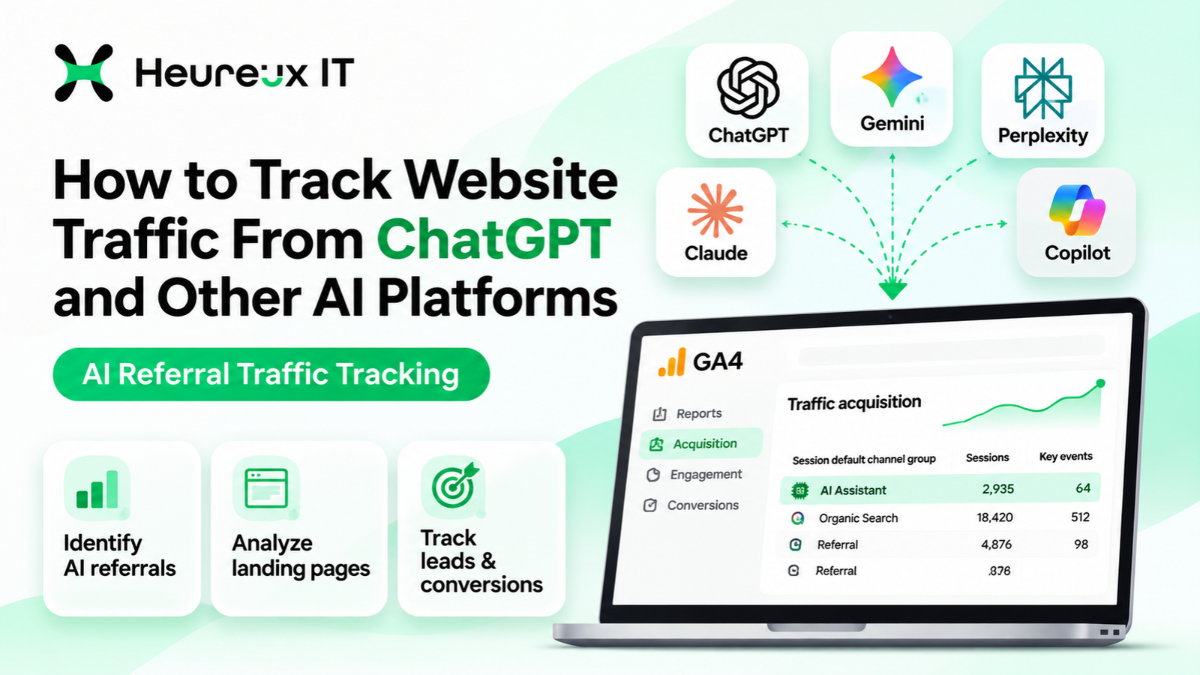
People no longer rely only on Google to find websites, compare services, or research products. Many now ask ChatGPT, Gemini, Perplexity, Claude, and other AI platforms for answers before deciding which website to visit.
Imagine someone asks ChatGPT, "Which digital marketing agency can help improve my Google Ads performance?" ChatGPT recommends a few businesses and includes links to their websites. The person clicks one of those links and submits a contact form.
That visit came from an AI platform. But would you know it from your website analytics?
This is where AI Referral Traffic Tracking becomes important.
By tracking AI referrals, businesses can identify which AI platforms send visitors, which pages attract those visitors, and whether those visits lead to enquiries, sign-ups, or sales.
At Heureux IT, we believe website traffic should be measured by the value it brings to a business, not just the number of visits.
This guide explains how to track traffic from ChatGPT and other AI platforms using Google Analytics 4 (GA4), how to measure conversions, and what to do when AI traffic is missing from your reports.
What Is AI Referral Traffic Tracking?
AI Referral Traffic Tracking is the process of measuring website visits that come from links shared by AI assistants and AI-powered search platforms.
When someone clicks a website link inside a ChatGPT answer, their browser may send referral information to the destination website.
Analytics tools such as GA4 can use that information to identify where the visit originated.
For example:
- A user asks Perplexity for the best ways to improve website conversion rates.
- Perplexity provides an answer with links to relevant articles.
- The user clicks a link to your website.
- GA4 records the session and may identify Perplexity as its source.
- If the visitor completes a tracked form, you can measure the result.
However, not every AI interaction generates a measurable website visit.
AI Visibility vs. AI Referral Traffic vs. AI Conversions
These three terms describe different outcomes.
| Metric | What It Means | Example |
|---|---|---|
| AI Visibility | Your brand or content appears in an AI-generated answer | ChatGPT mentions your business |
| AI Referral Traffic | Someone clicks an AI-generated link and visits your website | A visitor arrives from Perplexity |
| AI Conversions | An AI-referred visitor completes a valuable action | A visitor submits an enquiry form |
| AI Crawler Activity | An automated AI system requests website content | An AI crawler accesses an article |
A brand mention does not always lead to a visit. A visit does not always lead to a conversion.
Businesses should measure these outcomes separately to understand the impact of AI search.
Why Should Businesses Track Website Traffic From AI Platforms?
AI assistants have become another way for people to discover brands and services.
Without proper tracking, businesses may miss an important source of potential customers.
1. Identify New Website Traffic Sources
Traditional analytics reports focus on channels such as Organic Search, Paid Search, Direct, Referral, and Organic Social.
AI platforms introduce another source of website discovery.
Tracking these visits helps you understand whether ChatGPT, Gemini, or Perplexity contributes to your website traffic.
2. Discover Which Pages Attract AI Visitors
AI assistants may link directly to detailed blog posts, comparison guides, service pages, or product pages.
You can identify which pages receive measurable AI referrals and use that information to improve related content.
3. Measure Lead Generation and Sales
Website visits matter, but completed business actions matter more.
AI traffic tracking can help you measure:
- Contact form submissions
- Appointment bookings
- Product purchases
- Newsletter registrations
- Demo requests
- Qualified leads
4. Compare AI Traffic With Organic Search
You can compare AI referrals with traditional search traffic to understand differences in engagement and conversion performance.
For example, an AI platform might generate fewer visits but a higher share of enquiries.
That is worth investigating, even when the traffic volume is small.
Which AI Platforms Can Send Traffic to Your Website?
Several AI assistants can send visitors through links included in their answers.
| AI Platform | Common Referral Source |
|---|---|
| ChatGPT | chatgpt.com |
| Perplexity | perplexity.ai |
| Google Gemini | gemini.google.com |
| Claude | claude.ai |
| Microsoft Copilot | copilot.microsoft.com |
| DeepSeek | deepseek.com |
| Grok | grok.com |
These are examples, not a complete list. The actual source values depend on the referring domain, app behavior, and information passed to your website.
Google AI Overviews and AI Mode also generate website visits, but GA4 generally includes those clicks within Organic Search rather than the AI Assistant channel.
How to Track AI Referral Traffic in Google Analytics 4
Google Analytics 4 provides several ways to identify AI-driven website visits.
In 2026, GA4 introduced an AI Assistant default channel to help distinguish recognized AI referrals from other acquisition sources.
You can start with this channel and then examine individual platforms.
Step 1: Open Your GA4 Property
Sign in to Google Analytics and select the property connected to your website.
Before reviewing traffic, confirm that:
- GA4 is installed and collecting website data.
- You have selected the correct website property.
- Important conversion events are configured.
- Your reporting date range includes recent traffic.
If tracking was installed recently, GA4 will not reconstruct visits from before installation.
Step 2: Open the Traffic Acquisition Report
Follow these steps:
- Open Reports.
- Select Acquisition.
- Click Traffic acquisition.
- Set your preferred date range.
- Select Session default channel group as the primary dimension.
- Look for the AI Assistant channel.
If your website has identifiable traffic from recognized AI platforms, the AI Assistant channel may appear in the report.
You can compare its performance with Organic Search, Referral, and other channels.
Step 3: Review AI Traffic Metrics
Start with the metrics that explain how visitors interact with your website.
| GA4 Metric | What It Tells You |
|---|---|
| Sessions | Number of website sessions from the channel |
| Active Users | Users who engaged with your website |
| Engaged Sessions | Sessions meeting GA4 engagement criteria |
| Engagement Rate | Percentage of sessions that were engaged |
| Average Engagement Time | How long visitors actively engaged |
| Key Events | Important tracked business actions |
| Session Key Event Rate | Share of sessions with a key event |
| Total Revenue | Revenue recorded from tracked transactions |
For lead generation websites, focus on completed enquiries and qualified leads.
For e-commerce websites, examine purchases, revenue, and conversion performance.
Step 4: Identify Traffic From Individual AI Platforms
The AI Assistant channel combines traffic from different recognized assistants.
To see which platform sends visitors:
- Open the Traffic acquisition report.
- Change the primary dimension to Session source / medium.
- Search for chatgpt, perplexity, gemini, or another AI source.
- Review sessions, engagement, and key events.
- Compare individual sources over the same reporting period.
You can also add Session source as a secondary dimension when reviewing the AI Assistant channel.
Important: Check source values across all channels, not just AI Assistant. Some identifiable AI visits may still appear under Referral or other classifications.
How to Create a Custom AI Traffic Channel in GA4
A custom channel group can help you track a defined set of AI referral sources in one place.
This is useful when you want consistent reporting across multiple AI platforms or need to analyze historical data.
Step 1: Open Channel Groups
In GA4:
- Go to Admin.
- Open Data display.
- Select Channel groups.
- Create a new channel group, or copy an existing group.
- Name it AI Traffic Tracking.
Step 2: Add an AI Referral Channel
Create a channel called AI Referrals.
Set the source condition to match a regular expression containing the AI domains you want to monitor.
You can start with this example:
.*(chatgpt\.com|chat\.openai\.com|perplexity\.ai|gemini\.google\.com|claude\.ai|copilot\.microsoft\.com|deepseek\.com|grok\.com).*
This pattern looks for common AI platform domains in the source value.
Review your actual GA4 source data before finalizing the rule. Domain names and referral behavior can change.
Step 3: Set the Channel Priority
Place the AI Referrals channel above general Referral rules so matching sessions are classified into your custom AI channel first.
Save the custom channel group.
You can then select that group in supported GA4 reports.
Note: Custom channel groups change how existing data is grouped for reporting. They do not recover missing referrer information or create sessions that GA4 never recorded.
How to Track ChatGPT Traffic Separately in GA4
ChatGPT traffic deserves its own analysis because it may bring visitors who have already researched a topic or compared available options.
To review ChatGPT traffic:
- Open Reports → Acquisition → Traffic acquisition.
- Select Session source / medium.
- Search for chatgpt.
- Review the matching source values.
- Compare sessions, engagement, and key events.
You can repeat this process for other AI platforms.
Example: Comparing AI Referral Performance
The following figures are hypothetical and illustrate how to compare traffic quality.
| Traffic Source | Sessions | Leads | Lead Conversion Rate |
|---|---|---|---|
| ChatGPT | 250 | 15 | 6.0% |
| Perplexity | 120 | 9 | 7.5% |
| Gemini | 100 | 4 | 4.0% |
| Organic Search | 2,000 | 80 | 4.0% |
In this example, Perplexity has the highest lead conversion rate, while Organic Search generates the most leads overall.
The right conclusion is not that one platform is always better. You should compare lead quality, volume, and performance across several reporting periods.
How to Find Landing Pages Receiving AI Traffic
Knowing which AI platforms send visitors is useful. Knowing where those visitors land is even more valuable.
A landing page is the first page someone visits during a session.
To analyze AI referral landing pages:
- Open Reports → Engagement → Landing page in GA4.
- Apply an AI Assistant comparison or an appropriate source filter.
- Review landing pages receiving AI-referred sessions.
- Compare engagement and key events for each page.
If the standard report does not support the breakdown you need, use Explore → Free form.
Add dimensions such as Landing page and Session source / medium, along with Sessions and Key events.
What Should You Look For?
Suppose a blog about Google Ads conversion tracking receives visits from ChatGPT.
Visitors read the article but rarely visit your service pages.
That may indicate an opportunity to improve the article's next steps.
You could add a relevant internal link to your Google Ads services or a clear contact option.
The goal is to help readers continue their journey, not simply increase pageviews.
How to Track AI Referral Conversions
AI Referral Traffic Tracking becomes more useful when it connects website visits to real business outcomes.
GA4 can record important actions through events and key events.
Step 1: Identify Valuable Website Actions
Choose actions that represent actual business value.
For example:
- Successful contact form submission
- Confirmed appointment booking
- Completed purchase
- Demo registration
- Newsletter sign-up
Avoid treating every button click as a completed lead.
A visitor clicking "Submit" does not prove the form was submitted successfully.
Step 2: Configure Events With GA4 and GTM
Google Tag Manager can help you configure tracking for website interactions.
For a lead generation form, use a reliable success signal such as a confirmed submission event or a dedicated thank-you page.
Send that event to GA4 and mark the appropriate event as a key event.
Step 3: Compare Conversions by Source
Return to Traffic acquisition and compare key events across ChatGPT, Perplexity, Gemini, and Organic Search.
You can also create an Exploration that includes:
- Session source / medium
- Landing page
- Sessions
- Key events
- Session key event rate
This helps you identify which AI platforms contribute measurable leads and sales.
Remember that session-based attribution does not always capture the full customer journey. Someone may first discover your website through ChatGPT and return through Google Search before converting.
Want help turning this into results for your business?
Explore our Tracking services →Why Some AI Traffic Does Not Appear in GA4
Even with a correct setup, GA4 cannot identify every visit influenced by AI.
There are several reasons.
1. Missing Referral Information
Some AI apps or browser environments do not pass referral data.
If a user opens your website without identifiable source information, the visit may appear as Direct traffic.
2. Users Copy and Paste Links
A person might copy a website URL from an AI response and paste it into a browser.
That visit may not contain the information needed to identify the original AI platform.
3. Google AI Overviews Use Organic Search Attribution
Clicks from Google AI Overviews and AI Mode are generally included in Google Organic Search reporting.
They do not appear as a separate ChatGPT-style referral source.
4. AI Mentions Do Not Always Generate Clicks
An AI assistant may mention your business without the user visiting your website.
That is AI visibility, not referral traffic.
5. Tracking or Consent Restrictions
Consent settings, blocked analytics scripts, redirects, and implementation problems can also affect measurement.
Never assume all Direct traffic came from AI platforms. Missing referral information has many possible causes.
How to Track AI Search Visibility Beyond GA4
GA4 measures identifiable website visits. It does not provide a complete picture of how often AI assistants mention your brand.
For a broader view, combine traffic analytics with AI visibility research.
Google Search Console
Google Search Console helps you understand your website's performance in Google Search.
Where available, its Generative AI performance reporting can provide visibility data for supported Google AI search features.
Keep AI-feature impressions separate from website sessions and conversions.
AI Visibility Tracking Tools
Specialized tools can monitor whether AI platforms mention your brand or cite your content for selected prompts.
They may help you:
- Identify commonly cited pages.
- Compare brand visibility with competitors.
- Monitor mentions across AI platforms.
- Discover content gaps.
- Track changes in visibility over time.
However, a tracked citation does not prove someone clicked the link or became a customer.
Best Tools for AI Referral Traffic Tracking
Different tools answer different questions.
| Tool | Primary Purpose | Best Use |
|---|---|---|
| Google Analytics 4 | Website traffic and conversions | Track identifiable AI referral sessions |
| Google Search Console | Google Search visibility | Review search performance and supported AI-feature impressions |
| Matomo | Privacy-focused website analytics | Analyze AI referrals and supported bot or agent activity |
| Finseo | AI traffic and visibility analytics | Compare AI platforms, landing pages, and outcomes |
| Semrush | AI traffic estimates and competitor research | Explore estimated AI traffic and competitor opportunities |
| Surfer AI Tracker | AI brand visibility monitoring | Track mentions and citations for selected prompts |
For most businesses, GA4 is a practical starting point because it can connect traffic sources to website engagement and key events.
Additional tools may help when you need competitor research, visibility monitoring, or more detailed AI traffic analysis.
How to Improve Website Traffic From AI Platforms
Tracking is the first step. The next step is using what you learn to improve your content.
1. Answer Specific Customer Questions
Create articles that respond to real questions your audience asks.
Use clear headings, direct answers, examples, and practical instructions.
2. Keep Important Content Accurate
Review articles that receive AI referrals.
Update outdated steps, product information, service details, and examples.
3. Improve Internal Linking
Help visitors move from informational articles to relevant services.
For example, a reader researching paid social campaigns may benefit from learning about your Meta Ads Services.
4. Make Your Business Easy to Understand
Explain your services, target audience, and business expertise in plain language.
Keep information consistent across important website pages.
5. Improve Landing Page Conversion Paths
Make it easy for visitors to contact your business, request a quote, or explore related services.
A page receiving AI traffic should offer a useful next step without interrupting the reader.
6. Monitor Results Over Time
Review traffic, engagement, and conversions each month.
Avoid changing your entire content strategy based on a small number of visits.
Common AI Referral Traffic Tracking Mistakes
Businesses can misinterpret AI traffic when they rely on incomplete data.
| Common Mistake | Better Approach |
|---|---|
| Checking only the Referral channel | Review AI Assistant and individual source values |
| Treating AI mentions as website visits | Separate visibility from referral traffic |
| Counting every Direct session as AI traffic | Use identifiable referral evidence |
| Ignoring landing page performance | Compare engagement and conversions by page |
| Tracking only traffic volume | Measure leads, sales, and other key events |
| Treating Google AI Mode as a separate GA4 referral | Review Google Search visibility and Organic Search separately |
| Comparing very small samples | Monitor trends across longer periods |
| Counting button clicks as completed leads | Track confirmed form submissions |
AI Referral Traffic Tracking Checklist
Before building your monthly report, confirm that:
- GA4 is collecting website traffic.
- The AI Assistant channel has been reviewed.
- ChatGPT, Gemini, Perplexity, and other source values have been checked.
- A custom AI channel group has been created if needed.
- Important landing pages have been identified.
- Lead and purchase events have been tested.
- AI referrals have been compared with Organic Search.
- Google AI visibility is reported separately from website visits.
- Traffic quality and conversion performance are reviewed each month.
How Heureux IT Can Help With Website Analytics and Tracking
Tracking website traffic is useful only when the data helps you make better decisions.
At Heureux IT, we help businesses understand their digital marketing performance through analytics, conversion tracking, and campaign optimization.
A strong measurement setup can help you identify where visitors come from, which pages generate enquiries, and which marketing activities contribute to business growth.
Whether your website receives traffic from Google Search, paid advertising, social media, or AI assistants, accurate tracking provides a clearer picture of what is working.
Final Thoughts
AI platforms are changing how people discover websites and research businesses.
ChatGPT, Perplexity, Gemini, and other AI assistants can introduce visitors to your content, services, and products. But without measurement, you may not know which platforms contribute to meaningful results.
AI Referral Traffic Tracking helps connect AI-driven website visits with engagement, leads, and conversions.
Start with GA4's AI Assistant channel, examine individual referral sources, and review the pages visitors land on.
Then connect that traffic to completed business actions.
The most useful question is not simply how much AI traffic your website receives. It is whether those visits help people find what they need and take the next step with your business.
Frequently Asked Questions
What Is AI Referral Traffic Tracking? +
AI Referral Traffic Tracking measures identifiable website visits that come from AI platforms such as ChatGPT, Gemini, Perplexity, and Claude. It helps businesses understand which platforms send visitors and how those visitors interact with their websites.
How Do I Track ChatGPT Traffic in Google Analytics 4? +
Open GA4, go to Reports → Acquisition → Traffic acquisition, and select Session source / medium. Search for ChatGPT-related source values such as chatgpt.com, then review sessions, engagement, landing pages, and key events.
Does GA4 Automatically Track AI Traffic? +
GA4 includes an AI Assistant channel for recognized AI referral sources. However, some visits may still appear under Referral, Direct, or other channels, depending on the source information available.
Can I Track Traffic From Google AI Overviews? +
Google AI Overviews and AI Mode clicks are generally included in Organic Search reporting. Google Search Console can provide additional visibility information for supported AI search features, but standard GA4 reports cannot isolate every AI Overview click.
Why Does ChatGPT Traffic Sometimes Appear as Direct? +
Some visits lack referral information because of app behavior, copied links, redirects, or browser restrictions. GA4 may classify these visits as Direct, but it cannot confirm that every such visit originated from ChatGPT.
Which Tool Is Best for Tracking AI Referral Traffic? +
Google Analytics 4 is a useful starting point for measuring identifiable AI referrals, landing pages, and conversions. Matomo and specialist AI analytics platforms can provide additional reporting depending on your needs.
Can AI Referral Traffic Generate Leads and Sales? +
Yes. Visitors from AI platforms can submit forms, book appointments, register for services, or complete purchases. Configure reliable GA4 key events to measure these outcomes rather than assuming that visits automatically create business value.
How Often Should I Review AI Referral Traffic? +
A monthly review is a good starting point. Compare traffic sources, landing pages, engagement, and conversions. If your website receives only a few AI referrals, use longer reporting periods before drawing conclusions.
Heureux IT is a digital marketing agency specialising in Google Ads, Meta Ads and SEO. We help growing businesses turn paid and organic search into measurable revenue.