Running Google Ads is not just about choosing keywords and setting a daily budget. You also need to understand what people search for, which topics attract potential customers, and where your campaigns might be missing valuable opportunities.
A campaign can generate hundreds of clicks without delivering enough qualified leads or sales. In other cases, it may attract profitable searches that you never thought to include in your keyword strategy.
This is where Google Ads Search Terms Insights becomes useful.
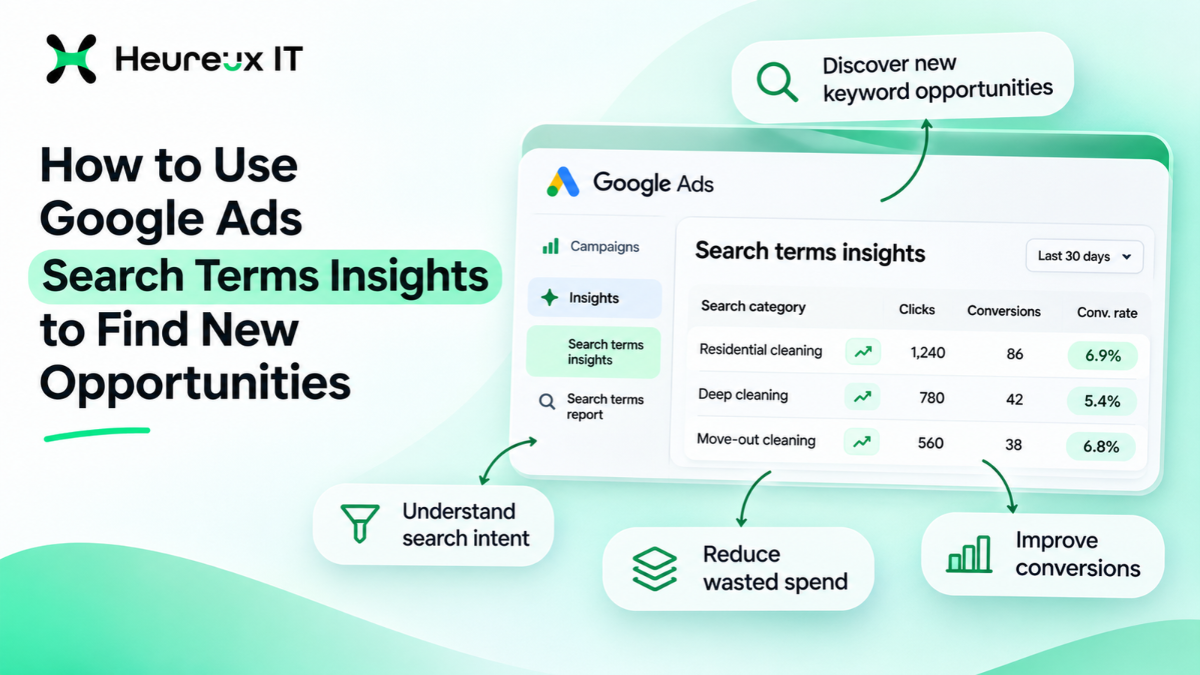
Instead of reviewing individual search queries one by one, Search Terms Insights groups related searches into categories based on customer intent. These categories help you understand what people want, which topics generate conversions, and where your next advertising opportunity might come from.
For businesses using Google Ads Management Services, these insights can guide keyword research, ad messaging, landing page improvements, and campaign planning.
In this guide, we will explain how Google Ads Search Terms Insights works, where to find it, how to analyze its data, and how to turn search categories into new growth opportunities.
What Are Google Ads Search Terms Insights?
Google Ads Search Terms Insights is a reporting feature that groups searches triggering your ads into intent-based categories and subcategories.
These groups help advertisers understand broader search behavior without reviewing every individual search term.
For example, imagine you run Google Ads for a company offering home cleaning services.
Your ads might appear for searches such as:
- House cleaning services near me
- Professional home cleaners
- Deep cleaning service
- Move-out cleaning company
- Weekly residential cleaning
Instead of treating every query as a separate opportunity, Google Ads may group related searches into categories such as residential cleaning, deep cleaning, and move-out cleaning.
You can then compare the performance of those categories to understand which services attract interest and which generate valuable conversions.
Search Terms Insights is available for Search, Performance Max, and Shopping campaigns.
It also includes aggregated information from searches that may not appear individually in the standard Search Terms Report because of privacy thresholds.
This makes it useful for identifying broader patterns that might otherwise be difficult to recognize.
Google Ads Search Terms Insights vs. Search Terms Report
Although these features sound similar, they serve different purposes.
The standard Search Terms Report focuses on visible individual search queries, while Search Terms Insights focuses on broader search categories and customer intent.
| Feature | Search Terms Insights | Search Terms Report |
|---|---|---|
| Main purpose | Understand search themes and demand | Analyze individual search queries |
| Data structure | Categories and subcategories | Individual search terms |
| Search intent | Groups related searches | Requires query-level interpretation |
| Privacy-limited searches | Included in aggregated categories where possible | Some queries are omitted |
| Keyword opportunities | Discover broader keyword themes | Identify specific keywords to add |
| Negative keywords | Identify categories worth investigating | Find specific irrelevant queries to exclude |
| Best use | Campaign planning and growth opportunities | Detailed keyword and spend optimization |
Which should you use?
Use both.
Search Terms Insights helps you understand which topics deserve attention. The Search Terms Report helps you investigate individual searches and decide which keywords to add or exclude.
Together, they provide a clearer view of how people discover your business through Google Ads.
How to Find Search Terms Insights in Google Ads
You can access Search Terms Insights at the account level or within an individual campaign.
Step 1: Open Your Google Ads Account
Sign in to Google Ads and select the account you want to analyze.
Choose a campaign if you want to investigate one specific product, service, or advertising objective.
Step 2: Navigate to Insights
From the left navigation menu:
- Click Campaigns.
- Open Insights.
- Find the Search Terms Insights card.
- Select the reporting period you want to review.
The layout may vary depending on your account and Google Ads interface updates.
Step 3: Select the Right Date Range
Choose a period with enough activity to identify useful patterns.
For example:
- Last 7 days: Review recent search behavior.
- Last 30 days: Identify active opportunities and performance patterns.
- Last 90 days: Understand broader demand and recurring themes.
If your campaigns receive limited traffic, a longer reporting period may provide a more useful picture.
Google supports custom date ranges for Search Terms Insights data from March 2023 onward.
Step 4: Expand Search Categories
Click a search category to review its subcategories, associated search terms where available, and performance details.
You can also identify which campaigns, ad groups, or asset groups received traffic from a category.
Step 5: Export the Report
Download the Search Terms Insights data when you need to compare categories, investigate trends, or share findings with your team.
An exported report can also help you build a regular optimization process.
Understanding the Metrics in Google Ads Search Terms Insights
Before making campaign changes, you need to understand what the data tells you.
| Metric | What It Shows | How to Use It |
|---|---|---|
| Impressions | How often ads appeared | Identify categories attracting search demand |
| Clicks | Number of ad clicks | Understand which categories drive visits |
| CTR | Percentage of impressions that generate clicks | Evaluate how well ads attract searchers |
| Conversions | Tracked conversion actions | Identify categories contributing to business goals |
| Conversion Rate | Percentage of interactions resulting in conversions | Compare traffic quality across categories |
| Conversion Value | Value assigned to conversions | Identify commercially valuable search themes |
| Search Volume | Search demand across targeted countries | Explore the size of a potential opportunity |
One important detail is that search volume is not the same as your campaign's impressions.
Search volume represents broader Google Search demand across your targeted countries. It does not guarantee that your ads can capture that entire audience.
Also, search categories with high impressions are not automatically the most profitable.
A category producing fewer clicks but more qualified leads may be more valuable than one attracting thousands of low-intent searches.
1. Identify Search Categories That Generate the Most Conversions
The first opportunity is finding search categories that already contribute to your campaign goals.
Start by reviewing categories with meaningful conversion volume and a healthy conversion rate.
For example, imagine a business running Google Ads for accounting services.
| Search Category | Clicks | Conversions | Conversion Rate |
|---|---|---|---|
| Small Business Accounting | 320 | 24 | 7.50% |
| Accounting Software | 480 | 8 | 1.67% |
| Tax Preparation Services | 210 | 18 | 8.57% |
| Accounting Courses | 150 | 0 | 0% |
Illustrative data, not actual campaign results.
The report suggests that tax preparation and small business accounting searches are more likely to produce the tracked conversion action.
Accounting software searches generate more clicks but fewer conversions.
This gives you a starting point for investigation.
You might consider:
- Creating dedicated ad groups for high-performing services.
- Writing more relevant headlines for those search themes.
- Testing landing pages that focus on the specific service.
- Reviewing whether your budget supports additional relevant demand.
Before expanding, confirm that the conversions represent valuable leads or sales rather than low-value actions such as button clicks.
2. Discover New Keyword Opportunities
One of the most useful benefits of Google Ads Search Terms Insights is discovering how customers describe their needs.
Businesses often build keyword lists around their own service names. Customers may use different language.
For example, a company advertising IT support might target:
IT Support Services
However, Search Terms Insights could reveal demand around:
- Remote IT support
- Small business help desk
- Managed computer support
- Emergency IT assistance
- Outsourced IT services
These search themes may reveal services or customer needs that your existing keyword strategy does not cover well.
How to Turn Search Categories Into Keywords
Start by reviewing the categories that show strong relevance to your business.
Then:
- Expand the category to investigate related subcategories.
- Review the visible search terms.
- Check their conversion performance and intent.
- Compare them with your existing keyword list.
- Select relevant terms for keyword expansion.
- Choose suitable match types and monitor the results.
Do not add every search term simply because it appears in the report.
A keyword should match a service you offer, the customers you want, and a landing page that can answer their needs.
For more focused targeting, a structured Google Search Ads Strategy can help organize keywords by service and search intent.
3. Understand Customer Search Intent
Search intent explains what someone wants to accomplish when searching.
Two people can search for similar topics while being at different stages of the buying process.
Understanding that difference helps you create ads that match their needs.
Four Common Types of Search Intent
| Search Intent | Example | Potential Advertising Approach |
|---|---|---|
| Informational | What is payroll software? | Educational content or awareness |
| Commercial | Best payroll software for small businesses | Comparison pages and product benefits |
| Transactional | Buy payroll software online | Pricing, demos, and conversion-focused ads |
| Navigational | Specific payroll software brand | Relevant brand or competitor strategy |
Consider a business offering paid bookkeeping services.
Someone searching for "how to learn bookkeeping" may want educational resources.
Someone searching for "bookkeeping services for small businesses" may be looking to hire a provider.
Both searches relate to bookkeeping, but their business value may be different.
Search Terms Insights helps you identify the categories behind these searches so you can decide where to focus your advertising.
However, do not assume every informational query is worthless. Some customers research a problem before contacting a service provider.
Evaluate search intent alongside conversion data and lead quality.
4. Find Search Categories That May Be Wasting Your Budget
Not every search category deserves additional investment.
Some categories may attract users looking for services you do not provide.
Others may produce clicks without meaningful business results.
For example, a company selling premium business software may receive traffic related to:
- Free software downloads
- Software training courses
- Student projects
- Software development jobs
If the company does not offer these services, the traffic may be irrelevant.
How to Investigate Potential Waste
First, identify categories with weak conversion performance.
Next, review their subcategories and available individual search terms.
Look for patterns such as:
- Searches unrelated to your services.
- Job seekers rather than customers.
- Free resources when you sell paid services.
- Locations outside your service area.
- Product types you do not offer.
Then investigate whether specific queries should become negative keywords.
Important: Search Terms Insights is a discovery tool. A category label alone is not enough evidence to exclude an entire theme.
Use the Search Terms Report and other campaign data to confirm which searches are irrelevant.
Also, remember that a search with zero conversions is not automatically wasted spend. It may need more data, better tracking, or a longer conversion window.
5. Use Search Terms Insights to Improve Ad Copy
Search categories reveal the language customers use when describing their needs.
That information can help you write ads that feel more relevant.
Imagine you advertise residential cleaning services.
Your current headline is:
"Professional Cleaning Services"
Search Terms Insights reveals strong demand around move-out cleaning.
You could test more specific headlines such as:
- Move-Out Cleaning Services
- Book Your Move-Out Cleaning
- Professional End-of-Lease Clean
These headlines address a specific need rather than using a general service description.
You can also update descriptions to explain what the service includes, who it helps, and how customers can book.
The goal is to match the searcher's expectations.
When the search term, ad message, and landing page all address the same need, visitors have a clearer path toward conversion.
Want help turning this into results for your business?
Explore our Google Ads services →6. Find Landing Page Improvement Opportunities
Sometimes the keyword is relevant and the ad attracts clicks, but the landing page does not convert.
Search Terms Insights can help you identify the topics that deserve a closer landing page review.
For example, suppose a company advertises multiple services using one general landing page.
Its search categories include:
- Website design
- E-commerce development
- Landing page design
- Website maintenance
Visitors searching for e-commerce development may not find enough relevant information on a general website design page.
A dedicated landing page could explain the service, show relevant work, answer common questions, and offer a clear contact option.
What to Check on Your Landing Pages
Review whether the page:
- Matches the search category and ad message.
- Explains the service within the first screen.
- Includes a clear call to action.
- Works well on mobile devices.
- Loads without unnecessary delays.
- Includes relevant trust signals.
- Tracks successful enquiries or purchases.
For campaigns using Performance Max, review whether your assets, product information, and landing pages align with the search themes appearing in Insights.
7. Discover Opportunities in Performance Max Campaigns
Performance Max uses automation to serve ads across multiple Google channels.
That makes search demand analysis important, especially when advertisers want to understand which topics contribute to performance.
Search Terms Insights can help reveal search categories associated with your Performance Max campaigns.
For example, an online furniture store may see categories related to:
- Modern office desks
- Ergonomic desk chairs
- Small apartment furniture
- Wooden dining tables
If ergonomic desk chairs generate strong conversion value, that category may deserve additional attention.
You could review the related product listings, Merchant Center descriptions, landing pages, and asset group structure.
You might also test relevant creative assets or improve product titles where the data supports it.
However, avoid treating search category performance as a complete view of Performance Max.
Performance Max also serves ads outside Google Search, and its search reporting does not explain every interaction across those channels.
Use category insights alongside overall campaign performance, product results, conversion value, and customer acquisition data.
8. Compare Search Categories Across Campaigns
Another useful application is identifying where similar search demand appears across different campaigns.
For example, a digital marketing agency might run separate campaigns for:
- Google Ads management
- PPC consulting
- Paid search services
Search Terms Insights may reveal overlapping search categories.
That overlap is not automatically a problem.
Google Ads does not simply make your campaigns bid against each other to increase your own CPC. Google generally selects an eligible ad through its campaign selection and auction processes.
However, overlapping themes may indicate that your campaigns serve similar audiences or that your structure makes performance difficult to evaluate.
Check whether each campaign has a clear purpose, relevant ad messaging, suitable landing pages, and distinct performance goals.
If several campaigns target the same customer need, consider whether a clearer structure would improve management and reporting.
9. Use Search Trends to Plan Future Campaigns
Search demand changes over time.
Some products become popular during specific seasons. Other services experience demand increases because of changes in customer behavior.
Search Terms Insights can help identify emerging themes by comparing categories across reporting periods.
For example, a home services business may notice increasing interest in heating repairs before winter.
An online retailer may see growing searches for holiday gifts.
A B2B software provider may discover rising interest in automation tools.
When you identify a relevant trend, investigate whether it represents an opportunity for your business.
You might:
- Create new keyword groups.
- Test seasonal ad messaging.
- Update landing page content.
- Improve product descriptions.
- Plan campaigns around changing customer demand.
Avoid increasing budgets based only on search volume.
Check whether the new category has commercial value, whether your business can serve the demand, and whether your conversion tracking can measure the outcome.
10. Combine Search Terms Insights With Conversion Tracking
Search categories become more useful when you connect them to actual business results.
A campaign might show 50 conversions, but that number does not tell you whether those conversions were qualified leads, sales, or simple website interactions.
For lead generation, meaningful conversion actions might include:
- Successful contact form submissions.
- Qualified phone calls.
- Appointment bookings.
- Verified lead enquiries.
For e-commerce businesses, purchases and conversion value are usually more useful than clicks or product page visits alone.
Where possible, connect Google Ads with your CRM or sales data to evaluate which search categories contribute to qualified leads and revenue.
For businesses tracking phone enquiries, CallRail integration can help connect call activity with marketing performance.
Reliable tracking helps prevent a common mistake: investing more money in categories that produce many reported conversions but few real customers.
How to Analyze Google Ads Search Terms Insights: A Practical Example
Imagine a business advertising HVAC repair services.
Its campaign has a monthly budget of $3,000.
After reviewing Search Terms Insights, the advertiser finds the following performance.
| Search Category | Clicks | Conversions | Cost | CPA |
|---|---|---|---|---|
| Emergency AC Repair | 120 | 15 | $600 | $40 |
| AC Installation | 100 | 8 | $500 | $62.50 |
| DIY AC Repair | 160 | 0 | $480 | N/A |
| HVAC Maintenance | 140 | 10 | $420 | $42 |
Hypothetical example for illustration.
What Does the Data Suggest?
Emergency AC Repair: This category produces the most conversions at a relatively low CPA. It may justify testing additional keywords or dedicated ad messaging.
AC Installation: The category generates conversions, but at a higher CPA. Check lead value and landing page performance before deciding whether to expand.
DIY AC Repair: The category has spent $480 without conversions. If the company only provides professional repairs, investigate the underlying queries for negative keyword opportunities.
HVAC Maintenance: The category delivers conversions at a competitive CPA. It may support a dedicated maintenance-focused campaign or landing page.
What Should the Advertiser Do Next?
The next step is not to change everything at once.
Start by investigating the irrelevant DIY searches. Then review the strongest categories for keyword expansion and ad improvements.
After making changes, compare the results over a suitable period.
This process turns Search Terms Insights from a reporting feature into a practical campaign planning tool.
Common Mistakes to Avoid With Google Ads Search Terms Insights
Even experienced advertisers can misinterpret search category data.
Mistake 1: Focusing Only on High-Volume Categories
High search volume does not guarantee qualified traffic.
A smaller category with strong conversion performance may be more valuable.
Mistake 2: Adding Every Suggested Keyword
Not every search theme fits your business.
Review intent, relevance, conversion potential, and landing page suitability before expanding.
Mistake 3: Excluding Categories With Zero Conversions
A category may need more data before you can judge its performance.
Consider spend, traffic volume, conversion delays, and business relevance.
Mistake 4: Confusing Search Categories With Exact Queries
Search Terms Insights groups related searches.
It does not disclose every individual query, and category names should not be treated as exact keywords.
Mistake 5: Ignoring Conversion Quality
A category generating many form submissions may still produce poor sales opportunities.
Measure qualified leads and actual revenue whenever possible.
Mistake 6: Making Too Many Changes at Once
Changing keywords, budgets, ad copy, and landing pages together makes it difficult to understand which action influenced performance.
Prioritize changes and document them.
Weekly Google Ads Search Terms Insights Optimization Checklist
Use this checklist to make search category analysis part of your regular campaign management.
| Task | What to Review | Recommended Action |
|---|---|---|
| Review top categories | Clicks, conversions, conversion value | Identify valuable search themes |
| Check subcategories | Related customer searches | Find specific opportunities |
| Review low-performing themes | Relevance, cost, conversion quality | Investigate possible wasted spend |
| Find keyword gaps | Relevant searches missing from targeting | Test new keywords |
| Review ad relevance | Search intent vs. ad messaging | Improve headlines and descriptions |
| Check landing pages | Search intent vs. page content | Improve relevant pages |
| Review PMax themes | Search categories and product performance | Refine assets and product information |
| Check tracking | Leads, purchases, calls, revenue | Confirm meaningful conversion measurement |
| Document changes | Actions and dates | Compare performance after optimization |
For smaller accounts, a weekly review may be enough.
Accounts with high daily spend or rapidly changing search demand may benefit from more frequent monitoring.
How Heureux IT Helps Businesses Find Better Google Ads Opportunities
Search Terms Insights provides useful data, but results depend on how that data is interpreted and applied.
At Heureux IT, our approach to Google Ads optimization focuses on connecting search demand with meaningful business outcomes.
That includes reviewing keyword relevance, identifying negative keyword opportunities, improving ad messaging, checking landing page performance, and evaluating conversion quality.
We also look at how Search campaigns, Shopping campaigns, and Performance Max contribute to the overall advertising strategy.
For businesses running product-based campaigns, our Google Shopping Ads Services focus on product visibility, feed relevance, and measurable performance.
The goal is not simply to attract more searches. It is to reach people who are more likely to become customers.
Final Thoughts
Google Ads Search Terms Insights helps advertisers understand what customers are searching for and where new opportunities may exist.
By reviewing search categories, subcategories, conversion performance, and search intent, you can identify valuable keyword themes, improve ad relevance, and investigate potential wasted spend.
The most effective approach combines Search Terms Insights with the standard Search Terms Report, reliable conversion tracking, and regular campaign reviews.
Start with the categories that already show strong business value. Investigate weak-performing themes before excluding them, and use what you learn to improve keywords, ads, and landing pages.
Over time, these small decisions can help you build a more focused Google Ads strategy.
Frequently Asked Questions
What are Google Ads Search Terms Insights? +
Google Ads Search Terms Insights is a reporting feature that groups searches triggering your ads into intent-based categories and subcategories. It helps advertisers understand customer demand, identify relevant search themes, and discover opportunities to improve campaigns.
Where can I find Search Terms Insights in Google Ads? +
Open Google Ads, navigate to Campaigns, select Insights, and find the Search Terms Insights card. You can review the data at the account or campaign level and select a reporting period.
What is the difference between Search Terms Insights and the Search Terms Report? +
Search Terms Insights groups searches into broader categories and includes aggregated data from privacy-limited queries. The Search Terms Report shows individual search queries that meet Google's reporting requirements. Both tools support keyword and campaign optimization.
Can Search Terms Insights help find new keywords? +
Yes. By expanding relevant categories and reviewing their subcategories and available search terms, advertisers can identify keyword themes that are missing from their campaigns. Each opportunity should be checked for relevance and commercial intent before being added.
Does Search Terms Insights show every search query? +
No. Google includes privacy-limited searches in aggregated category data where possible, but it does not disclose every individual query. Some searches appear under broader groupings such as Other Search Terms.
Can I use Search Terms Insights for Performance Max campaigns? +
Yes. Search Terms Insights is available for Performance Max campaigns. It helps advertisers understand search-related demand and identify opportunities to improve product information, creative assets, and campaign planning.
How can Search Terms Insights reduce wasted ad spend? +
It can reveal categories that attract irrelevant or low-value traffic. Advertisers can investigate those themes using the Search Terms Report, identify unsuitable queries, and add appropriate negative keywords. This may help direct more budget toward relevant searches.
How often should I review Google Ads Search Terms Insights? +
A weekly review is a useful starting point for active campaigns. High-spend accounts may require more frequent checks, while smaller campaigns may benefit from longer reporting periods to gather enough data.
Can Search Terms Insights improve conversion rates? +
It can support conversion rate improvements by revealing customer intent and helping advertisers align keywords, ad copy, and landing pages. However, improvements are not guaranteed. Results depend on campaign targeting, user experience, conversion tracking, and the changes made.
What is the best way to use Google Ads Search Terms Insights? +
Use it to identify valuable search categories, discover keyword opportunities, understand customer intent, investigate weak-performing themes, and improve ad relevance. Combine it with individual search term analysis and conversion quality data to make informed campaign decisions.
Heureux IT is a digital marketing agency specialising in Google Ads, Meta Ads and SEO. We help growing businesses turn paid and organic search into measurable revenue.