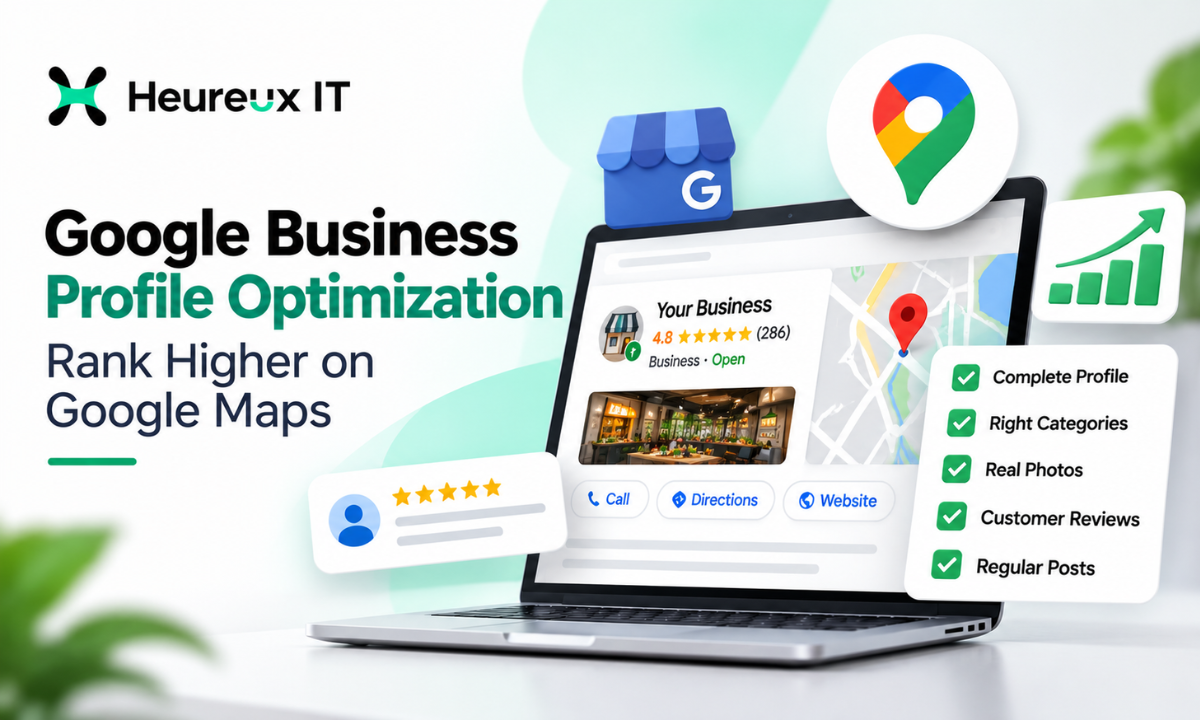
Imagine someone searching Google for "dentist near me," "best coffee shop nearby," or "plumber in my area."
Before visiting a website, they may see a map with nearby businesses, customer reviews, contact details, and directions.
For local businesses, appearing in these results can create valuable opportunities to attract customers who are already looking for relevant products or services.
However, creating a business listing doesn't automatically mean your company will appear prominently.
Google needs accurate information to understand what your business offers, where it operates, and how well it matches a customer's search.
That's why Google Business Profile Optimization matters.
A complete and well-maintained profile can help customers find your business, learn about your services, check operating hours, and contact you.
But optimizing a profile involves more than adding a business name and phone number.
You need relevant categories, accurate location details, helpful photos, genuine customer reviews, and a website that supports local searches.
In this guide, we'll explain How to Optimize Google Business Profile listings, improve local visibility, and build a stronger presence on Google Maps.
What Is Google Business Profile?
Google Business Profile, formerly known as Google My Business, is a free tool that helps eligible businesses manage how they appear on Google Search and Google Maps.
A Business Profile may display information such as:
- Business name and category
- Address or service area
- Phone number and website
- Opening hours
- Products and services
- Photos and videos
- Customer reviews
- Booking or ordering options, where available
For example, a customer searching for a nearby hair salon may see its address, reviews, photographs, and opening hours before deciding whether to visit.
The profile acts as a useful introduction to the business.
Why Google Business Profile Matters
An optimized profile helps potential customers find reliable information when they need it.
It can support phone calls, website visits, direction requests, appointments, and store visits.
For businesses that serve a particular city or neighborhood, that visibility can be especially valuable.
How Does Google Rank Businesses on Google Maps?
Before learning How to Rank on Google Maps, it's important to understand how Google's local ranking system works.
Google identifies three main factors.
Relevance
How closely the business matches the search. Accurate categories, services, and business details help Google understand what the company offers.
Distance
How far the business is from the person searching or the location specified in the query. A company cannot simply change this factor through keywords.
Prominence
How well-known the business is. Reviews, ratings, website links, and other information can contribute to this assessment.
A business located close to a searcher may rank differently from the same business when the search is performed across town.
That means no single optimization method guarantees the top position for every local search.
The goal is to make your business information accurate, relevant, and trustworthy.
How to Optimize Google Business Profile: 12 Practical Steps
The following steps cover the most important areas of Google Business Profile management.
1. Claim and Verify Your Google Business Profile
Before making improvements, confirm that your business has a profile and that you have permission to manage it.
Search for your business on Google.
If a profile already exists, follow the available process to claim it. If no profile exists, create one if the business meets Google's eligibility requirements.
Google may offer different verification methods depending on the business.
Complete the method provided and ensure the submitted information represents your real business.
Verification gives eligible owners greater control over profile information.
2. Use Your Correct Business Name
Your business name should reflect the name customers recognize in the real world.
For example, if your company operates as "Green Valley Plumbing," don't change its profile name to "Best Emergency Plumbing Services in Chicago" solely to target more keywords.
Adding unrelated services, locations, or promotional terms can violate Google's business representation rules.
Use the proper profile fields for services, addresses, and business categories.
Keep your branding consistent across your website, signage, and important business listings.
3. Choose the Right Primary and Secondary Categories
Business categories help Google understand what your company does.
Your primary category should describe your main business activity accurately.
For example, a dental practice should select an appropriate dental category rather than a broad category unrelated to its actual services.
How to Choose Categories
Review the products or services that define your business.
Select the most accurate primary category available.
Add relevant secondary categories only when they represent services your business genuinely provides.
Avoid choosing unrelated categories simply because they contain popular search terms.
Category relevance is more important than selecting as many categories as possible.
4. Complete Your Business Information
An incomplete profile can leave customers without the information they need.
Review your address or service area, phone number, website, business hours, and available attributes.
Write a Useful Business Description
Your business description should explain what your company does and whom it serves.
For example:
"Green Valley Plumbing provides residential plumbing repairs, drain cleaning, and water heater services for homeowners in Chicago."
This description clearly communicates the services and general service location.
Use relevant terms naturally, but avoid repetitive keyword stuffing.
Keep Business Hours Accurate
Update operating hours whenever your schedule changes.
Add special hours for holidays or temporary schedule changes.
Customers should be able to rely on the information shown in your listing.
5. Maintain Consistent NAP Information
NAP stands for Name, Address, and Phone Number.
These details should be accurate across your Google Business Profile, website, and other important listings.
For example, if your company changes its telephone number, update the new number wherever customers are likely to find it.
How to Check NAP Consistency
Review your website's contact page, major directory listings, and business social profiles.
Correct outdated addresses, disconnected phone numbers, and misleading business details.
Minor formatting differences aren't necessarily harmful, but conflicting information can confuse customers.
For service-area businesses, follow Google's rules about whether the street address should appear publicly.
6. Add Your Products and Services
Google Business Profile allows eligible businesses to provide details about their offerings.
Adding accurate services can help customers understand whether your business meets their needs.
For example, an HVAC company might list air conditioning installation, heating repair, and maintenance services.
Where supported, include helpful descriptions and pricing information when appropriate.
Retailers may also have access to product-related features.
Keep this information current when offerings change.
7. Upload High-Quality Photos and Videos
Customers often want to see a business before contacting or visiting it.
Real photographs can help establish expectations and make your listing more useful.
What Photos Should You Upload?
Consider relevant images of your storefront, interior, team, products, equipment, or completed work.
For example, a restaurant could show its dining area and menu items.
A home renovation business might display genuine completed projects, with the appropriate permissions.
Use clear images that reflect the actual business.
Avoid misleading stock images or heavily edited visuals that misrepresent your premises or services.
Adding fresh photographs is useful when you have something new to show, but there is no guaranteed ranking benefit from uploading a particular number each week.
Want help turning this into results for your business?
Explore our SEO services →8. Collect Genuine Customer Reviews
Customer reviews help potential buyers understand other people's experiences.
Google also confirms that review quantity and positive ratings can contribute to local ranking.
However, collecting reviews should be based on genuine customer experiences.
How to Request Reviews
You can ask customers to share honest feedback after a completed service or purchase.
A direct review link can make the process easier.
For example:
"Thank you for choosing our business. We'd appreciate your honest feedback about your experience."
Avoid offering discounts, payments, or other incentives in exchange for reviews.
Don't ask only customers expected to leave positive feedback.
Respond to Customer Reviews
Thank customers who share positive experiences.
When receiving criticism, respond calmly, acknowledge relevant concerns, and offer an appropriate next step.
Never disclose private customer information in public replies.
Thoughtful responses can demonstrate your commitment to customer service.
9. Publish Relevant Google Business Profile Posts
Eligible businesses can use Google Business Profile posts to share updates, events, or offers.
These posts help visitors learn what's happening at your business.
For example, a bakery might announce a seasonal menu.
A fitness studio could share details about a new class.
A retailer might highlight an upcoming promotion.
How to Write Effective Posts
Focus on useful information.
Use a clear title or message, relevant image, and a next step when appropriate.
Avoid publishing repetitive posts simply to appear active.
Regular updates can improve the usefulness of your profile, but posting frequency alone doesn't guarantee improved Maps rankings.
10. Optimize Your Website for Local SEO
Your Google Business Profile should connect customers to a website that supports their needs.
For example, if a person finds your plumbing business through Google Maps, the website should explain your services and how to contact you.
Improve Local Website Content
Use clear service descriptions, accurate location details, and useful contact information.
Businesses with multiple eligible physical locations may benefit from separate location pages.
Each page should provide genuine information about that location rather than repeating identical text with different city names.
Make Your Website Mobile Friendly
Many customers access local business information using smartphones.
Ensure your site loads efficiently and makes important actions easy.
Visible phone numbers, booking links, and simple contact forms can help reduce friction.
A structured On-Page SEO approach can also help organize location-related content and improve page clarity.
11. Build Trust Through Local Citations and Relevant Links
A citation is a mention of your business details on another website.
Examples include local directories, professional associations, and relevant industry listings.
These sources can help customers discover your business and confirm its information.
Focus on Relevant Listings
Prioritize legitimate directories that your audience may use.
A local chamber of commerce, industry association, or established business directory may provide useful exposure.
Avoid mass-producing low-quality listings with inaccurate information.
Earn Relevant Local Links
Participation in local events, partnerships, and community initiatives can create opportunities for legitimate mentions and backlinks.
These references may contribute to your wider online presence.
For businesses developing a broader local visibility strategy, Link Building Services can support relevant website authority efforts.
12. Track Your Google Business Profile Performance
Optimization should be measured through actual business outcomes.
Google Business Profile provides performance data for verified businesses.
Available metrics depend on the profile and its eligible features.
Important Performance Metrics
| Metric | What It Tells You |
|---|---|
| Profile Views | How often people viewed your profile |
| Search Queries | Terms associated with profile discovery |
| Website Clicks | Visits initiated through your profile link |
| Call Clicks | Interactions with the profile's call button |
| Direction Requests | Requests for navigation to your location |
| Bookings | Eligible bookings recorded through supported integrations |
| Customer Reviews | Feedback, ratings, and reputation trends |
These metrics can help businesses evaluate how customers interact with their listings.
For example, a restaurant may focus on direction requests and booking actions.
A service business may pay more attention to calls and qualified website inquiries.
Compare relevant periods and account for seasonal changes.
How to Rank on Google Maps for Multiple Locations
Businesses operating in several locations may need a separate Google Business Profile for each genuinely eligible location.
Each profile should represent its real-world business location.
Maintain Accurate Location Details
Use the correct address, phone number, operating hours, and available categories for each location.
Avoid creating duplicate profiles for the same business location.
Create Relevant Location Pages
Where appropriate, develop a useful website page for each location.
Include information about services, contact methods, and location-specific details.
Manage Reviews by Location
Monitor feedback across individual locations.
Different branches may receive different customer questions and complaints.
A location-specific review process helps teams respond appropriately.
Avoid Fake Locations
Virtual offices, rented mailing addresses, and other ineligible locations shouldn't be used to create artificial Maps coverage.
Businesses should follow Google's eligibility rules for storefronts and service-area operations.
Common Google Business Profile Optimization Mistakes
Some mistakes can reduce the usefulness of a profile or create policy problems.
Keyword stuffing in business names: Adding keywords or cities that aren't part of the real business name can violate Google's guidelines.
Incorrect business categories: Unrelated categories may confuse users and weaken relevance.
Outdated contact details: Wrong phone numbers, addresses, or hours can lead to missed opportunities.
Fake customer reviews: Purchased or manipulated reviews violate Google policies.
Duplicate or ineligible listings: Creating extra profiles without qualifying locations can lead to enforcement action.
Ignoring website experience: A good Maps listing may still struggle to generate inquiries when its linked website is difficult to use.
Focusing only on rankings: Businesses should also measure calls, bookings, website visits, and customer outcomes.
Avoiding these problems creates a better foundation for long-term local visibility.
Google Business Search Engine Optimization: Profile vs Website
Google Business Search Engine Optimization involves improving a business's presence across local search surfaces, particularly Google Search and Maps.
However, Business Profile optimization and traditional website SEO are not identical.
| Google Business Profile Optimization | Website SEO |
|---|---|
| Improves business listing information | Improves website content and structure |
| Focuses on local customer discovery | Supports organic visibility across searches |
| Includes categories, hours, and reviews | Includes keywords, pages, and technical SEO |
| Supports calls and direction requests | Supports website visits and conversions |
| Depends partly on distance | Depends on broader search ranking factors |
Both approaches can support each other.
A well-maintained profile helps customers understand the business, while a useful website provides more detailed information about its services.
When Should You Hire Local SEO Professionals?
Some business owners can handle basic profile updates themselves.
However, businesses with several locations, inconsistent listings, complex service areas, or limited internal resources may benefit from professional support.
Local SEO assistance may include profile audits, category reviews, NAP corrections, review management guidance, location-page improvements, and performance reporting.
An SEO provider should explain which actions are being taken and how success will be measured.
Avoid services that promise guaranteed first-place Maps rankings.
No agency can control every local ranking factor or guarantee that a profile will appear first for every search.
How Heureux IT Approaches Local SEO
At Heureux IT, we understand that local search visibility should connect businesses with customers looking for relevant services.
Our approach considers profile accuracy, local search intent, website relevance, customer experience, and performance measurement.
For a new local business, the priority may be creating an accurate profile and establishing trustworthy business information.
For an established company, the focus may involve reviewing categories, improving service descriptions, managing location pages, and monitoring customer actions.
For businesses serving multiple markets, consistent location information and organized reporting become especially important.
The goal is to support useful local visibility that leads to meaningful customer interactions.
Final Thoughts
Learning How to Optimize Google Business Profile listings is an important step toward improving local online visibility.
A strong profile gives customers accurate information about your services, location, operating hours, and reputation.
Start with the fundamentals: claim your profile, choose relevant categories, maintain accurate NAP details, and add useful business information.
Then strengthen your listing with genuine photos, customer reviews, relevant updates, and a website that supports local searches.
Remember that Google Maps rankings depend on relevance, distance, and prominence. Optimization can improve your local presence, but it doesn't guarantee the top position.
At Heureux IT, we help businesses strengthen their local search presence through practical Google Business Search Engine Optimization strategies.
Explore our Local SEO Services or Contact Heureux IT to discuss how we can support your Google Business Profile and local search strategy.
Frequently Asked Questions
How Do I Optimize My Google Business Profile? +
Claim and verify your profile, select relevant categories, complete business details, add genuine photos, encourage honest customer reviews, and monitor performance.
How Can I Rank Higher on Google Maps? +
Improve your profile's relevance and accuracy, maintain a trustworthy online presence, and support your listing with genuine reviews and useful local website content. Distance also affects results.
Is Google Business Profile Free? +
Yes. Eligible businesses can create and manage a Google Business Profile without paying Google for the listing.
What Are the Main Google Maps Ranking Factors? +
Google identifies relevance, distance, and prominence as the main factors influencing local rankings.
Do Google Reviews Improve Maps Rankings? +
Google confirms that review quantity and positive ratings can contribute to local rankings. Reviews should always reflect genuine customer experiences.
How Many Photos Should I Upload to Google Business Profile? +
There is no universal number that guarantees better rankings. Upload enough genuine, useful photographs to represent your business and update them when appropriate.
How Often Should I Post on Google Business Profile? +
Publish posts when you have relevant updates, offers, or events. Regular posting helps communicate with customers, but a particular posting frequency doesn't guarantee rankings.
What Is NAP Consistency in Local SEO? +
NAP consistency means keeping your business name, address, and phone number accurate across your website, Google Business Profile, and important online listings.
Can I Rank on Google Maps Without a Website? +
An eligible business can have a Google Business Profile without a website. However, a relevant website can provide additional information and support your broader local SEO efforts.
Can a Local SEO Agency Guarantee First-Place Rankings? +
No. Google Maps rankings depend on several factors, including searcher location and competition. A reputable agency should focus on measurable improvements rather than ranking guarantees.
Heureux IT is a digital marketing agency specialising in Google Ads, Meta Ads and SEO. We help growing businesses turn paid and organic search into measurable revenue.