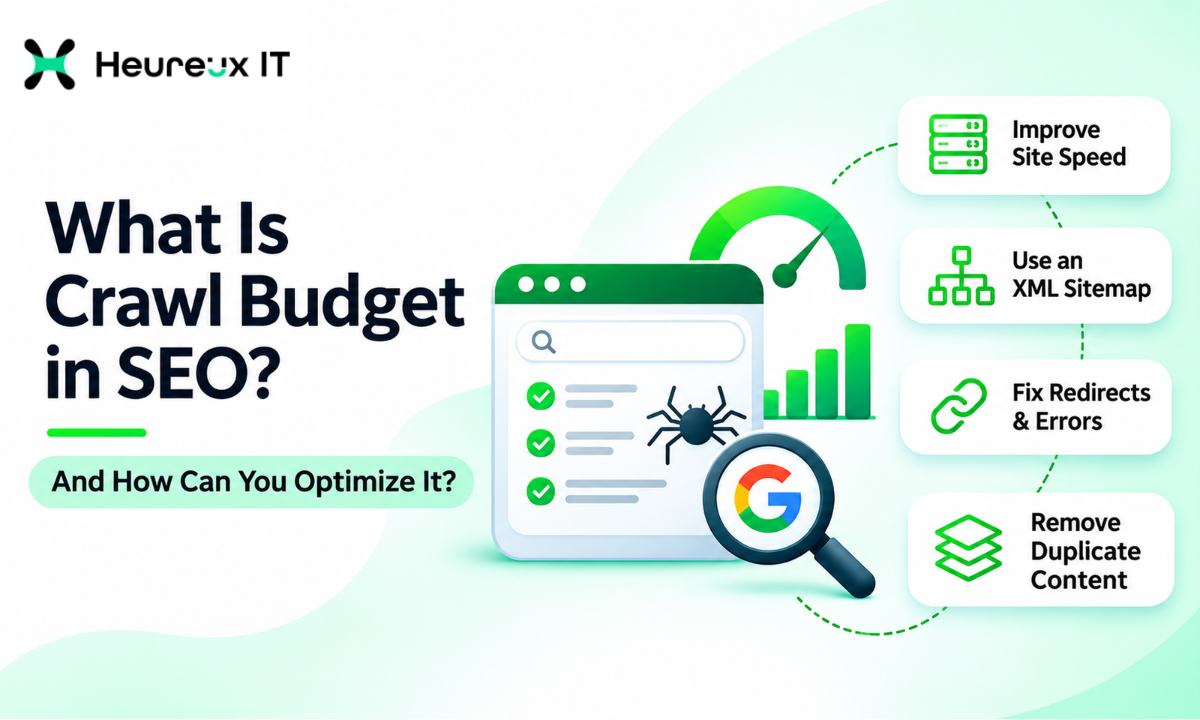
Imagine running an Ecommerce website with 50,000 product pages.
Every week, you add new products, update prices, remove discontinued items, and change product availability.
But when you open Google Search Console, you notice something frustrating.
Some new products haven't been crawled. Others remain under "Discovered - currently not indexed."
Meanwhile, Googlebot continues visiting outdated URLs, duplicate product variations, and unnecessary filter pages.
This is where Crawl Budget Optimization becomes important.
Search engines cannot crawl every webpage on the internet at the same time. They must decide which websites to visit, how frequently to crawl them, and how many resources to use.
For large websites, inefficient crawling can delay the discovery of important content.
However, crawl budget isn't a problem every website owner needs to solve.
If you run a small business website with 20 service pages and Google discovers your new content without difficulty, optimizing crawl budget may offer little additional value.
The real goal is to ensure Google spends its crawling resources on useful, accessible, and important website content.
In this guide, we'll explain what crawl budget means, how Google determines it, when it becomes a problem, and how to improve crawling efficiency through practical technical SEO changes.
What Is Crawl Budget in SEO?
Crawl budget refers to the set of URLs Googlebot can and wants to crawl on a website.
It describes Google's available crawling capacity and its interest in visiting particular URLs.
Google discovers pages through internal links, XML sitemaps, and other sources.
It then decides which URLs to crawl and when to revisit them.
Crawl budget isn't a fixed daily allowance that resets at midnight.
The number of requests can change based on website health, content updates, and Google's crawling priorities.
How Google Crawling Works
Discovery
Google finds a URL through links or sitemaps.
Crawling
Googlebot requests and processes the content.
Indexing
Google evaluates whether to include it in its index.
Crawling and indexing aren't the same.
Google may crawl a page without indexing it. And an indexed page isn't guaranteed to rank highly.
Crawl budget optimization focuses on improving the crawling stage.
How Does Google Determine Crawl Budget?
According to Google, two primary factors determine crawl budget:
1. Crawl Capacity Limit
Crawl capacity limit describes how much crawling a website can handle without overloading its servers.
Googlebot adjusts crawling based on website responsiveness and availability.
For example, if your website responds quickly and handles requests reliably, Google may be able to crawl more URLs.
If your server repeatedly returns errors or responds slowly, Google may reduce crawling to avoid causing additional problems.
Important factors include server response times, site availability, HTTP 5xx errors, and rate-limiting responses such as HTTP 429.
2. Crawl Demand
Crawl demand describes how much Google wants to crawl a website and its URLs.
Google considers factors such as the number of known URLs, their importance, content freshness, and popularity.
A frequently updated news website may have different crawling needs from a corporate website that changes only a few times per year.
However, changing content frequently just to attract Googlebot isn't an effective strategy.
Updates should provide genuine value.
Crawl Capacity vs Crawl Demand
| Factor | Meaning | Example |
|---|---|---|
| Crawl Capacity Limit | How much crawling the server can support | A healthy server responds quickly to Googlebot |
| Crawl Demand | How much Google wants to crawl | Important product pages change frequently |
| Crawl Budget | URLs Google can and wants to crawl | Google schedules visits according to both factors |
Improving server speed alone won't automatically increase crawling if Google has little demand to revisit the content.
Why Is Crawl Budget Important for SEO?
Crawling allows search engines to discover new pages and detect updates.
If Google spends substantial time requesting unnecessary URLs, it may take longer to reach other content on a large website.
For example, an online retailer might generate thousands of filter combinations.
Some URLs may represent the same products in different sorting orders.
Googlebot could spend time requesting these variations rather than newly published product pages.
Efficient crawling helps reduce that unnecessary work.
However, crawl budget is not a direct ranking factor.
Increasing Googlebot requests doesn't automatically improve rankings or guarantee indexing.
The benefit is improved access to important content.
Does Every Website Need Crawl Budget Optimization?
No.
Google specifically recommends advanced crawl budget management for larger or rapidly changing websites.
Its July 2026 guidance identifies these approximate situations:
| Website Situation | Crawl Budget Priority |
|---|---|
| Small business website with a few dozen pages | Usually low |
| Website with several hundred pages that are crawled promptly | Usually low |
| Website with 10,000+ URLs changing daily | Worth investigating |
| Website with 1 million+ URLs changing weekly | Important to evaluate |
| Many URLs marked Discovered - currently not indexed | Investigate crawling behavior |
These are rough guidelines, not strict thresholds.
Google for Developers
For smaller websites, maintaining a valid sitemap, checking the Page Indexing report, and fixing ordinary technical problems are usually sufficient.
How to Check Crawl Budget in Google Search Console
Google Search Console provides information about Google's crawling activity.
Step 1: Open Google Search Console
Sign in and select your verified website property.
Step 2: Open Crawl Stats
Navigate to Settings → Crawl Stats.
This report is available for eligible root-level properties.
Step 3: Review Important Metrics
| Metric | What It Shows |
|---|---|
| Total Crawl Requests | How many crawling requests Google made |
| Total Download Size | Data downloaded during crawling |
| Average Response Time | How long server responses took |
| Host Status | DNS, server, and robots.txt availability |
| Crawl Responses | HTTP status codes returned |
| File Type | HTML, CSS, JavaScript, images, and other resources |
| Crawl Purpose | Discovery or refresh |
| Googlebot Type | Which Google crawler made the requests |
Google's Crawl Stats report covers crawling history and can help identify availability problems.
Search Console Help
Step 4: Investigate Unusual Changes
Look for increases in server errors, long response times, or repeated crawling of unnecessary URLs.
A decline in crawl requests isn't automatically a problem. It may simply mean fewer pages require revisiting.
Step 5: Review Server Logs
For large websites, server logs provide more detailed information about individual requests.
They can help identify heavily crawled URL patterns, repeated errors, and sections receiving little attention.
Verify crawler identities when analyzing logs so unrelated bots aren't confused with genuine Googlebot requests.
10 Crawl Budget Optimization Strategies
1. Remove Unnecessary Duplicate URLs
Duplicate and near-duplicate URLs can increase the number of pages Google discovers.
An Ecommerce website might generate these variations:
example.com/shoes
example.com/shoes?sort=price
example.com/shoes?sort=popular
example.com/shoes?color=black
Some filters are valuable for customers and may deserve indexing. Others only change the order of the same products.
Review which pages have unique search value.
Consolidate unnecessary duplicates and use appropriate canonical signals.
For complex websites, Technical SEO Services can help investigate duplicate URL patterns and crawl inefficiencies.
2. Manage Faceted Navigation and URL Parameters
Product filters, sorting options, calendars, and internal search functions can create large numbers of URLs.
Some systems generate nearly endless combinations.
This can lead Googlebot toward pages with little distinct value.
How to Fix It
Identify URL patterns that don't need crawling.
Consolidate duplicate content where possible.
For genuinely unnecessary crawl paths, consider appropriate robots.txt restrictions.
However, don't block valuable product categories or pages that should appear in search.
Also remember that blocking a URL through robots.txt doesn't guarantee its removal from Google's index.
3. Keep Your XML Sitemap Updated
An XML sitemap helps Google discover important website pages.
For large websites, it provides a useful inventory of preferred URLs.
Sitemap Best Practices
Include canonical, indexable pages that you want Google to discover.
Remove intentionally excluded pages and obsolete URLs.
Use accurate modification dates through the lastmod element when content changes meaningfully.
For example:
<url>
<loc>https://example.com/products/running-shoes</loc>
<lastmod>2026-11-10</lastmod>
</url>
The date should represent the actual last significant modification, not be changed automatically each day.
A sitemap helps discovery but doesn't guarantee crawling or indexing.
4. Improve Server Response Times
Googlebot considers server health when determining crawling capacity.
If a website responds slowly or experiences repeated failures, Google may reduce requests.
What to Review
Investigate server response times, slow database queries, hosting limitations, and expensive application processes.
Use caching where appropriate.
Reduce unnecessary processing and optimize critical resources.
For large websites, reliable server performance can improve how efficiently Googlebot processes available URLs.
Google also recommends supporting HTTP 304 responses when content hasn't changed, allowing crawlers to reuse cached content.
Google for Developers
5. Fix Unnecessary Redirect Chains
Redirects help users and search engines find content that has moved.
However, long redirect chains introduce extra requests.
For example:
URL A → URL B → URL C → URL D
If URL D is the intended destination, update internal links to point directly to it.
Where suitable, simplify redirects:
URL A → URL D
Do not remove redirects that are necessary for valid migrations.
The goal is to eliminate avoidable steps and loops.
Want help turning this into results for your business?
Explore our SEO services →6. Handle Removed Pages Correctly
Websites often retain URLs for products, articles, or services that no longer exist.
Google may continue checking these URLs.
For permanently removed content without a suitable replacement, return an appropriate 404 or 410 HTTP response.
If a page has moved to a relevant replacement, use a suitable permanent redirect.
Avoid redirecting every deleted page to the homepage.
Google's guidance identifies correct removal status codes as useful signals for reducing unnecessary recrawling over time.
7. Improve Internal Linking
Internal links help Google discover pages and understand relationships between content.
A useful website structure makes important pages accessible through relevant links.
For example, an Ecommerce site might organize pages as:
Homepage
→ Product Categories
→ Subcategories
→ Product Pages
Avoid hiding important pages behind navigation that Google cannot follow.
Use descriptive anchor text and maintain a logical hierarchy.
Strong On-Page SEO supports both internal linking and content organization.
8. Review Low-Value and Duplicate Content
Large websites sometimes create many pages with little distinct purpose.
Examples include repeated location pages, unnecessary tag archives, and nearly identical product variations.
These pages can increase the number of URLs Google needs to evaluate.
Review whether each page serves a useful purpose.
Improve important pages with missing information and consolidate unnecessary duplicates.
Avoid removing pages solely because they're short or receive limited traffic.
Effective Content SEO focuses on usefulness, relevance, and accurate information.
9. Use Robots.txt Carefully
The robots.txt file controls which paths compliant crawlers may request.
For example:
User-agent: Googlebot
Disallow: /internal-search/
This example asks Googlebot not to crawl a specific internal search directory.
However, the correct rules depend on your website architecture.
Don't block essential CSS, JavaScript, product pages, or other resources Google needs to process important content.
Also, don't use noindex simply to save crawl budget. Google must generally crawl a page to discover its noindex directive.
10. Monitor Crawl Activity After Website Changes
Crawling patterns may change after a website migration, redesign, or major content update.
A large new section of pages can increase crawl demand.
Incorrect redirects or URL parameters can introduce thousands of unnecessary requests.
After major changes, review Search Console, server logs, XML sitemaps, and key URL inspection results.
Track whether important pages are being discovered and crawled.
This helps identify technical problems before they affect a larger portion of the website.
Common Crawl Budget Problems and Their Solutions
| Problem | Possible Impact | Recommended Fix |
|---|---|---|
| Duplicate Product URLs | Repeated crawling of similar pages | Consolidate unnecessary URLs |
| URL Parameters | Large numbers of crawlable variations | Review filters and crawl controls |
| Slow Server Response | Reduced crawling capacity | Improve server performance |
| Long Redirect Chains | Additional crawling requests | Link directly to final destinations |
| Large Numbers of Soft 404s | Unnecessary crawling of invalid pages | Return appropriate HTTP statuses |
| Outdated XML Sitemaps | Poor URL inventory signals | Maintain accurate sitemaps |
| Orphan Pages | Important pages harder to discover | Add relevant internal links |
| Server Errors | Reduced crawling reliability | Resolve recurring 5xx and 429 responses |
Crawl Budget Optimization Checklist
Use this checklist when investigating crawling problems on a large website.
Technical SEO Crawl Checklist
0/14 complete
- Review Google Search Console Crawl Stats
- Check important pages in the Page Indexing report
- Identify duplicate and parameter-generated URLs
- Confirm correct canonical signals
- Review robots.txt restrictions
- Remove obsolete URLs from XML sitemaps
- Use accurate sitemap modification dates
- Investigate server errors and slow responses
- Fix unnecessary redirect chains
- Return appropriate 404 or 410 responses for removed pages
- Improve internal links to important pages
- Check website rendering and resource availability
- Review server logs for repeated crawling patterns
- Monitor crawling after major website updates
- Reset Copy Checklist
Best Tools for Crawl Budget Optimization
Several tools can help identify crawling problems.
| Tool | Main Purpose |
|---|---|
| Google Search Console | Crawl requests, errors, indexing, and host status |
| Screaming Frog SEO Spider | Crawlable URLs, redirects, canonicals, and internal links |
| Screaming Frog Log File Analyser | Googlebot activity in server logs |
| Semrush Site Audit | Site health and crawling problems |
| Ahrefs Site Audit | Technical issues and internal link analysis |
| Server Log Analysis Tools | Detailed request and crawler behavior |
For a large website, combining Search Console with server log analysis can provide a clearer picture than either source alone.
Crawl Budget Optimization vs Indexing Optimization
Crawling and indexing are connected, but they are not identical.
Crawl Budget Optimization focuses on making Google's crawling activity more efficient.
Indexing Optimization focuses on ensuring suitable pages can be considered for inclusion in search results.
A website can have efficient crawling and still have pages excluded from Google's index.
For example, Google may successfully crawl a duplicate product page but choose another canonical version.
The solution isn't necessarily to increase crawling.
Instead, review duplication, canonical signals, and content usefulness.
This distinction helps businesses avoid spending time on the wrong technical issue.
Common Crawl Budget Mistakes to Avoid
A common mistake is trying to increase the number of Googlebot requests without identifying a problem.
More crawling doesn't automatically produce better rankings.
Another mistake is blocking large parts of a website through robots.txt without checking whether valuable content will be affected.
Some website owners also use noindex on thousands of pages specifically to save crawling resources. Google warns that this isn't an effective crawl-budget strategy because the pages must still be requested to detect the directive.
Finally, changing sitemap modification dates without meaningful updates doesn't create genuine content freshness.
Focus on better URL management, reliable servers, and useful pages rather than artificial attempts to increase crawling.
How Heureux IT Approaches Crawl Budget Optimization
At Heureux IT, we understand that crawling problems can differ significantly between websites.
A small service website may need help resolving technical errors, while a large Ecommerce platform may need a detailed review of duplicate URLs, product filters, and server behavior.
Our technical SEO approach considers crawl accessibility, canonical signals, XML sitemaps, server responses, internal links, and website structure.
For large websites, the priority is identifying where crawling resources are being spent and whether important pages are being discovered efficiently.
The goal is to reduce avoidable technical problems and support search engine access to valuable content.
Final Thoughts
Crawl Budget Optimization helps large and frequently updated websites manage how search engines access their content.
It becomes especially relevant when Googlebot spends time crawling unnecessary URL variations or struggles to discover important new pages.
However, most small websites don't need advanced crawl budget management.
Start by reviewing Google Search Console, maintaining accurate sitemaps, improving server reliability, and keeping important pages accessible.
For larger websites, investigate URL parameters, duplicates, redirects, internal links, and server logs.
At Heureux IT, we help businesses identify technical SEO problems and improve website crawlability.
Explore our Technical SEO Services or Contact Heureux IT to discuss your website's crawling and indexing challenges.
Frequently Asked Questions
What Is a Crawl Budget in SEO? +
Crawl budget is the set of URLs Googlebot can and wants to crawl on a website, based on crawling capacity and demand.
Why Is Crawl Budget Optimization Important? +
It helps large websites reduce unnecessary crawling and makes it easier for Google to discover important content efficiently.
How Can I Check My Website's Crawl Budget? +
Use the Crawl Stats report in Google Search Console under Settings. It provides crawl request data, response times, host status, and HTTP responses.
Does Crawl Budget Affect Google Rankings? +
Crawl budget isn't a direct ranking factor. However, crawling problems may delay content discovery and indexing.
Do Small Websites Need Crawl Budget Optimization? +
Usually not. Small websites with healthy crawling and indexing can generally focus on standard technical SEO maintenance.
How Can I Increase My Google Crawl Budget? +
Improve server capacity where needed, resolve recurring errors, manage unnecessary URLs, and publish useful content that supports crawl demand.
Can Duplicate Content Waste Crawl Budget? +
Yes. Large numbers of duplicate or near-duplicate URLs may create unnecessary crawling activity.
Does Robots.txt Help With Crawl Budget Optimization? +
Yes, when used to prevent crawling of genuinely unnecessary URL patterns. It should not block important content or essential resources.
Does Submitting an XML Sitemap Increase Crawl Budget? +
No. A sitemap helps Google discover preferred URLs but doesn't directly increase crawling capacity or guarantee indexing.
How Often Should I Monitor Crawl Budget? +
Large or frequently changing websites may benefit from regular monitoring, especially after migrations, major updates, or changes in crawling behavior.
Heureux IT is a digital marketing agency specialising in Google Ads, Meta Ads and SEO. We help growing businesses turn paid and organic search into measurable revenue.