Imagine publishing a useful service page on your website.
The content explains your services, answers customer questions, and targets relevant keywords. You've also added the page to your XML sitemap.
But there's one problem.
No other page on your website links to it.
Visitors browsing your website cannot find it through the navigation, related content, or internal links.
Search engines may also have difficulty discovering it through your site's normal link structure.
This is an example of an orphan page.
Orphan pages are easy to overlook because they may remain published and accessible even after being disconnected from the rest of your website.
They often appear after website redesigns, navigation changes, content updates, and platform migrations.
For businesses investing in SEO, these disconnected pages can create missed opportunities.
That's why Orphan Pages SEO is an important part of maintaining a healthy website structure.
In this guide, we'll explain what orphan pages are, why they matter, how to identify them using SEO tools, and which steps can help fix and prevent them.
What Are Orphan Pages in SEO?
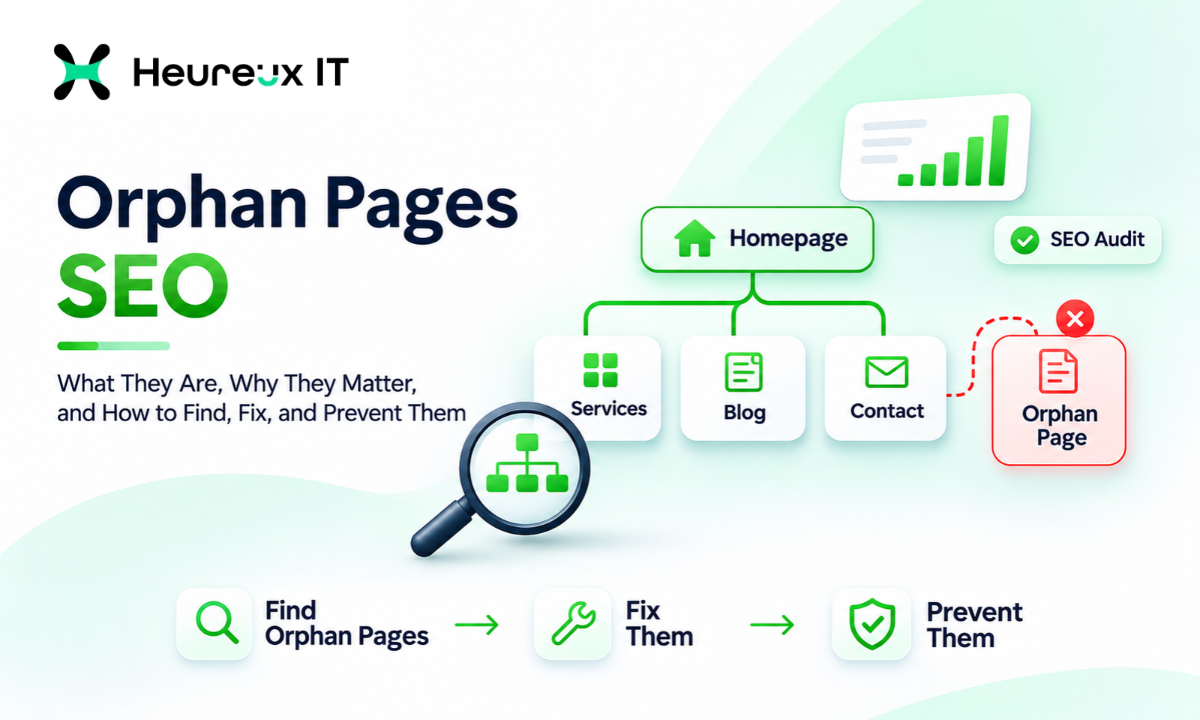
An orphan page is a webpage that has no incoming crawlable internal links from the main structure of its website.
In simple terms, the page exists, but other pages on the same website don't provide a normal route to reach it.
For example, suppose your website contains these pages:
- Homepage
- SEO Services
- Technical SEO Services
- Content SEO Services
- SEO Pricing
The homepage links to the first three service pages.
However, the SEO Pricing page isn't linked from the homepage, navigation, or any other accessible page.
Although the pricing page is published, it remains disconnected from the website's normal navigation structure.
That makes it an orphan page.
How Orphan Pages Affect Website Structure
Example of a disconnected website page
The orphan page is published but has no normal internal linking path from the rest of the site.
An orphan page can still be discovered through an XML sitemap, external backlink, redirect, or previously known URL.
Therefore, being an orphan doesn't automatically mean a page isn't indexed.
The problem is that the page lacks support from the website's internal linking structure.
Why Are Orphan Pages Bad for SEO?
Orphan pages can affect several important areas of website performance.
1. They Make Important Pages Harder to Discover
Search engines discover many webpages by following links.
If a page isn't connected to other pages, Googlebot may have fewer opportunities to discover or revisit it.
For example, an Ecommerce website may publish a new product page but forget to include it within the appropriate collection.
Without an internal linking path, the product may receive less attention from visitors and search engines.
2. They Miss Internal Link Equity
Internal links help distribute ranking signals throughout a website.
When a page receives relevant internal links, search engines gain more context about its importance and relationship to other pages.
An orphan page receives no internal link equity from the accessible pages on its website.
This can limit its search performance, particularly when competing pages have stronger internal linking support.
3. They Can Affect User Experience
Imagine a visitor finds a useful article through Google.
Later, they return to the website and try to find the same article through its blog section.
But the article isn't linked anywhere.
They may have difficulty locating it again.
Useful content should generally be accessible through logical navigation or relevant internal links.
4. They Can Contribute to Crawl Inefficiency
On large websites, thousands of outdated or low-value URLs can create unnecessary crawling activity.
Orphan pages may contribute to this problem when they remain accessible through sitemaps, backlinks, or other discovery sources.
However, one or two orphan pages on a small website are unlikely to create a significant crawl budget problem.
The larger concern is maintaining a clear and efficient website structure.
5. They Can Reduce Content Visibility
Businesses often invest time creating service pages, articles, and product descriptions.
If those pages are disconnected from the website, they may receive fewer visits than expected.
Fixing orphan pages helps ensure valuable content has an appropriate place within the website.
What Causes Orphan Pages?
Orphan pages usually result from website maintenance, content changes, or incomplete publishing processes.
| Common Cause | Example |
|---|---|
| Website Redesign | Old navigation links are removed |
| Website Migration | Pages remain live but are no longer linked |
| Content Updates | Related article links are deleted |
| Product Changes | Product pages are removed from collections |
| Campaign Landing Pages | Temporary pages remain after campaigns end |
| CMS Issues | Published pages aren't added to navigation |
| Poor Internal Linking | New blog articles have no incoming links |
Understanding the cause helps prevent the same problem from happening again.
Orphan Pages vs Dead-End Pages: What's the Difference?
These terms describe different website problems.
| Orphan Pages | Dead-End Pages |
|---|---|
| Have no incoming internal links from accessible site pages | Have no outgoing links that let users continue browsing |
| Difficult to discover through normal navigation | Can be reached but offer limited navigation onward |
| May still contain outgoing links | May receive several incoming internal links |
| Main concern is page discovery and internal linking | Main concern is navigation and user experience |
For example, a blog article without incoming internal links may be an orphan page.
A product page that customers can reach but that provides no useful navigation back to other parts of the store may function as a dead-end page.
A page can have both problems.
How to Find Orphan Pages on Your Website
Finding orphan pages requires more than simply scanning your homepage.
A website crawler typically follows existing internal links.
If a page has no incoming links, the crawler may never discover it.
The most reliable approach is to compare a crawl of your website with other known URL sources.
1. Find Orphan Pages Using Screaming Frog
Screaming Frog SEO Spider is a useful tool for examining website architecture.
Its orphan URL workflow combines crawled pages with other data sources.
Step 1: Crawl Your Website
Open Screaming Frog SEO Spider.
Enter your website URL and start crawling.
The tool follows internal links and builds a list of pages it can reach.
Step 2: Include Your XML Sitemap
Configure Screaming Frog to crawl URLs from your XML sitemap.
This helps identify pages listed in the sitemap but missing from the normal internal link structure.
Step 3: Connect Google Search Console and GA4
Where available, connect relevant Search Console and Google Analytics data.
These sources may identify URLs that receive impressions or traffic but weren't discovered during the internal-link crawl.
Step 4: Complete Crawl Analysis
After the crawl finishes, run the crawl analysis process.
Review the orphan URL filters under the relevant data tabs.
Step 5: Export the Orphan Page Report
Export the detected orphan URLs.
The report provides a starting list for further investigation.
Screaming Frog's orphan-page analysis uses data from multiple sources because a normal link crawl alone cannot identify every disconnected URL.
2. Find Orphan Pages Using Google Search Console
Google Search Console can help identify URLs known to Google.
However, it doesn't provide a dedicated report that automatically labels every orphan page.
Step 1: Open Search Console
Select your website property.
Step 2: Review Your Indexed Pages
Use the Page Indexing report to investigate important URLs.
Also review pages receiving impressions and clicks in the Performance report.
Step 3: Compare URLs With Your Crawl Data
Export relevant Search Console URLs.
Compare them with the pages discovered during your website crawl.
If Google knows about a page but your crawler cannot reach it through internal links, investigate whether it's orphaned.
Step 4: Verify the Page
Check whether the page returns a successful HTTP response.
Review its canonical tag and whether any crawlable internal links point to it.
Don't assume every missing URL is an orphan. Crawling restrictions, redirects, and tool settings can affect the results.
For businesses managing complex indexing issues, Technical SEO Services can help identify crawling and internal linking problems.
3. Find Orphan Pages Using XML Sitemaps
Your XML sitemap contains URLs you want search engines to discover.
You can use it as a starting point for identifying disconnected pages.
How to Check
Export your sitemap URLs.
Run a website crawl using a tool such as Screaming Frog.
Compare the sitemap list against the URLs discovered through internal links.
Pages appearing in the sitemap but not in the linked crawl become potential orphan page candidates.
For example:
Sitemap URLs:
example.com/services
example.com/blog
example.com/services/seo
example.com/blog/technical-seo-guide
Internally Linked URLs:
example.com/services
example.com/blog
example.com/services/seo
In this example, the technical SEO guide is a possible orphan page.
You would then inspect it to confirm whether incoming internal links exist.
Want help turning this into results for your business?
Explore our SEO services →4. Find Orphan Pages Using GA4
Google Analytics 4 can reveal pages that receive visits even though they aren't accessible through your normal site structure.
For example, visitors might access an old campaign landing page through a saved bookmark.
The page may remain active but no longer have any incoming internal links.
What to Do
Export the landing page or page location data from GA4.
Compare the URLs against your website crawl results.
Investigate pages appearing in analytics but missing from the crawl.
This method is helpful, but it only identifies pages included in the selected analytics data and date range.
Pages with no recorded traffic may remain undiscovered.
5. Find Orphan Pages Using Server Logs
Server logs record requests made to your website.
For larger websites, they can reveal URLs accessed by crawlers or visitors that aren't present in your internal link crawl.
For example, Googlebot may request an old product URL even after the product has been removed from your category pages.
Comparing server log URLs with crawl data can help identify these disconnected pages.
This approach is particularly useful for Ecommerce stores, large blogs, and websites that have undergone migrations.
How to Fix Orphan Pages in SEO
Once you've identified orphan pages, don't immediately delete them.
First, determine whether the page still has value.
The appropriate fix depends on the content, traffic, backlinks, and business purpose.
1. Add Relevant Internal Links
If the page contains useful content, connect it to other relevant pages.
For example, a technical SEO guide might receive a link from your main technical SEO service page or another related article.
Use natural anchor text that describes the destination.
A well-planned On-Page SEO Strategy helps maintain relevant internal connections.
2. Add Important Pages to Navigation or Categories
Some pages belong in menus, product categories, blog archives, or resource sections.
For example, a Shopify product that should remain available may need to be restored to its appropriate collection.
Only add pages to navigation when it makes sense for customers.
3. Consolidate Duplicate Content
If an orphan page repeats information already available elsewhere, combining the content may be appropriate.
Review whether the original page receives traffic or backlinks before making changes.
If the content is moved to another relevant URL, consider a suitable permanent redirect.
4. Redirect Outdated Pages
A 301 redirect can be appropriate when an outdated page has a relevant replacement.
For example, if an old service page has been replaced by a new version, redirecting visitors to the updated page can preserve a useful path.
Avoid redirecting unrelated pages to the homepage simply to remove an error.
5. Use Noindex for Pages That Shouldn't Appear in Search
Some pages are intentionally separate from normal navigation.
Examples may include specific advertising landing pages or internal-use content.
If a page should remain accessible but not appear in Google Search, an appropriate noindex directive may be suitable.
Don't rely on removing internal links to keep a page out of search results.
6. Remove Pages With No Remaining Value
If an orphan page is outdated, unnecessary, and has no relevant replacement, removal may be appropriate.
Review its backlinks, traffic, content, and business purpose first.
A permanently removed page can return an appropriate 404 or 410 response.
The correct action depends on what the URL previously provided.
Which Orphan Page Fix Should You Choose?
| Page Situation | Recommended Action |
|---|---|
| Valuable Page With No Internal Links | Add relevant internal links |
| Important Product Missing From Collections | Restore category or collection links |
| Outdated Page With a Relevant Replacement | Use a 301 redirect |
| Duplicate Page | Consolidate content and review canonical signals |
| Campaign Page That Shouldn't Be Indexed | Apply suitable indexing controls |
| Unnecessary Page With No Replacement | Remove with an appropriate HTTP response |
The goal isn't to eliminate every disconnected page at any cost.
It's to ensure each page has the right purpose and technical treatment.
How to Prevent Orphan Pages in the Future
Preventing orphan pages is easier when internal linking is part of the publishing process.
Create an Internal Linking Process
Before publishing new content, identify which existing pages should link to it.
For example, a new article about technical SEO could be linked from a related guide or service page.
Review Website Changes
After redesigns and migrations, check whether important internal links still work.
Monitor Old Landing Pages
Review campaign and promotional pages after campaigns end.
Decide whether to keep, redirect, exclude from indexing, or remove them.
Maintain Accurate XML Sitemaps
Keep your sitemap aligned with your preferred indexable URLs.
Run Periodic Technical SEO Audits
Regular audits can identify orphan pages before they accumulate.
For growing websites, quarterly checks may provide a useful starting point, with additional reviews after major structural changes.
Orphan Pages SEO Checklist
Use this checklist to review your website.
Orphan Pages SEO Checklist
0/14 complete
- Crawl the website using internal links
- Export all URLs from the XML sitemap
- Review Search Console URL data
- Compare the crawl with GA4 page data
- Identify URLs missing from internal-link crawls
- Verify HTTP status and canonical tags
- Check incoming internal links
- Review organic traffic and backlinks
- Add links to valuable orphan pages
- Redirect outdated pages with suitable replacements
- Remove unnecessary URLs where appropriate
- Check important pages after a redesign or migration
- Include internal linking in the publishing process
- Schedule follow-up orphan page audits
- Reset Copy Checklist
Common Mistakes When Fixing Orphan Pages
One common mistake is assuming that every orphan page must be deleted.
Some disconnected pages contain valuable information and simply need relevant internal links.
Another mistake is believing an orphan page cannot appear in Google's index.
Google may discover it through sitemaps, external links, or historical crawl data.
Businesses also sometimes add internal links without considering relevance.
A link should help users find related information, not exist solely to meet an SEO checklist.
Finally, some websites repeatedly create orphan pages because their publishing process doesn't include internal linking reviews.
Fixing the process is just as important as fixing individual URLs.
How Heureux IT Approaches Orphan Pages SEO
At Heureux IT, we understand that website structure plays an important role in search visibility.
A website may contain valuable service pages, product listings, and articles that aren't properly connected to the rest of its content.
Our technical SEO approach considers internal linking, crawling, indexing, website architecture, and the relationship between important pages.
For websites with orphan pages, the first step is identifying disconnected URLs and reviewing whether they still serve a purpose.
Useful pages may need stronger internal linking.
Outdated pages may require consolidation, redirects, or removal.
The goal is to maintain an accessible website structure that supports both visitors and search engines.
Final Thoughts
Orphan Pages SEO is an important part of website maintenance and technical optimization.
Pages without incoming internal links can become difficult for visitors to discover and may receive less support from your website's overall structure.
However, not every orphan page needs the same solution.
Some should be linked from relevant pages. Others may need redirects, indexing controls, or removal.
Start by comparing your website crawl against XML sitemaps, Search Console, analytics data, and server logs.
Then review each page's purpose before deciding what to change.
At Heureux IT, we help businesses identify technical SEO issues and improve website structure.
Explore our Technical SEO Services or contact Heureux IT to discuss your website's crawling, indexing, and internal linking challenges.
Frequently Asked Questions
What Are Orphan Pages in SEO? +
Orphan pages are webpages that have no incoming crawlable internal links from the accessible structure of their website.
Are Orphan Pages Bad for SEO? +
They can create discovery, internal linking, and navigation problems. The impact depends on the page's importance and how search engines discover it.
Can Google Index Orphan Pages? +
Yes. Google may discover orphan pages through XML sitemaps, external backlinks, redirects, or historical crawl data.
How Do I Find Orphan Pages? +
Compare an internal-link crawl with XML sitemap URLs, Google Search Console data, analytics data, and server logs.
Can Screaming Frog Find Orphan Pages? +
Yes. Screaming Frog can identify orphan URL candidates when configured to use additional sources such as XML sitemaps, Google Analytics, and Search Console.
How Do I Fix Orphan Pages? +
For valuable pages, add relevant internal links. Other pages may need consolidation, redirects, indexing controls, or removal.
What Causes Orphan Pages? +
Common causes include website redesigns, migrations, deleted internal links, outdated landing pages, and incomplete publishing processes.
What Is the Difference Between Orphan Pages and Dead-End Pages? +
Orphan pages lack incoming internal links. Dead-end pages lack useful outgoing navigation paths.
Should I Delete All Orphan Pages? +
No. Review traffic, backlinks, content value, and business purpose before deciding whether to keep, redirect, or remove a page.
How Often Should I Check for Orphan Pages? +
Review orphan pages during regular technical SEO audits and after major website changes, including redesigns and migrations.
Heureux IT is a digital marketing agency specialising in Google Ads, Meta Ads and SEO. We help growing businesses turn paid and organic search into measurable revenue.