Finding relevant keywords is an important part of search engine optimization. However, many businesses spend time researching new keywords without realizing that their existing website pages may already appear in Google Search for valuable queries.
Imagine publishing an article targeting "technical SEO services." After a few months, you discover that the page also receives impressions for "website technical audit," "technical SEO consultant," and "how to fix website SEO issues."
These searches provide useful information about what people want and how Google associates your page with different topics.
This is where Google Search Console (GSC) becomes valuable.
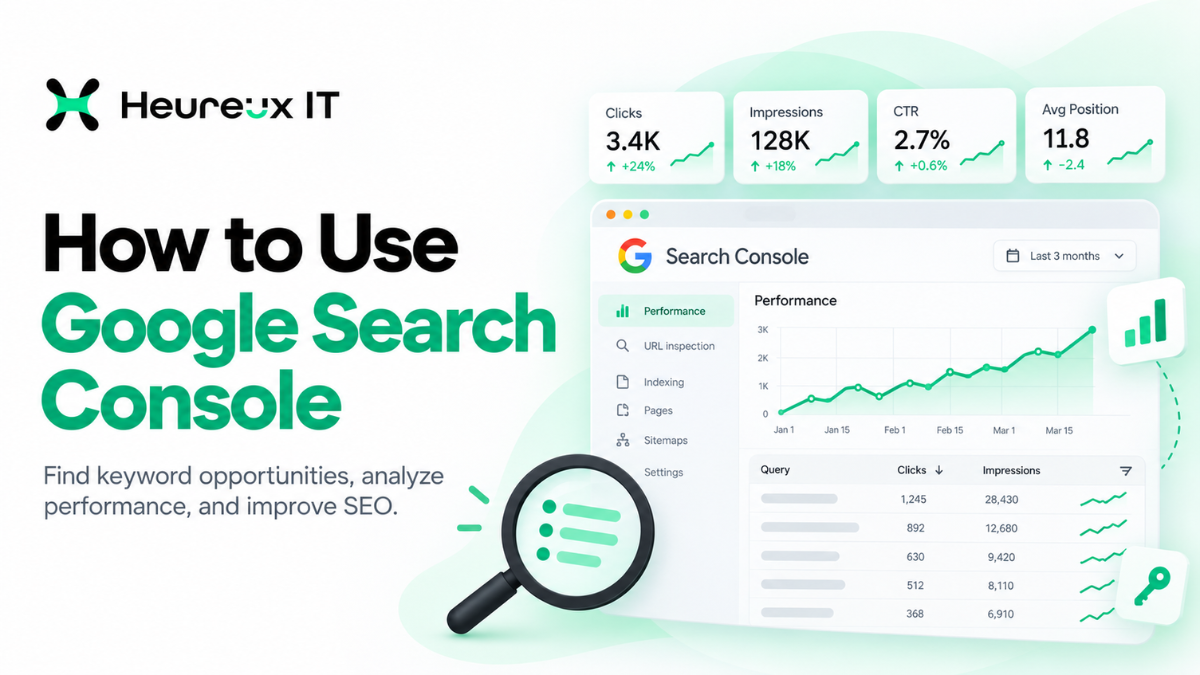
Google Search Console helps website owners understand their organic search visibility through data such as clicks, impressions, click-through rate, and average position.
Unlike traditional keyword research platforms, it provides performance information associated with your own website rather than relying entirely on market-wide keyword estimates.
Understanding how to use Google Search Console for keyword research can help you discover relevant search terms, improve existing pages, identify new content opportunities, and make more informed SEO decisions.
In this guide, we'll cover the practical process of finding keywords in GSC, analyzing performance data, identifying opportunities, and using those insights to strengthen your SEO strategy.
What Is Google Search Console?
Google Search Console is a free tool from Google that helps website owners monitor their website's visibility, search performance, and indexing status in Google Search.
It provides information about how Google discovers and processes website pages and how those pages perform in search results.
Businesses can use GSC to understand which queries bring visitors to their websites, which pages receive impressions, and whether important URLs have indexing issues.
For example, an eCommerce store can identify product categories receiving organic clicks, while a service business can review the queries associated with its main service pages.
Key Features of Google Search Console
Google Search Console includes several useful reporting tools.
Performance Report: Displays search clicks, impressions, CTR, and average position.
Page Indexing Report: Shows which pages are indexed and provides information about URLs excluded from indexing.
URL Inspection: Helps investigate an individual page's indexing and canonical information.
Sitemaps: Allows website owners to submit sitemaps and review processing information.
Core Web Vitals: Provides available user-experience data related to loading performance, responsiveness, and visual stability.
For keyword research, the Search results Performance report is the main area to explore.
Why Use Google Search Console for Keyword Research?
Traditional keyword research tools can help estimate search demand, discover related topics, and analyze competition.
Google Search Console provides something different: information about queries for which your website already appears in Google Search.
That makes it particularly useful for finding opportunities within existing content.
Discover Keywords You Already Rank For
A single webpage can appear for many related queries.
For example, an article targeting "SEO audit checklist" might also appear for "website audit steps" and "technical website checklist."
GSC helps identify these queries so you can better understand the page's search visibility.
Identify Underperforming Pages
Some pages receive many impressions but relatively few clicks.
This could indicate opportunities to investigate the page title, relevance, average position, or search intent.
However, low CTR doesn't automatically mean a page is poorly optimized. Search features and ranking position also influence click behavior.
Improve Your Content Strategy
Search Console can reveal questions and subjects that your current content doesn't fully address.
These insights can guide improvements to existing articles or support the creation of new content.
Focus on Relevant Search Traffic
Not every keyword is valuable for every business.
A focused Keyword Research strategy helps prioritize searches connected to your services, target audience, and business objectives.
How to Set Up Google Search Console
Before analyzing keywords, you need a verified property in Google Search Console.
Step 1: Sign In
Open Google Search Console using your Google account.
If your website has already been added, select the relevant property.
Otherwise, choose the option to add a new property.
Step 2: Choose a Property Type
Google Search Console supports Domain and URL-prefix properties.
A Domain property covers the applicable protocols and subdomains and generally requires DNS verification.
A URL-prefix property covers a specific URL prefix and offers several supported verification methods.
Step 3: Verify Ownership
Follow the instructions provided for your chosen property.
Depending on the setup, verification may involve a DNS record, HTML file, HTML tag, or supported Google integration.
Step 4: Review Your Reports
After verification, explore Performance and Page Indexing.
New properties or websites with limited search visibility may not immediately have detailed performance data available.
How to Use Google Search Console for Keyword Research: Step-by-Step
Once your website is connected, you can begin analyzing the search terms associated with your existing pages.
Step 1: Open the Performance Report
Select your website property and navigate to:
Performance → Search results
The report displays a performance chart and a table containing search query and page information.
You can adjust the reporting period to evaluate recent performance or compare different periods.
Starting with three months of data is often useful because it provides a broader view than examining only a few days.
Step 2: Understand the Main Performance Metrics
Before researching keywords, understand what the measurements represent.
| Metric | Meaning |
|---|---|
| Total Clicks | Clicks generated from Google Search results |
| Total Impressions | Times your website appeared in eligible search results |
| Average CTR | Percentage of impressions that generated clicks |
| Average Position | Average position of the topmost result for the reported grouping |
For example, a query receiving 1,000 impressions and 50 clicks has a 5% CTR.
However, CTR should always be evaluated alongside average position, search intent, and the appearance of search results.
Step 3: Review the Queries Tab
Below the performance chart, select Queries.
This tab displays the available search queries associated with your website.
For example, an SEO agency might discover searches related to technical SEO services, on-page optimization, website audits, or SEO consulting.
Review the keywords to identify topics relevant to your business.
Step 4: Sort Queries by Impressions
Click the Impressions column to view queries generating greater search visibility.
High impressions indicate that your website appears frequently for those searches.
Look for terms relevant to your services that may deserve closer examination.
A keyword with substantial impressions but few clicks might warrant a review of the associated page.
Step 5: Analyze Keywords Generating Clicks
Sort the Queries table by clicks.
These searches are already attracting visitors from Google.
Review which keywords bring relevant traffic and whether the associated pages provide appropriate information.
For example, if a service page receives traffic from searches about SEO consulting, ensure the page explains the consulting service clearly.
Step 6: Review Click-Through Rate
CTR can help identify searches where users see your page but don't often click.
Review the query, average position, page title, and search results layout.
If the title doesn't clearly reflect the page's purpose, a more descriptive version may help users understand the result.
Avoid changing titles based on CTR alone.
Step 7: Evaluate Average Position
Average position provides ranking context.
A query averaging around position 7 generally has different visibility from one averaging around position 25.
However, these are aggregate values rather than fixed rankings.
Use position data together with impressions, clicks, and relevance before deciding whether to optimize a page.
How to Find Keywords for a Specific Page
One of the most practical GSC research methods is analyzing a single website URL.
This helps you understand which searches are associated with an existing service page or article.
Step 1: Select the Page
Open Performance → Search results, then select the Pages tab.
Choose the URL you want to analyze.
Alternatively, add a Page filter to narrow the report to a specific URL.
Step 2: Open the Queries Tab
After selecting the page, switch to Queries.
You'll see the available search terms associated with that URL.
For example, a page focused on website audits might appear for searches related to technical SEO checks, website audit services, and website indexing problems.
Step 3: Compare Queries With Your Content
Review the page's title, H1, subheadings, and main content.
Determine whether it answers the questions suggested by relevant queries.
If visitors are searching for a specific process that the page only mentions briefly, consider explaining that process more thoroughly.
Step 4: Identify Content Gaps
Suppose your technical SEO article receives impressions for searches about canonical tags but contains only one sentence about them.
Adding a useful explanation could improve the page's coverage.
However, don't introduce unrelated sections simply because a keyword appears in Search Console.
Content improvements should support the page's primary purpose.
How to Find High-Impression, Low-Click Keywords
However, these patterns need context.
Consider the following hypothetical data:
| Keyword | Impressions | Clicks | CTR | Avg. Position |
|---|---|---|---|---|
| Technical SEO Services | 2,000 | 60 | 3.0% | 7.5 |
| Website SEO Audit | 1,500 | 15 | 1.0% | 13.2 |
| SEO Audit Checklist | 900 | 18 | 2.0% | 10.8 |
| SEO Consultant | 600 | 24 | 4.0% | 6.3 |
These figures are examples, not actual Heureux IT performance.
"Website SEO Audit" may be worth investigating because the query has substantial visibility but relatively few clicks.
However, its average position may explain much of the difference.
"SEO Audit Checklist" may suggest an opportunity to improve educational content.
How to Prioritize Opportunities
Start with business relevance.
Then evaluate the query's intent, impressions, clicks, position, and the quality of the associated page.
Prioritize improvements that help the intended audience.
A commercially relevant keyword with fewer impressions may be more valuable than a broad informational query generating greater visibility.
How to Find Long-Tail Keywords in Google Search Console
Long-tail keywords are more specific search queries that often communicate a particular question or requirement.
For example, "SEO" is broad.
"How to improve WordPress website indexing" expresses a more specific need.
Google Search Console can help identify these searches.
Use Query Filters
In the Performance report, select + Add filter → Query.
Choose a supported matching condition or regular expression.
You can investigate queries containing phrases such as "how to," "best," "cost," or "services."
These patterns may reveal different types of search intent.
Identify Questions Worth Answering
If a relevant question appears repeatedly in your query data, review whether your website provides a clear answer.
For example, a website receiving impressions for "how to check canonical tags" might benefit from a detailed explanation within a relevant technical SEO article.
Group Similar Queries
Closely related keywords often belong on the same page.
For example, "find keywords in GSC" and "how to see keywords in Search Console" express similar needs.
One useful guide can often address both naturally.
Avoid publishing multiple nearly identical articles targeting minor wording differences.
How to Improve Existing Pages Using GSC Data
Google Search Console can help identify improvements to content that's already published.
Match Content With Search Intent
Review the queries associated with your page.
A search for "what is technical SEO" suggests an informational need.
A search for "technical SEO services" suggests interest in professional assistance.
These queries are related but may require different content.
Your page should primarily satisfy the intent it was created for.
Improve On-Page Elements
Use query insights to evaluate whether your title, H1, subheadings, and body content clearly describe the page's subject.
Effective On-Page SEO involves more than adding keywords.
It includes useful content organization, descriptive headings, appropriate metadata, and clear internal navigation.
Expand Valuable Content
If a page already attracts relevant impressions for a topic it doesn't fully explain, consider adding a useful section.
For example, an article about SEO audits might benefit from a practical checklist or explanation of common issues.
Focus on giving readers better information rather than increasing word count unnecessarily.
Improve Content Quality
Review outdated instructions, unclear explanations, and missing examples.
A thoughtful Content Optimization process should improve accuracy, relevance, and readability.
Measure Changes Over Time
Document your updates and monitor the corresponding page in Search Console.
Compare meaningful periods rather than expecting immediate improvements.
Google may take weeks or longer to reflect changes in search performance.
Want help turning this into results for your business?
Explore our SEO services →How to Discover New Blog Topics Using Search Console
Search Console can reveal relevant searches that your existing pages only partially address.
These queries may help you identify new educational articles or supporting service content.
Look for Topic Gaps
Suppose your website receives impressions for "technical SEO checklist," but none of your existing pages provides a complete checklist.
That may represent an opportunity for new content.
Before publishing, check whether another existing page can address the topic adequately.
Analyze Keyword Groups
Organize related queries into topic clusters.
For example, searches related to page indexing, canonical URLs, and sitemap issues may support a broader technical SEO content strategy.
Each article should serve a distinct user need.
Consider Business Relevance
Don't create content solely because a query has impressions.
A digital marketing agency should prioritize topics relevant to its audience and services.
The strongest content opportunities combine useful information with clear audience relevance.
How to Identify Keyword Cannibalization
Keyword cannibalization can occur when overlapping pages compete unnecessarily for the same search intent.
However, multiple pages appearing for one query doesn't automatically indicate a problem.
Review Overlapping URLs
Open the Performance report and filter by a relevant query.
Select the Pages tab to see which URLs receive impressions and clicks.
Compare their content and intended purpose.
For example, an informational blog explaining technical SEO and a service page offering technical SEO assistance may both be relevant to related searches.
Decide Whether Changes Are Necessary
If pages serve different user needs, keeping both may be appropriate.
If they contain almost identical material, consider improving differentiation or consolidating redundant information.
Review page traffic, relevance, and existing value before redirecting or removing content.
How to Use Google Search Console for Technical SEO
Keyword research is more useful when important website pages are technically accessible.
Google Search Console provides reports that can help investigate indexing and user-experience issues.
Review the Page Indexing Report
Open Indexing → Pages.
The report shows indexed and non-indexed URLs and associated status information.
For example, "Crawled – currently not indexed" means Google crawled a page but hasn't indexed it.
This isn't automatically a technical error.
Review the page's uniqueness, usefulness, internal links, and technical configuration before deciding on changes.
Use URL Inspection
URL Inspection provides information about an individual page.
It can help you investigate indexing status, canonical selection, and available crawl information.
After updating a page, you may request indexing.
However, that request doesn't guarantee immediate indexing or improved rankings.
Check Canonical URLs
Canonical declarations help indicate preferred versions of duplicate or similar pages.
If Google selects an unexpected canonical, investigate duplicate URLs, redirects, and internal linking.
Monitor Core Web Vitals
Search Console provides Core Web Vitals reporting when sufficient data is available.
These reports can identify groups of URLs with potential performance or usability issues.
A thorough technical SEO review can help investigate indexing, canonicalization, crawlability, and website performance.
Improving these areas supports website usability, although no individual technical fix guarantees higher rankings.
Google Search Console vs Other Keyword Research Tools
Google Search Console and third-party keyword research platforms serve different purposes.
| Feature | Google Search Console | Keyword Research Tools |
|---|---|---|
| Your website's search queries | Yes, with reporting limits | Often estimates or integrations |
| Actual Google Search clicks | Yes | Usually modeled or imported |
| Search impressions | Yes | Often estimated search demand |
| Competitor keyword research | Limited | Commonly available |
| Keyword difficulty | Not provided | Often estimated |
| Monthly search volume | Not directly provided | Often estimated |
| Indexing diagnostics | Available | Varies |
| Cost | Free | Free or paid |
For example, a keyword research platform might estimate monthly searches for "technical SEO audit."
Search Console instead reports how often your own site appeared for that query during the selected period.
These measurements aren't interchangeable.
Use each tool according to the information you need.
Important Limitations of Google Search Console Data
Although GSC is valuable, it doesn't show every query associated with your website.
Some queries are omitted for privacy reasons.
Tables and exports can also be subject to reporting limits.
Consequently, the displayed keyword rows may not account for every impression in the report totals.
Average position is another metric that requires careful interpretation.
It represents an average across relevant impressions, not a guaranteed position for every search.
Search Console also isn't a complete competitor research platform.
For broader market analysis, supplement its findings with other suitable research methods.
Common Keyword Research Mistakes to Avoid
Targeting Every High-Impression Query
Not every query is relevant to your business or the page receiving impressions.
Prioritize search intent and audience relevance.
Adding Keywords Without Improving Content
Inserting keywords into headings or paragraphs doesn't guarantee better rankings.
The changes should make the page more helpful.
Ignoring Existing Content
Creating new articles without reviewing current pages can lead to unnecessary overlap.
Improve suitable existing content before adding another URL.
Misinterpreting CTR
A low CTR can result from average position, search features, or query intent.
Investigate the context before changing metadata.
Expecting Immediate Improvements
Google needs time to process content changes.
Monitor results over reasonable periods and avoid frequent revisions based on short-term fluctuations.
How Heureux IT Approaches Google Search Console SEO
At Heureux IT, we believe effective SEO should be informed by useful data and a clear understanding of business goals.
Google Search Console helps identify which website pages appear in search results and which queries connect those pages with potential visitors.
These insights can support decisions about keyword targeting, content improvements, internal linking, and technical optimization.
For example, a service page may receive impressions for relevant searches but need clearer content to explain the service.
An educational article may reveal related questions that deserve more complete answers.
A technical report may identify indexing issues affecting important URLs.
Each situation requires a different solution.
Our approach combines keyword research, content improvements, on-page optimization, and technical website analysis to help businesses strengthen their organic visibility.
The objective is to attract relevant visitors and make the website more useful to people searching for the company's services.
Final Thoughts
Learning how to use Google Search Console for keyword research helps businesses make more informed SEO decisions.
By analyzing queries, clicks, impressions, CTR, average position, and page-level performance, you can identify opportunities within your existing website.
However, SEO success doesn't come from adding every discovered keyword to your content.
It comes from understanding what people search for, matching content to their needs, and maintaining a website that's useful and technically accessible.
Review Search Console regularly, prioritize relevant opportunities, and evaluate improvements over time.
At Heureux IT, we help businesses develop practical SEO Strategies focused on organic visibility, relevant content, and long-term website improvement.
Frequently Asked Questions
Can You Use Google Search Console for Keyword Research? +
Yes. Google Search Console shows queries associated with your website's Google Search visibility, including clicks, impressions, CTR, and average position.
How Do I Find Keywords in Google Search Console? +
Open Performance → Search results and select Queries. You can sort the available keywords by clicks, impressions, CTR, or average position.
Does Google Search Console Show Keyword Search Volume? +
No. GSC reports impressions associated with your website's appearances in Google Search, not the total monthly search volume of a keyword.
How Can I Find Keywords for a Specific Page? +
In the Performance report, select a URL under Pages, then switch to Queries to review its associated search terms.
How Do I Find Low-Competition Keywords in GSC? +
GSC doesn't provide keyword difficulty scores. You can investigate relevant lower-visibility queries, but competition must be evaluated using additional research.
How Can I Improve CTR Using Search Console? +
Review queries with meaningful impressions and low CTR, then examine average position, title relevance, and search results before making changes.
Can Google Search Console Help With Technical SEO? +
Yes. It provides indexing information, URL Inspection, sitemap reporting, and Core Web Vitals data to support technical investigations.
Does Google Search Console Show Every Search Query? +
No. Some queries are omitted for privacy reasons, and reporting limits can prevent every query from appearing in tables.
Can GSC Help Identify Keyword Cannibalization? +
Yes. Filter by a query and review the Pages tab to investigate overlapping URLs. Multiple pages appearing for a query doesn't automatically indicate cannibalization.
How Long Does It Take to See SEO Improvements? +
Some changes may be processed relatively quickly, while others can take weeks or months. Improved search performance is never guaranteed.
Heureux IT is a digital marketing agency specialising in Google Ads, Meta Ads and SEO. We help growing businesses turn paid and organic search into measurable revenue.