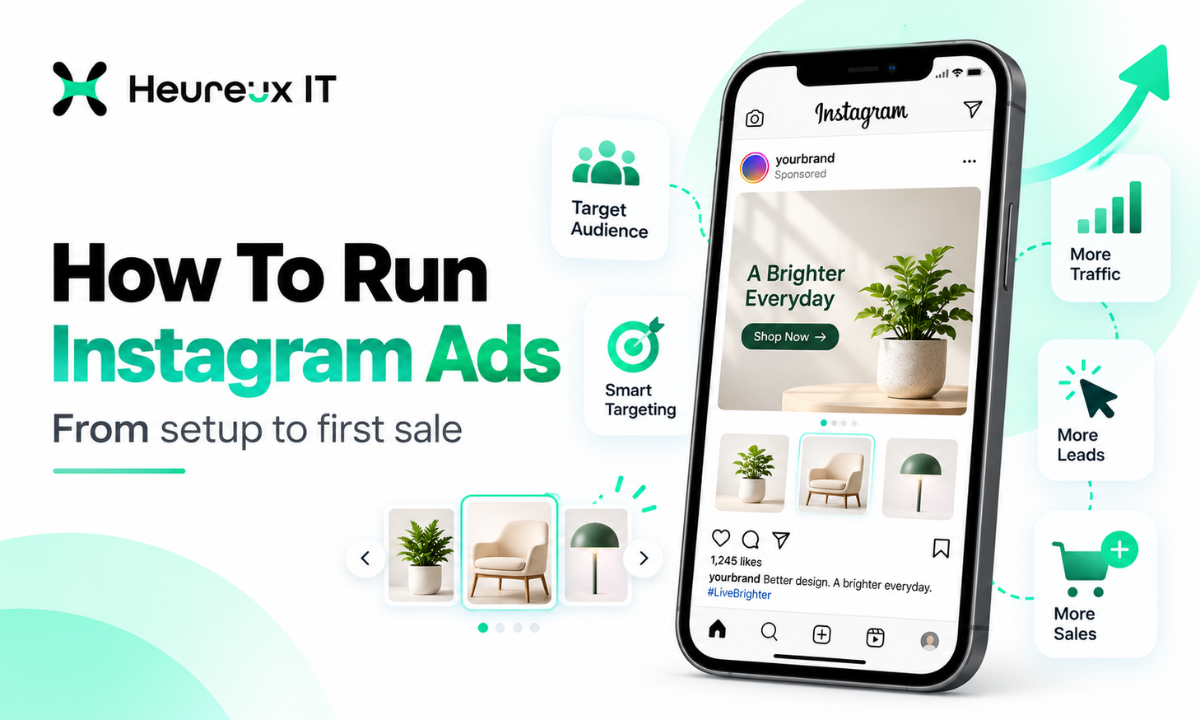
Instagram is a powerful platform for businesses looking to reach new customers, showcase products, generate inquiries, and increase sales.
But simply posting attractive images or boosting an existing post doesn't guarantee results.
You might spend money promoting a product, receive hundreds of likes, and still generate very few purchases.
The problem may not be your product. It could be your campaign objective, audience, creative, landing page, or conversion tracking.
That's why understanding How To Run Instagram Ads is important before investing in paid advertising.
Instagram advertising allows businesses to promote products and services through placements such as Feed, Stories, Reels, and Explore. Campaigns can be created and managed using Meta Ads Manager, which provides controls for objectives, budgets, audiences, creative assets, and performance measurement.
Whether you're running an eCommerce store, offering professional services, or promoting a local business, the right Instagram advertising strategy can help you reach relevant audiences and encourage meaningful actions.
In this guide, we'll explain how to create Instagram ads, choose the right formats, set budgets, build effective creatives, and optimize your campaigns for leads and sales.
What Are Instagram Ads?
Instagram ads are paid advertisements that businesses use to reach audiences across eligible Instagram placements, including Feed, Stories, Reels, and Explore.
These advertisements may appear as images, videos, carousels, or other supported formats.
Unlike organic posts, paid advertising allows a business to set a budget, select an advertising objective, and define or guide audience delivery through Meta's advertising tools.
For example, an online clothing store might advertise a new collection through Instagram Reels.
A fitness studio might run a campaign encouraging nearby users to book a trial class.
A software business might promote a product demonstration to relevant prospective customers.
Although these businesses have different goals, they can use the same advertising platform with different campaign settings.
How Do Instagram Ads Work?
Instagram advertising operates within Meta's advertising system.
When creating a campaign, advertisers choose an objective that tells Meta what result they want to achieve.
The system then uses the selected settings, available signals, auction dynamics, and delivery models to determine how ads are shown.
For example, a Sales campaign is designed to pursue sales-related outcomes, while a Leads campaign focuses on generating inquiries.
Your budget determines how much you are willing to spend, and the campaign's performance depends on factors such as targeting, competition, creative relevance, and conversion experience.
Why Should Businesses Advertise on Instagram?
Instagram advertising can help businesses reach potential customers beyond their existing followers.
Organic content remains valuable for maintaining a brand presence, but organic reach alone may not consistently deliver the right number of potential buyers.
Paid campaigns create additional opportunities to reach relevant audiences.
Reach Potential Customers
Instagram advertisements can introduce your products or services to people who don't already follow your business.
For example, a skincare brand can develop campaigns for audiences interested in relevant beauty categories, subject to Meta's available targeting options and advertising policies.
Showcase Products Visually
Instagram's visual environment makes it useful for demonstrating products, explaining services, and communicating brand value.
Businesses can use product photography, short videos, demonstrations, and customer stories to make their offerings easier to understand.
Generate Leads and Inquiries
Service businesses can use eligible Instagram ad campaigns to encourage consultation requests, form submissions, or conversations.
For example, a home renovation company might promote a consultation offer to homeowners within its service area.
Support Online Sales
eCommerce businesses can advertise products and direct interested users toward product pages or other supported shopping experiences.
When conversion measurement is configured correctly, advertisers can evaluate purchases and revenue associated with their campaigns.
How to Create Instagram Ads: Step-by-Step
The most flexible way to create Instagram advertising campaigns is through Meta Ads Manager.
Ads Manager provides more control over campaign objectives, audience settings, budgets, placements, and reporting than basic in-app promotion.
Step 1: Prepare Your Instagram Business Presence
Before creating your first campaign, make sure your business has the required advertising access.
You may need a Facebook Page, a Meta advertising account, an appropriate payment method, and access to your business assets.
A connected Instagram professional account is useful for displaying your Instagram identity on eligible advertisements.
Meta also permits a Facebook Page to serve as the advertising identity in certain supported setups.
If you want to advertise directly from your Instagram identity, connect your Instagram professional account through your Meta business portfolio or Page settings.
Make sure the relevant team members have permission to manage the assets.
Step 2: Open Meta Ads Manager
Visit Meta Ads Manager and select the advertising account you want to use.
Click Create to begin a new campaign.
The platform will ask you to choose an advertising objective.
This is an important decision because Meta uses your chosen objective to determine which outcomes the campaign should pursue.
Step 3: Choose the Right Campaign Objective
Meta provides objectives designed around different business goals.
| Campaign Objective | Primary Purpose | Example |
|---|---|---|
| Awareness | Reach and brand visibility | Introduce a new brand |
| Traffic | Website or destination visits | Promote an educational page |
| Engagement | Interactions, views, or conversations | Encourage video engagement |
| Leads | Generate inquiries | Book service consultations |
| App Promotion | App-related actions | Promote a mobile application |
| Sales | Purchases and sales outcomes | Sell online products |
The objective should reflect what you actually want users to do.
For example, if you're running an eCommerce store and want customers to purchase products, Sales will generally be more aligned with that goal than choosing Traffic only to generate clicks.
Similarly, a company seeking consultation requests may benefit from a Leads campaign.
Don't choose an objective based only on which result appears cheapest. Select the outcome that supports your business.
Step 4: Set Your Instagram Advertising Budget
Meta Ads Manager allows advertisers to use daily or lifetime budgets.
A daily budget represents the average amount the system aims to spend per day, subject to Meta's applicable spending and billing rules.
A lifetime budget defines a total budget for the campaign or ad set across its scheduled duration.
The best starting amount depends on your market, objective, expected conversion cost, and testing requirements.
For example, a small business could plan an initial test at $20 per day.
That would represent approximately $600 across 30 days.
This is an illustrative budget, not a guaranteed minimum or a recommendation for every advertiser.
Businesses operating in competitive industries or targeting expensive conversions may need more budget to gather useful data.
Step 5: Choose Your Target Audience
Audience targeting helps Meta understand which people are relevant to your campaign.
Depending on the selected objective and account settings, advertisers can use available audience controls, suggestions, and automated Advantage+ features.
Several audience approaches are relevant.
Broad or Advantage+ Audiences: Meta uses its delivery system and available signals to find potentially relevant people within the applicable audience controls.
Custom Audiences: Businesses may create eligible audiences using website activity, customer information, or interactions with their business accounts, subject to data requirements and policies.
Lookalike Audiences: Meta may identify additional people who share characteristics with a permitted source audience, where the feature is supported.
For example, an online store could use previous purchasing customers as a source for audience development if it has appropriate permission to use that data.
Avoid making your audience unnecessarily restrictive.
An overly narrow audience may limit delivery and make it harder for the system to find suitable opportunities.
Step 6: Select Instagram Ad Placements
Instagram offers several advertising placements, including eligible Feed, Stories, Reels, and Explore surfaces.
In Ads Manager, navigate to the Placements section.
If you want ads to appear only on Instagram, use the available manual placement controls and select Instagram placements supported by your objective and format.
Alternatively, Meta generally recommends using Advantage+ placements to provide the delivery system with more opportunities across Meta platforms.
Meta for Business
The correct choice depends on your campaign strategy.
If the business specifically needs Instagram-only exposure, manual placements may be appropriate.
If the priority is achieving the lowest practical cost per business result across Meta, testing broader placements may be useful.
Step 7: Upload Your Ad Creative
After configuring the campaign and ad set, create the advertisement.
Choose the appropriate advertising identity and format.
Depending on eligibility, you may be able to use a single image, video, carousel, or another supported creative format.
Upload your visual assets and add the advertising copy.
Your creative should communicate one clear message.
For example, a local salon promoting appointment bookings might highlight the service, explain why customers choose it, and provide a suitable call to action.
Avoid overcrowding the creative with too many offers or unrelated details.
Step 8: Add a Call to Action and Destination
The CTA tells users what they should do after seeing your advertisement.
Common examples include Learn More, Shop Now, Sign Up, and Book Now, depending on campaign eligibility.
If you're directing traffic to a website, make sure the destination matches the advertisement.
A product advertisement should ideally lead to the relevant product or collection.
A service advertisement should direct people toward a suitable service page, consultation form, or booking experience.
Sending every advertisement to a generic homepage can introduce unnecessary friction.
Step 9: Review and Publish Your Campaign
Before publishing, verify your audience settings, placements, budget, creative assets, tracking setup, and destination URL.
Preview the advertisement across its intended placements.
Then submit it for review.
Meta reviews advertisements against its applicable advertising standards. Campaign delivery begins only after the relevant approval and delivery conditions are met.
How to Make an Ad for Instagram That Converts
Knowing how to create an Instagram advertising campaign is only the beginning.
Your creative must give viewers a reason to stop scrolling and take the next step.
A visually attractive advertisement may attract attention, but successful campaign creative also needs relevant messaging and an appropriate offer.
Start With a Strong Hook
The opening image, text, or first seconds of a video should communicate something meaningful.
For example, an advertisement for an accounting software platform could begin with:
"Still Managing Business Expenses in Spreadsheets?"
The message identifies a familiar problem for the target audience.
A supporting line can then explain how the software helps organize financial information.
Focus on One Main Benefit
Avoid placing every feature of your product in a single advertisement.
Instead, identify the primary problem the audience wants to solve.
For example, an appointment scheduling platform might highlight simpler online bookings rather than listing every integration and dashboard feature immediately.
Show Your Product or Service Clearly
A product demonstration can help viewers understand the value of an offer.
An eCommerce brand might show its product being used in everyday situations.
A service business might demonstrate a process, explain its approach, or share a relevant customer experience with appropriate permission.
Match Your Ad With the Landing Page
The message shouldn't change abruptly when someone clicks your advertisement.
If the ad promotes a consultation for a specific service, the destination should clearly explain that service and how to book.
Consistent messaging reduces confusion and supports a smoother customer experience.
Test Different Creative Approaches
One advertisement rarely represents every possible way to communicate an offer.
Test meaningful variations, such as a problem-focused message versus a benefit-focused message.
You can also compare video demonstrations against static product imagery.
Evaluate the results according to the campaign objective rather than judging creative performance only through likes or impressions.
Instagram Ad Formats: Images, Videos, Reels, and Carousels
Different advertising formats are suitable for different types of messages.
| Ad Format | Recommended Use | Creative Approach |
|---|---|---|
| Single Image | One product, service, or offer | Clear image with concise message |
| Video Ad | Product demonstration or storytelling | Strong opening and focused narrative |
| Reels Ad | Vertical, mobile-first creative | Full-screen video with relevant audio |
| Stories Ad | Immersive short-form promotions | Vertical creative with clear CTA |
| Carousel Ad | Multiple products, features, or steps | Swipeable sequence |
| Collection Ad | Eligible product catalog experiences | Product discovery and shopping |
Not every format or placement is available for every objective and account configuration.
Instagram Image Ads
Image advertisements work well when one visual can communicate the core message.
For example, a furniture brand could highlight a particular product with professional photography.
For many Instagram Feed campaigns, a 4:5 portrait image, such as 1080 × 1350 pixels, is a useful creative starting point.
Always check the current specifications for the placement you're using.
Instagram Video Ads
Videos can explain products or services in more detail.
A strong video often introduces the central problem quickly, demonstrates the offer, and finishes with a clear action.
Captions can help viewers understand the message in environments where audio isn't playing.
Instagram Reels Ads
Reels ads are particularly suited to vertical, mobile-first video creative.
A 9:16 format, such as 1080 × 1920 pixels, is commonly used.
Keep important information away from areas that may be covered by interface controls.
Meta's guidance also highlights the importance of suitable audio, safe-zone placement, and creative designed specifically for Reels.
Instagram Carousel Ads: How They Work
Instagram carousel ads allow businesses to showcase multiple images or videos within a single swipeable advertisement.
They can be useful when one creative isn't enough to communicate the offer.
A business may use a carousel to introduce several products, explain different features, or guide a customer through a process.
When Should You Use Instagram Carousel Ads?
Carousel ads are particularly useful for product collections, service comparisons, feature demonstrations, and educational sequences.
For example, a digital marketing agency could use a carousel to explain a service process.
The first card might introduce the customer problem.
The next cards could explain strategy development, campaign implementation, and measurement.
The final card could encourage viewers to explore the relevant service.
How to Create Instagram Carousel Ads
In Meta Ads Manager, create your campaign and configure the audience and placements.
At the ad level, select the carousel format if it's available for the chosen setup.
Add your images or videos, arrange the cards, and provide the appropriate copy and links.
Preview the advertisement before publishing.
For a consistent appearance, use the same visual dimensions and design style across cards.
A square format such as 1080 × 1080 pixels is a practical starting point for many carousel designs, but the supported specifications should be checked.
Example Instagram Carousel Ad Structure
| Card | Message | Purpose |
|---|---|---|
| 1 | Struggling to Generate Leads? | Capture attention |
| 2 | Reach Relevant Customers | Explain targeting |
| 3 | Build Better Ad Creative | Highlight the approach |
| 4 | Track Conversions | Explain measurement |
| 5 | Explore Heureux IT | Encourage next action |
This is an example of how to organize the message, not a guaranteed high-performing format.
How Much Does It Cost to Run Instagram Ads?
There is no fixed universal price for running Instagram advertisements.
Campaign costs depend on the advertising auction, target market, competition, creative quality, objective, available audience, and conversion opportunity.
A business running awareness campaigns may experience different cost patterns from an eCommerce advertiser optimizing for purchases.
The most useful budget question is not simply, "How much does one Instagram ad cost?"
It's, "How much can my business afford to spend to acquire a customer or qualified lead?"
Example Instagram Advertising Budget
Consider a hypothetical business testing Instagram sales campaigns.
| Item | Example |
|---|---|
| Daily Budget | $30 |
| Testing Period | 30 days |
| Planned Spend | $900 |
| Campaign Objective | Sales |
| Creative Test | Video vs Single Image |
| Primary KPI | Cost Per Purchase |
The $900 is planned media spend only. It doesn't include creative production, agency fees, or other potential costs.
Advertisers should account for Meta's applicable daily spending rules and should not assume a specific number of purchases from this budget.
How to Decide Your Budget
Start with your expected customer acquisition economics.
If a product generates a limited contribution margin, your advertising cost per purchase needs to fit within that margin.
For lead generation businesses, consider the percentage of inquiries that qualify and become paying customers.
A low cost per lead isn't automatically valuable if those inquiries don't turn into business.
Want help turning this into results for your business?
Explore our Meta Ads services →How to Run Instagram Ads for Lead Generation
Instagram lead generation campaigns can help service businesses collect inquiries from prospective customers.
Examples include education providers, local service companies, professional consultants, and software businesses.
A Leads objective can support eligible lead collection destinations, including Meta Instant Forms and other available options.
Instagram Instant Forms
An Instant Form allows a prospect to submit information through a form experience within Meta's environment.
The business may request relevant contact details and qualification information, subject to the platform's rules.
For example, a commercial cleaning company could ask prospective customers about their business location, property type, and service requirements.
The form should balance ease of completion with the information genuinely needed to qualify the inquiry.
Website Lead Generation
Another approach is directing users to a relevant landing page.
This can be useful when prospects need additional service details before submitting a form.
For example, a B2B company selling complex software may prefer a dedicated demonstration page that explains the product before asking visitors to book a consultation.
Measuring Lead Quality
Lead volume alone doesn't show the complete picture.
Track whether leads are relevant, reachable, qualified, and eventually converted into customers.
Where appropriate, connect lead information to a CRM so campaign performance can be evaluated beyond form submissions.
How to Track Instagram Ad Performance
Once an advertisement starts delivering, the next step is understanding whether it is supporting your objective.
Meta Ads Manager provides reporting for campaign delivery and results.
The most important metrics depend on the purpose of the campaign.
Important Instagram Ads Metrics
Reach: The number of people who saw your advertisement.
Impressions: The total number of times an advertisement was shown.
Click-Through Rate (CTR): The proportion of impressions that generated the measured clicks.
Cost Per Click (CPC): The average advertising cost associated with a click.
Cost Per Lead (CPL): Advertising spend divided by recorded leads.
Cost Per Purchase: Advertising spend divided by attributed purchases.
Return on Ad Spend (ROAS): Attributed purchase value divided by advertising spend.
A campaign designed to generate purchases should not be judged only on reach or engagement.
Similarly, a lead campaign should be evaluated using lead quality as well as CPL.
Install Meta Pixel and Consider Conversions API
For eligible website conversion campaigns, Meta Pixel can help record permitted website actions.
Meta Conversions API can complement browser events through supported server-side integrations.
When the same conversion is reported through both methods, proper event deduplication is important.
Advertisers should also respect applicable consent requirements and data-sharing policies.
Use Google Analytics 4 for Additional Insights
GA4 can provide another perspective on website activity and conversions.
However, its reported results may differ from Meta Ads Manager because the systems use different measurement and attribution rules.
Compare analytics data with actual orders, bookings, or CRM outcomes before making major optimization decisions.
How to Optimize Instagram Ads After Launch
Launching an Instagram campaign isn't the final step.
Campaign performance should be reviewed regularly.
A useful optimization process begins by checking whether the campaign is delivering as intended.
Then evaluate the metrics most closely connected to the selected objective.
Review Creative Performance
If an ad receives impressions but limited relevant engagement, examine its opening message, visual quality, and clarity.
Test a different hook or creative concept where appropriate.
Avoid making several unrelated changes at once if your objective is to identify what caused a performance difference.
Check Landing Page Performance
If users click an advertisement but don't complete the desired action, examine the landing page.
Review whether the page loads properly, matches the ad's message, and provides a clear next step.
For eCommerce stores, also check product availability, checkout usability, and unexpected costs.
Evaluate Audience and Placement Results
Review available reporting to understand how your ads perform across audiences and placements.
Don't assume that the placement with the lowest CPC is generating the most valuable customers.
Compare results using conversion quality and business outcomes.
Adjust Budgets Carefully
Once a campaign has demonstrated useful results, you can evaluate whether increasing the budget makes sense.
The appropriate pace depends on conversion volume, delivery stability, business margins, and available demand.
There is no universal budget increase percentage that guarantees stable performance.
Common Mistakes to Avoid When Creating Instagram Ads
A frequent mistake is choosing Traffic when the real objective is to generate sales or qualified inquiries.
Another is using broad, generic creative that doesn't explain the value of the offer.
Businesses may also use images that are poorly suited to vertical placements or display important text where interface controls cover it.
A slow landing page or confusing checkout can create problems even when the advertisement attracts relevant visitors.
Incomplete conversion tracking can make it difficult to understand which campaigns are working.
Finally, changing budgets, audiences, and creatives too frequently can make performance evaluation difficult.
A well-managed campaign uses clear objectives, suitable creative, reliable measurement, and a structured testing process.
Should You Boost an Instagram Post or Use Meta Ads Manager?
Boosting an Instagram post is a simpler way to promote existing content.
It may be appropriate when you want to increase visibility or engagement around a particular post.
Meta Ads Manager provides a more detailed campaign management environment.
It supports available campaign objectives, structured testing, placement controls, conversion optimization, and deeper reporting.
For businesses with specific lead generation or sales goals, Ads Manager is generally the more flexible choice.
The best method depends on whether you're promoting content visibility or running a more structured advertising campaign.
How Heureux IT Helps Businesses Run Instagram Ads
At Heureux IT, we understand that effective Instagram advertising requires more than an attractive image and a daily budget.
Businesses need campaigns built around relevant audiences, clear offers, suitable creative formats, and meaningful conversion goals.
Our digital marketing approach considers campaign objectives, audience strategy, creative messaging, landing page relevance, and Conversion Tracking.
For an eCommerce business, the priority may be generating purchases at a sustainable acquisition cost.
For a service provider, the objective may be collecting qualified inquiries and encouraging consultation bookings.
For a growing brand, Instagram campaigns may support product discovery alongside other marketing channels.
Each business needs a strategy aligned with its audience and commercial goals.
The goal is to create advertising campaigns that support measurable business outcomes, not simply accumulate impressions or likes.
Final Thoughts
Understanding how to run Instagram ads can help businesses make better decisions about their marketing budgets, advertising formats, and campaign objectives.
A successful campaign starts with identifying what you want to achieve.
From there, create the campaign in Meta Ads Manager, choose suitable audience and placement settings, prepare effective creative assets, and ensure the destination supports the intended action.
Formats such as Instagram carousel ads, Stories, and Reels provide different ways to communicate with prospective customers.
However, no format guarantees results.
The most important factors are relevance, clear messaging, appropriate campaign configuration, and consistent measurement.
At Heureux IT, we help businesses build Instagram advertising strategies focused on relevant audiences, qualified leads, and sales opportunities.
Explore our Instagram Ads Management services to learn how professional campaign planning and optimization can support your advertising goals.
Frequently Asked Questions
How Do You Run Instagram Ads? +
You can run Instagram ads through Meta Ads Manager by creating a campaign, selecting an objective, configuring your audience and budget, choosing eligible Instagram placements, adding creative assets, and submitting the advertisement for review.
How Do You Create Instagram Ads for Beginners? +
Start by preparing your business advertising account and opening Meta Ads Manager. Choose an objective based on your goal, define your budget, add a suitable image or video, select eligible placements, and review the campaign before publishing.
How Much Does It Cost to Run Instagram Ads? +
Instagram advertising costs vary by objective, competition, audience, and creative performance. Advertisers control their budgets, but there is no guaranteed cost per click, lead, or purchase.
Can You Run Instagram Ads Without Facebook? +
Instagram advertising is managed through Meta's advertising ecosystem. Depending on the setup, advertisers may use an eligible Facebook Page as their identity or a connected Instagram professional account. The required assets and permissions depend on the advertising method.
What Are Instagram Carousel Ads? +
Instagram carousel ads are advertisements containing multiple swipeable images or videos. They can showcase products, explain features, or communicate a sequence of information within one advertisement.
Which Instagram Ad Format Is Best for Sales? +
There is no universally best format. Video, image, carousel, and eligible catalog-based ads may work for different products and audiences. Businesses should test formats and compare purchase-related results.
Are Instagram Reels Ads Effective? +
Reels ads can be useful for reaching people through vertical, mobile-first creative. Effectiveness depends on the offer, audience, video quality, objective, and campaign setup.
Can Instagram Ads Generate Leads? +
Yes. Instagram ads can support eligible Leads campaigns using options such as Instant Forms, website forms, or other supported lead collection destinations. Businesses should evaluate both lead volume and quality.
How Do You Track Instagram Ad Conversions? +
You can use Meta Ads Manager reporting and appropriate measurement tools, such as Meta Pixel, Conversions API, CRM integrations, and website analytics, depending on the campaign's objectives and eligibility.
Is It Better to Boost a Post or Use Meta Ads Manager? +
Boosting is simpler for promoting existing posts, while Meta Ads Manager provides more advanced controls for objectives, audiences, formats, placements, and performance measurement. For structured lead generation or sales campaigns, Ads Manager generally offers more flexibility.
Heureux IT is a digital marketing agency specialising in Google Ads, Meta Ads and SEO. We help growing businesses turn paid and organic search into measurable revenue.