Someone visits your website, explores your services, checks your pricing, and leaves without contacting you.
A few days later, they see your business again while scrolling through Instagram. This time, the ad shows a customer review or answers a question they had about your service. They click, return to your website, and book a consultation.
That's the idea behind retargeting.
Many people need more than one interaction before they feel ready to buy. They might compare competitors, check reviews, or simply get distracted before completing a purchase.
Meta Ads Retargeting helps businesses reconnect with people who have already visited their website or interacted with their brand through Facebook and Instagram. Instead of reaching only new audiences, businesses can create campaigns that speak to people who have already shown interest.
Through Meta Ads services, businesses can build campaigns that connect website activity with relevant audiences, ad creatives, and conversion tracking.
But successful retargeting requires more than installing a tracking pixel and showing the same advertisement repeatedly.
You need accurate tracking, carefully selected audiences, useful messaging, and clear conversion goals.
This guide explains how to retarget website visitors with Facebook and Instagram Ads, including how to set up the Meta Pixel, create Custom Audiences, structure campaigns, and measure results.
What Is Meta Ads Retargeting?
Meta Ads Retargeting is an advertising strategy that allows businesses to reconnect with people who have previously interacted with their website, Facebook Page, Instagram account, app, or products.
It is also called Facebook remarketing or Instagram retargeting.
For example, imagine someone visits an online furniture store and looks at a dining table but leaves without buying it.
Later, while browsing Facebook, they see an advertisement featuring the same dining table or a related product.
That advertisement may encourage them to return and complete their purchase.
Retargeting works for service businesses, too.
Someone who visits a marketing agency's Google Ads service page might later see an Instagram advertisement explaining how the agency approaches lead generation.
The purpose is to continue an existing conversation rather than introduce the business from scratch.
How Does Facebook and Instagram Retargeting Work?
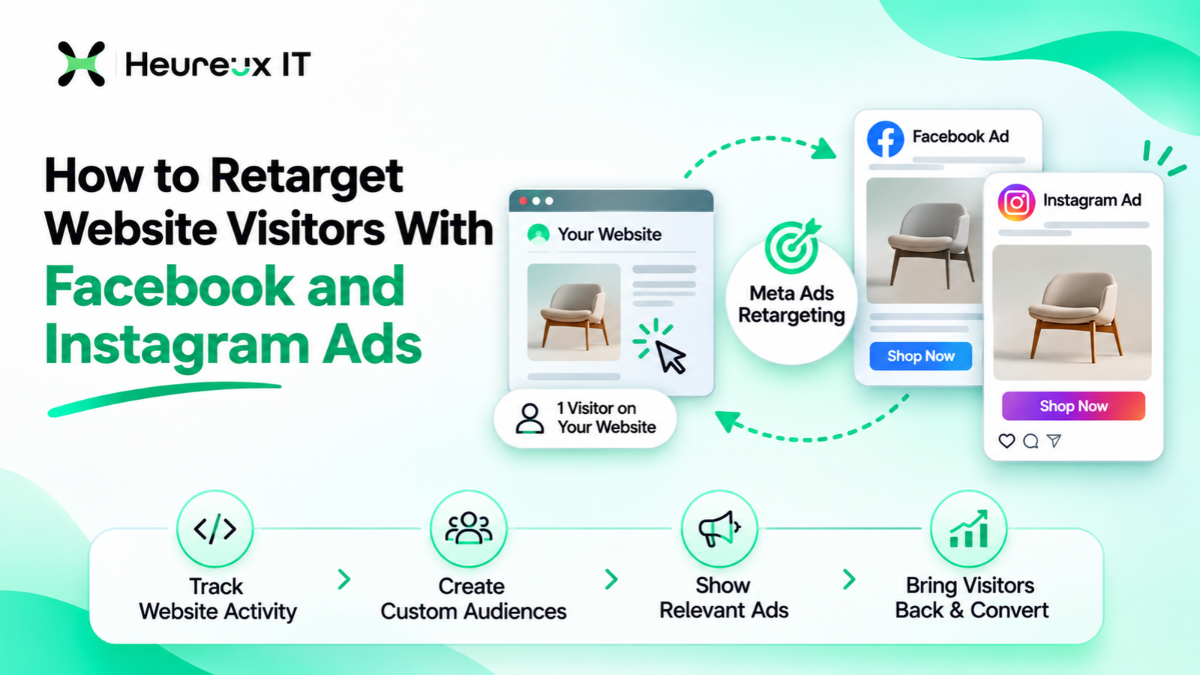
Retargeting generally follows five stages:
- Someone visits your website or interacts with your business.
- The Meta Pixel or another eligible data source records the interaction.
- Meta matches eligible activity to users and builds a Custom Audience.
- Your campaign delivers relevant advertisements to people in that audience.
- Interested users return to your website and may complete a desired action.
The process depends on tracking permissions, audience eligibility, privacy settings, and Meta's advertising systems.
Not every website visitor can be identified or reached through retargeting.
Why Should Businesses Retarget Website Visitors?
Getting someone to visit your website is only the first part of the customer journey.
A visitor might be interested in your service but not ready to make a decision.
Retargeting creates another opportunity to communicate with that person.
Reconnect With Interested Visitors
Someone who has visited your website already has some familiarity with your business.
A relevant follow-up ad can remind them about a service they explored or a product they considered.
This can be more useful than showing the same introductory advertisement again.
Address Customer Questions
People often leave websites because they need more information.
They might want to understand pricing, delivery, service quality, or what happens after booking.
Retargeting ads can address these questions through FAQs, demonstrations, testimonials, and case studies.
Recover Abandoned Purchases
Ecommerce businesses can use catalog-based retargeting to show products that visitors viewed or added to their carts.
This helps remind shoppers about items they considered without requiring the business to create a separate advertisement for every product.
Support Lead Generation
For service businesses, retargeting can encourage visitors to request a quote, schedule a consultation, or complete an enquiry form.
The message should match what the visitor was researching.
For example, someone who visited a Facebook advertising service page should receive a relevant Facebook advertising message rather than an unrelated offer.
Encourage Repeat Purchases
Retargeting can also help businesses reconnect with existing customers.
Campaigns may promote new products, complementary services, renewals, or relevant updates.
However, customer retention campaigns should remain separate from campaigns designed to acquire new customers.
What Do You Need Before Starting a Meta Retargeting Campaign?
Before creating your first campaign, check that the essential tracking and advertising tools are available.
| Requirement | Purpose |
|---|---|
| Meta Business Portfolio | Manage business assets and permissions |
| Meta Ads Manager | Create and manage advertising campaigns |
| Meta Pixel | Collect eligible website activity |
| Meta Events Manager | Configure and test tracking events |
| Custom Audiences | Group people based on eligible interactions |
| Facebook Page | Provide a business identity for ads |
| Instagram Professional Account | Support Instagram advertising and engagement audiences |
| Conversions API | Send eligible events through a server or approved integration |
| Privacy and Consent Setup | Support lawful collection and use of customer data |
You do not need every advanced feature before starting.
However, your website tracking should work correctly before you depend on website-based audiences.
How to Set Up Meta Ads Retargeting Step by Step
The following process explains how to build a website retargeting campaign using Meta's advertising tools.
Step 1: Install the Meta Pixel on Your Website
The Meta Pixel is a piece of code that records eligible visitor actions on your website.
These actions may include viewing a page, adding a product to a cart, starting checkout, or submitting a lead form.
To set it up:
- Open Meta Events Manager.
- Select the relevant business and data source.
- Create a new web data source if one does not exist.
- Follow the available Pixel setup instructions.
- Install the Pixel through your website platform, partner integration, Google Tag Manager, or supported manual method.
- Confirm that the Pixel is connected to the correct website.
For Shopify, WordPress, and other supported platforms, partner integrations may simplify installation.
Important: Avoid installing the same Pixel through multiple methods without checking for duplicate events.
Also make sure your consent setup meets the privacy requirements that apply to your visitors.
Step 2: Configure Website Conversion Events
Once the Pixel is installed, identify which visitor actions matter to your business.
Meta provides standard events that can help measure these interactions.
| Event | What It Measures | Business Example |
|---|---|---|
| PageView | A page is loaded | Someone visits the website |
| ViewContent | Specific content is viewed | A shopper opens a product page |
| AddToCart | A product is added to a cart | A shopper adds shoes to their basket |
| InitiateCheckout | Checkout begins | A visitor starts payment |
| Purchase | A purchase is completed | An order is placed |
| Lead | A lead action is completed | Someone submits an enquiry |
| CompleteRegistration | A registration is completed | Someone signs up for an event |
Choose events that match your business goals.
An ecommerce store may focus on ViewContent, AddToCart, InitiateCheckout, and Purchase.
A service business may focus on Lead and other meaningful enquiry actions.
Use Events Manager's testing tools to confirm that events fire when the correct actions occur.
Step 3: Consider the Meta Conversions API
The Conversions API allows eligible event information to be sent from a server, website platform, or connected system to Meta.
It can complement browser-based Pixel tracking.
For example, a website may send a Purchase event through the Pixel and through the Conversions API.
When both sources report the same action, event deduplication is important.
Matching event names and event IDs can help Meta recognize duplicate reports of the same conversion.
The Conversions API does not bypass privacy laws, consent requirements, or all tracking limitations.
It should be configured as part of a compliant measurement setup.
Step 4: Create a Website Custom Audience
Once tracking is collecting eligible events, you can create an audience based on website activity.
In Meta Ads Manager:
- Open the Audiences section.
- Select Create Audience.
- Choose Custom Audience.
- Select Website as the source.
- Choose the correct Pixel or dataset.
- Select the website activity you want to include.
- Set the audience retention period.
- Name and save your audience.
For example, you might create an audience named:
Website Visitors | Last 30 Days | Exclude Leads
This audience is intended to reach eligible visitors who interacted with your website during the selected period but have not completed your chosen lead action.
Available options and labels can vary by account and interface.
Step 5: Segment Website Visitors Based on Intent
Not every visitor has the same level of interest.
Someone who reads one blog article may still be learning about your industry.
Someone who visits your pricing page and starts filling out a contact form may be closer to making a decision.
Treating these visitors as one audience can make your advertising less relevant.
A useful starting structure is:
| Audience Segment | Example Retention Window | Suggested Message |
|---|---|---|
| All Website Visitors | 30 days | Brand reminder or useful content |
| Service Page Visitors | 30 days | Benefits, examples, or testimonials |
| Pricing Page Visitors | 14 days | Pricing clarity or consultation invitation |
| Cart Abandoners | 7 days | Product reminder or purchase support |
| Form Starters | 7 days | Address questions and encourage completion |
| Existing Customers | Based on customer lifecycle | Related products or retention offers |
These windows are starting points for testing, not fixed rules.
Businesses with longer sales cycles may need longer audience windows.
Avoid creating too many small segments if your website receives limited traffic.
Step 6: Exclude People Who Already Converted
One common mistake is showing acquisition advertisements to people who have already completed the desired action.
For example, someone who submitted a consultation request yesterday should not keep seeing an ad asking them to submit the same form.
Create exclusion audiences using eligible conversion events or customer records.
Depending on the campaign, you might exclude:
- Recent purchasers from purchase acquisition campaigns.
- Submitted leads from lead generation campaigns.
- Existing customers from new-customer promotions.
- Recent converters from abandoned-cart campaigns.
These exclusions help keep your messaging relevant.
Check your audience settings carefully. Some Meta campaign configurations use audience selections as suggestions rather than strict restrictions. Confirm that your retargeting audience and exclusions are applied as intended.
Step 7: Create a Retargeting Campaign in Meta Ads Manager
After building your audiences, you can create the campaign.
Open Ads Manager and select Create.
Choose an objective based on your business goal.
For example:
- Sales: For ecommerce purchases and other eligible sales actions.
- Leads: For enquiries, registrations, and consultation requests.
- Engagement: For relevant interactions where engagement is the actual goal.
At the ad set level, select the appropriate conversion location, performance goal, audience, placements, and budget.
Use your saved Custom Audience where the campaign setup supports it.
Review Advantage+ audience expansion and other automated settings before publishing.
For a campaign intended to reach only previous visitors, do not assume that selecting a Custom Audience automatically restricts delivery to that audience.
Step 8: Create Different Ads for Different Visitors
Retargeting advertisements should reflect what visitors already know about your business.
A person who visited your website once may need reassurance.
Someone who abandoned checkout may need a product reminder or information about shipping.
Someone who reviewed your service pricing may want proof of results or a clear explanation of what the service includes.
For example, a marketing agency could test:
Ad A: Customer Questions
Headline: Still Comparing Marketing Agencies?
Message: Learn what to look for in campaign tracking, reporting, and lead quality before choosing an agency.
Ad B: Service Benefits
Headline: Make Your Ad Spend Count
Message: Explore how a structured Meta Ads strategy connects targeting, creative testing, and conversion tracking.
Ad C: Consultation
Headline: Ready to Improve Your Ads?
Message: Get help reviewing your current campaigns and identifying practical opportunities for improvement.
The goal is to move the conversation forward, not repeat the same message.
Step 9: Choose Facebook and Instagram Placements
Facebook and Instagram retargeting campaigns can run through the same Meta Ads Manager account.
You can use supported placements across both platforms.
However, creative requirements vary.
| Placement | Common Creative Format | Recommended Approach |
|---|---|---|
| Facebook Feed | Square or vertical image/video | Clear message and supporting details |
| Instagram Feed | Square or vertical image/video | Strong visual and concise copy |
| Instagram Stories | 9:16 vertical creative | Direct message and clear CTA |
| Instagram Reels | 9:16 vertical video | Demonstration, testimonial, or short explanation |
| Facebook Stories | 9:16 vertical creative | Simple message with a clear next step |
Use placement previews to check cropping, text visibility, and CTA positioning.
A creative designed for a square feed placement may not work well when automatically adapted to a full-screen Story.
Step 10: Publish and Monitor Your Campaign
Before publishing, confirm that the audience, budget, conversion event, and destination URL are correct.
Once the campaign is active, monitor delivery and conversion performance.
Do not judge success only by impressions or clicks.
Look at whether retargeted visitors complete the actions that matter to your business.
What Are the Best Meta Ads Retargeting Strategies?
The best approach depends on the business model, audience size, and buying journey.
Retarget Visitors Who Viewed Specific Services
Service businesses can create audiences based on visits to important pages.
For example, a user who visited a Facebook Ads Service Page may be interested in campaign management, creative testing, or lead generation.
A relevant retargeting ad could explain how the service works or address a common concern about advertising costs.
This is more useful than showing an unrelated general business promotion.
Retarget Cart Abandoners With Catalog Ads
For ecommerce stores, catalog-based ads can display relevant products from a connected product catalog.
The setup generally involves connecting a catalog, matching product identifiers with website events, and selecting the appropriate sales campaign configuration.
For example, a visitor who viewed a particular jacket may see that item again or receive relevant product recommendations.
Check that catalog item IDs match the product information sent through your tracking events.
Retarget Visitors Who Started but Did Not Complete a Form
Someone who starts an enquiry form may have strong interest but still leave without submitting it.
If the website tracks form-start events correctly, you can build an audience for those visitors and exclude completed leads.
The follow-up advertisement could answer common questions, explain the consultation process, or offer a simpler next step.
Retarget Facebook and Instagram Engagers
Website traffic is not the only source of retargeting audiences.
Businesses can also build eligible audiences from interactions with their Facebook Page, Instagram professional account, videos, and lead forms.
This can help businesses that receive meaningful social engagement but have limited website traffic.
Keep in mind that social engagement does not always indicate purchase intent.
Retarget Existing Customers
Existing customers may be interested in related services, upgrades, or new products.
For example, someone who purchased an introductory software plan may be interested in additional features.
Use customer data only where you have the required rights and permissions.
Avoid sending acquisition messages to customers who have already purchased.
Want help turning this into results for your business?
Explore our Meta Ads services →How Much Should You Spend on Meta Ads Retargeting?
There is no universal minimum budget that guarantees successful retargeting.
Your budget should reflect the number of eligible people in your audience, the cost of advertising, your conversion goals, and the amount you can spend profitably.
A small audience may not need a large daily budget.
Spending too much against a limited audience can increase ad frequency without producing a matching increase in conversions.
Start with a controlled budget, review delivery, and adjust based on performance.
For businesses with limited traffic, combining closely related audiences may be more practical than splitting them into several small ad sets.
How to Measure Facebook and Instagram Retargeting Performance
Retargeting performance should be evaluated using business outcomes.
| Metric | What It Tells You |
|---|---|
| Reach | Number of people who saw your ads |
| Frequency | Average number of times each reached person saw an ad |
| CTR | Percentage of impressions that generated clicks |
| CPC | Average cost per click |
| Conversions | Recorded desired actions |
| Cost Per Lead | Average advertising cost per lead |
| Cost Per Purchase | Average advertising cost per purchase |
| ROAS | Revenue attributed to ads compared with spend |
| Qualified Leads | Leads that meet your business criteria |
For lead generation, review lead quality alongside cost per lead.
A campaign generating inexpensive leads may still perform poorly if those contacts never become qualified prospects.
For ecommerce, review purchases, revenue, and ROAS.
Also remember that Meta and Google Analytics may report different conversion numbers because they use different attribution and measurement methods.
Common Meta Ads Retargeting Mistakes to Avoid
1. Retargeting Every Visitor With the Same Message
Someone who reads a blog article may not be ready to buy.
Someone who visits your pricing page may need a stronger reason to take action.
Segment visitors where audience size allows and match your messaging to their interests.
2. Ignoring Audience Exclusions
Failing to exclude converted users can waste budget and create a poor customer experience.
Review your exclusion rules and update customer audiences when needed.
3. Showing the Same Ad Too Often
Retargeting audiences are often smaller than prospecting audiences.
As a result, the same people may see your ads repeatedly.
Monitor frequency, CTR, cost per result, and creative fatigue indicators.
Refresh the message when performance suggests the audience is losing interest.
4. Using Incorrect Pixel Events
A Pixel that fires incorrectly can create unreliable audiences and conversion reports.
Test important events before launching the campaign.
Check for duplicate purchases, incorrect lead events, and missing product identifiers.
5. Sending Visitors to Irrelevant Landing Pages
A retargeting advertisement should take people to a page that matches its promise.
For example, an ad about Facebook advertising services should not send users to an unrelated homepage section.
A clear landing page can make the next step easier.
6. Making Too Many Changes at Once
Changing budgets, audiences, creative, and conversion settings at the same time makes it difficult to understand which change affected performance.
Use a clear testing plan and review results before making further adjustments.
Meta Ads Retargeting Optimization Checklist
| Area | What to Check | Recommended Action |
|---|---|---|
| Meta Pixel | Events firing correctly | Test events in Events Manager |
| Conversions API | Event quality and duplication | Verify event IDs and deduplication |
| Custom Audiences | Correct visitor groups | Segment by relevant activity |
| Audience Retention | Windows match the buying cycle | Test suitable retention periods |
| Exclusions | Converted users excluded | Review audience controls |
| Creative | Message matches visitor intent | Test testimonials, benefits, and offers |
| Placements | Creative fits each placement | Review Facebook and Instagram previews |
| Landing Pages | Page matches the advertisement | Use relevant destination URLs |
| Frequency | Audience is not overexposed | Monitor delivery and creative fatigue |
| Reporting | Results connect to business goals | Track leads, purchases, and revenue |
How Heureux IT Can Help With Meta Ads Retargeting
A successful retargeting campaign connects several important parts of digital marketing.
The website needs accurate tracking. Audiences need clear definitions. Advertisements need relevant messaging. Landing pages need to support the next conversion step.
At Heureux IT, we help businesses plan and manage paid advertising campaigns across Facebook and Instagram.
Our approach focuses on connecting campaign structure, audience targeting, creative testing, and conversion measurement.
Whether your goal is generating qualified leads, recovering abandoned purchases, or reconnecting with interested visitors, a structured retargeting strategy can help you make better use of existing website traffic.
Explore our Meta Ads Management Services to learn how we support campaign planning and optimization.
Final Thoughts
Meta Ads Retargeting gives businesses a way to reconnect with people who have already shown interest in their products or services.
Instead of treating every website visitor as a new prospect, retargeting allows businesses to continue the conversation with relevant information.
The process begins with accurate tracking through the Meta Pixel and, where appropriate, the Conversions API.
From there, businesses can create Custom Audiences, segment visitors based on their actions, exclude existing converters, and build advertisements that address customer needs.
However, retargeting is not simply about showing more ads.
A useful campaign respects the customer's stage in the buying journey, avoids unnecessary repetition, and measures outcomes that matter.
For businesses already investing in website traffic, Facebook and Instagram retargeting can become a valuable part of a wider digital marketing strategy.
Frequently Asked Questions
What is Meta Ads Retargeting? +
Meta Ads Retargeting is a strategy that allows businesses to show advertisements to eligible people who have previously visited their website or interacted with their business on Facebook and Instagram.
How do I retarget website visitors on Facebook? +
Install the Meta Pixel, configure website events, create a Website Custom Audience, and use that audience in a compatible Meta Ads campaign. Review audience controls and exclusions before publishing.
Can I retarget website visitors on Instagram? +
Yes. Meta Ads Manager allows businesses to use eligible website Custom Audiences for advertising across supported Facebook and Instagram placements.
Do I need the Meta Pixel for retargeting? +
The Meta Pixel is a common way to build website-based retargeting audiences. Other eligible sources, including engagement audiences and customer lists, can support different retargeting strategies.
How long should I retarget website visitors? +
The appropriate retention period depends on the buying cycle. Businesses can test shorter periods for recent high-intent visitors and longer periods for customers who need more time to decide.
Can I retarget people who abandoned their shopping carts? +
Yes. Ecommerce businesses can create eligible audiences based on AddToCart activity and exclude completed purchasers. Catalog-based ads can also show relevant products.
What is the difference between retargeting and remarketing? +
The terms are often used interchangeably. Both describe efforts to reconnect with people who have previously interacted with a business.
Is Meta Ads Retargeting suitable for small businesses? +
Yes. Small businesses can use retargeting when they have sufficient eligible audience activity. Campaign structure and budget should match the size of the audience.
Why is my retargeting audience too small? +
Possible reasons include low website traffic, incorrect Pixel installation, limited tracking permissions, short retention windows, or audience eligibility restrictions. Check Events Manager and your audience settings.
How do I know whether retargeting ads are working? +
Review conversions, cost per lead, cost per purchase, ROAS, and lead quality. Compare campaign results with your broader marketing performance rather than relying only on clicks and impressions.
Heureux IT is a digital marketing agency specialising in Google Ads, Meta Ads and SEO. We help growing businesses turn paid and organic search into measurable revenue.