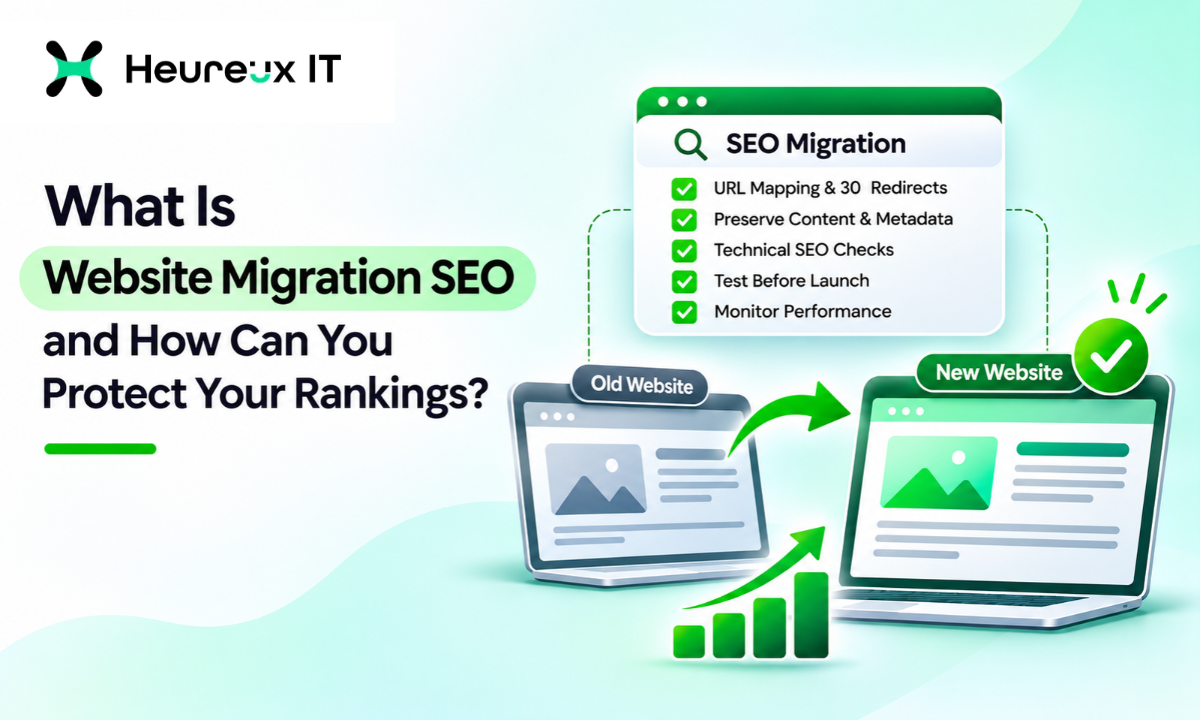
Your website has spent years building its presence on Google. Certain pages bring visitors every day. Some generate enquiries, while others help customers learn about your products or services.
Now you're planning a redesign, switching platforms, or moving to a new domain.
The new website might look better and work faster. But what happens to the rankings you've already earned?
That's where Website Migration SEO becomes important.
A website migration involves changes that can affect how search engines discover, understand, and index your content. Without proper planning, those changes may lead to broken links, missing pages, reduced organic traffic, and lost enquiries.
The good news is that many migration problems can be prevented.
You need a clear plan, the right technical checks, and a way to measure performance before and after launch.
This guide explains how to move your website while protecting the SEO value you've built.
What Is Website Migration SEO?
Website Migration SEO is the process of protecting a website's organic search visibility when making major changes to its domain, platform, URL structure, content, or technical setup.
The goal is to help search engines understand what changed and where existing content has moved.
For example, imagine a business changes its service page from:
example.com/our-services/seo
to:
example.com/seo-services
If the old URL disappears without a redirect, visitors following existing links may reach a 404 error page.
Search engines also need to discover and evaluate the new URL.
A permanent redirect can connect the old address to the new one and help transfer relevant ranking signals.
However, Website Migration SEO involves much more than redirects. It also includes preserving important content, internal links, metadata, structured data, and website functionality.
What Are the Different Types of Website Migrations?
Not every migration involves changing a domain name.
Some changes happen behind the scenes, while others affect almost every page.
| Migration Type | Example | Main SEO Concern |
|---|---|---|
| Domain Migration | Moving from one domain to another | Preserving rankings and existing links |
| CMS Migration | Moving from Wix to WordPress | URL changes and missing metadata |
| Website Redesign | Rebuilding layouts and navigation | Content and internal linking changes |
| URL Structure Migration | Changing folders or page slugs | Broken links and redirects |
| HTTPS Migration | Moving from HTTP to HTTPS | Redirects and canonical URLs |
| Ecommerce Migration | Moving from Magento to Shopify | Product and category URL changes |
| Hosting Migration | Moving to a different server | Downtime, speed, and crawl access |
| Website Consolidation | Combining two websites | Content mapping and duplication |
A hosting change with no URL or content changes may have limited SEO impact. A complete domain and platform migration requires much more preparation.
The level of risk depends on what changes and how well those changes are managed.
Why Can Website Migration Affect SEO Rankings?
Google needs to crawl and process your website to understand its content.
When you change URLs, remove pages, or rebuild navigation, Google may need to reassess parts of your site.
Several common problems can make this process harder.
Broken URLs and Missing Redirects
A page that once received organic traffic may return a 404 error after migration.
If it has moved, the old URL should normally redirect to the most relevant replacement.
Changes to Important Content
A redesign sometimes removes useful content to make pages look cleaner.
But that content may have helped the page rank for relevant searches.
Removing it without reviewing its value can affect performance.
Lost Internal Links
Navigation changes may disconnect important pages from the rest of the website.
This can make content harder for users and search engines to discover.
Incorrect Indexing Settings
A development website may use noindex directives or access restrictions.
If these settings carry over to the live website, important pages may become unavailable to search engines.
Technical Performance Problems
A new design may introduce slow-loading pages, rendering issues, broken scripts, or server errors.
These issues can affect both user experience and search performance.
A successful migration protects the parts of your website that already work while improving the areas that need attention.
Website Migration SEO Checklist: Before, During, and After Launch
A practical migration plan has three stages.
Website Migration Checklist
15 checks
0 of 15 completed
0%
Before Migration
- Audit existing pages and rankings
- Identify valuable URLs and backlinks
- Create a complete URL redirect map
- Preserve important content and metadata
- Test the new website on staging
Launch Day
- Activate and test permanent redirects
- Check robots.txt and noindex settings
- Update canonicals and internal links
- Submit the new XML sitemap
- Test forms, checkout, and analytics
After Migration
- Monitor Google Search Console
- Check 404 and server errors
- Compare organic traffic and conversions
- Review rankings and indexing
- Fix issues and repeat site crawls
- Copy Checklist
Step 1: Conduct a Complete SEO Audit Before Migration
Before making changes, understand how your current website performs.
This gives you a baseline to compare against after launch.
Start by reviewing your most important pages.
Look at organic traffic, keyword rankings, search impressions, backlinks, and conversions.
Use Google Search Console to identify pages that receive impressions and clicks.
Google Analytics 4 can help identify organic landing pages that generate enquiries, purchases, or other valuable actions.
A website crawler such as Screaming Frog can help collect URLs, title tags, status codes, canonical tags, and internal links.
Pay special attention to pages that generate business results.
For example, a service page that brings ten qualified enquiries per month may deserve more attention than a page with high traffic but little commercial value.
A detailed Technical SEO Audit can help identify existing issues before they become migration problems.
Step 2: Create a Complete URL Mapping Document
URL mapping is one of the most important parts of Website Migration SEO.
It connects every old URL that needs to move with its intended new destination.
For example:
| Old URL | New URL | Action |
|---|---|---|
| /old-seo-services | /seo-services | 301 Redirect |
| /blog/seo-tips-2024 | /blog/seo-best-practices | 301 if content is equivalent |
| /contact-us | /contact | 301 Redirect |
| /outdated-event | No replacement | 404 or 410 if permanently removed |
The destination should match the purpose of the original page.
Avoid sending every deleted page to the homepage.
If a page has no suitable replacement and is permanently removed, a 404 or 410 response may be more appropriate than an irrelevant redirect.
Step 3: Implement Proper 301 Redirects
A 301 redirect tells browsers and search engines that a URL has moved permanently.
It is useful when changing domains, page URLs, or website structures.
For example:
Old URL
/old-service
301
New URL
/new-service
Direct permanent redirects help users and search engines reach the intended replacement.
Avoid redirect chains where one URL redirects to another, which then redirects again.
For example, if URL A redirects to B and B redirects to C, update A to redirect straight to C.
This reduces unnecessary requests and makes the final destination clearer.
For permanent moves, 301 and 308 redirects are suitable. Temporary redirects such as 302 and 307 serve different purposes.
Step 4: Preserve Important On-Page SEO Elements
A redesign may change the appearance of a page without needing to change its core content.
Before launch, compare the old and new versions of your most valuable pages.
Check:
- SEO title tags and meta descriptions
- H1 headings and supporting headings
- Main page content
- Image alt text
- Internal links
- Canonical tags
- Structured data
- Important calls to action
If a page already performs well, avoid rewriting everything at the same time as the migration unless there is a clear reason.
Too many simultaneous changes make it harder to identify the cause of any ranking decline.
A consistent On-Page SEO Strategy can help preserve page relevance while improving the user experience.
Step 5: Test the Website on a Staging Environment
A staging website is a private version of your new site.
It allows your team to test changes before customers and search engines reach them.
Password protection is a strong option for keeping staging pages private.
During testing, check navigation, redirects, page templates, mobile layouts, forms, and site speed.
Make sure internal links do not point to staging URLs.
Check that canonical tags reference the intended production pages once the site launches.
Most importantly, confirm that any temporary restrictions are removed from the public website.
A forgotten noindex directive can prevent important pages from appearing in search results.
Want help turning this into results for your business?
Explore our SEO services →Step 6: Update Internal Links and Website Navigation
Internal links help search engines discover related pages and help visitors move through your website.
During a migration, old links may still point to redirected or deleted URLs.
Update them to their final destinations.
For example, if a blog previously linked to /services/seo and the new page is /seo, update the link directly.
Also review navigation menus, breadcrumbs, footer links, and related article sections.
Avoid leaving important service pages disconnected from the website.
For more detail, read our guide on Orphan Pages SEO.
Step 7: Review Canonical Tags and XML Sitemaps
Canonical tags help search engines identify the preferred version of a page when similar URLs exist.
After migration, canonical tags should reference the correct live URLs.
They should not point to old, redirected, or staging pages unless there is a deliberate reason.
Your XML sitemap should also reflect the new website structure.
Include the canonical URLs you want search engines to discover.
Submit the updated sitemap through Google Search Console.
A sitemap helps Google discover URLs, but it does not guarantee indexing.
Step 8: Protect Website Speed and Mobile Performance
A new website should not sacrifice usability for visual design.
Large images, unnecessary scripts, heavy animations, and poor hosting can affect loading performance.
Before launch, test important pages with PageSpeed Insights and review Core Web Vitals.
Pay attention to:
- Largest Contentful Paint (LCP)
- Interaction to Next Paint (INP)
- Cumulative Layout Shift (CLS)
Test both desktop and mobile experiences.
Also check that important content remains accessible when JavaScript is used.
Website performance should be part of your Website Optimization planning, not something reviewed only after launch.
Step 9: Verify Analytics and Conversion Tracking
A migration can affect more than rankings. It can also break the tools you use to measure business results.
For example, your new website might receive the same number of visitors, but Google Analytics could stop recording form submissions because the form structure changed.
Before launch, verify that GA4 and Google Tag Manager work on the new site.
Test important events such as:
- generate_lead for successful lead submissions
- purchase for completed Ecommerce transactions
- add_to_cart for product additions
- begin_checkout for checkout starts
- Phone call and contact button interactions where tracking is configured
Use GA4 DebugView and Google Tag Manager Preview to check that events fire as intended.
Make sure purchase values, currencies, transaction IDs, and product details are passed correctly where applicable.
This is especially important when migrating an Ecommerce website.
If conversion tracking breaks, your marketing reports may show a decline even when customers are still completing actions.
Step 10: Complete Your Website Migration Launch Checks
Launch day is when preparation becomes essential.
Before making the new website public, confirm that the most important technical requirements are working.
| SEO Element | What to Check |
|---|---|
| 301 Redirects | Old URLs reach the correct new pages |
| Robots.txt | Important pages are not blocked |
| Noindex Tags | Public pages intended for indexing are indexable |
| Canonical Tags | URLs reference the correct preferred pages |
| XML Sitemap | Updated sitemap contains the intended URLs |
| Internal Links | Navigation and content links work |
| Structured Data | Existing relevant schema remains accurate |
| HTTPS | Security certificates and redirects work |
| Analytics | Visits and conversions are recorded |
| Forms and Checkout | Users can complete important actions |
For a domain move, use Google Search Console's Change of Address tool when the migration meets Google's requirements.
This tool is not needed for every redesign or URL change.
Once the site is live, run another crawl to identify issues that staging tests may have missed.
Step 11: Monitor SEO Performance After Migration
Your work doesn't end when the new website goes live.
Google needs time to recrawl changed URLs and process the new website structure.
Some ranking fluctuations are normal.
The important question is whether performance begins to stabilize or whether technical problems are preventing recovery.
Recommended Monitoring Timeline
| Time After Launch | Main Priorities |
|---|---|
| First 24 Hours | Test redirects, indexing settings, server responses, and conversions |
| Days 2–7 | Review crawl errors, sitemap discovery, and important landing pages |
| Days 8–14 | Compare impressions, clicks, rankings, and conversion data |
| Days 15–30 | Investigate pages with sustained traffic declines |
| Days 31–60 | Review indexing progress, performance, and unresolved technical issues |
| Days 61–90 | Assess longer-term trends and identify further improvements |
This is a practical review schedule, not a guaranteed recovery timeline. Large or complex migrations may take longer for search engines to process.
How to Check Migration Performance in Google Search Console
Open Google Search Console and review the Performance and Page Indexing reports.
Compare the periods before and after migration.
Pay attention to organic clicks, impressions, important search queries, and individual landing pages.
If a previously successful page loses visibility, inspect its old and new URLs.
Check whether the redirect works, whether the new page can be indexed, and whether its content changed.
Also review GA4 to determine whether organic conversions have changed.
A decline in clicks is worth investigating, but it does not automatically mean the migration failed.
Common Website Migration SEO Mistakes to Avoid
Even experienced teams can overlook small technical details during a large website project.
These are some of the most common mistakes.
Redirecting Every Old Page to the Homepage
This creates a poor experience for visitors looking for specific information. Search engines may also treat irrelevant redirects as soft 404 errors.
Removing High-Performing Content
A new design may look cleaner after removing text, but that content could have supported existing rankings.
Review performance before deleting important sections.
Forgetting to Remove Noindex Tags
Development restrictions can accidentally prevent the new website from appearing in Google.
Always check live indexing settings after launch.
Changing Too Many Things at Once
Changing the domain, CMS, URL structure, content, and navigation together increases complexity.
Where possible, preserve successful elements and separate major changes.
Ignoring Backlinks
External websites may still link to old URLs.
Make sure valuable linked pages redirect to relevant replacements.
Failing to Monitor Results
Without baseline data, it becomes difficult to tell whether a traffic decline comes from the migration, seasonal demand, tracking issues, or another cause.
Does Website Migration Affect Google AI Overviews and AI Search?
Website migration can also affect visibility in AI-powered search experiences.
For example, if an article previously appeared as a source in an AI-generated answer, changing its URL or removing its content could affect future discovery.
However, AI citations are not fixed placements, and no migration strategy guarantees that a page will continue appearing in AI answers.
A useful approach is to preserve original research, expert content, structured information, and important pages that already receive search visibility.
You can also review your existing AI Search Citations to understand how source visibility may change.
Traditional technical SEO remains an important foundation for Google's AI search features.
How Heureux IT Can Help With Website Migration SEO
A successful website migration requires coordination between developers, SEO specialists, content teams, and marketing managers.
At Heureux IT, we focus on the technical and content factors that influence website visibility.
That includes reviewing existing pages, planning URL redirects, checking internal links, preserving important SEO elements, and identifying crawl or indexing issues.
We also recognize the importance of keeping analytics and conversion tracking in place during major website changes.
Whether you're redesigning a business website, moving to a new CMS, or changing domains, the goal should be the same: protect the value your current website has earned while creating a better experience for visitors.
Final Thoughts
Website migration can help your business improve its design, performance, and customer experience.
But a new website should not come at the cost of losing valuable search traffic.
Website Migration SEO helps reduce that risk by connecting old URLs to new ones, preserving useful content, maintaining technical accessibility, and tracking results after launch.
The best time to start planning is before development decisions become final.
If you're preparing to redesign or move your website, Contact Heureux IT to discuss the SEO checks that should be part of your migration plan.
Frequently Asked Questions
What Is Website Migration SEO? +
Website Migration SEO is the process of protecting search rankings, organic traffic, and indexing when making major changes to a website's domain, platform, URLs, or technical structure.
Can Website Migration Affect Google Rankings? +
Yes. Missing redirects, deleted content, broken internal links, and incorrect indexing settings can affect rankings. A planned migration helps reduce these risks.
How Long Does SEO Recovery Take After Migration? +
Recovery time varies. Small changes may be processed quickly, while large domain or platform migrations can take weeks or longer. There is no fixed recovery period.
Do I Need 301 Redirects During Website Migration? +
You generally need permanent redirects when existing URLs move to new addresses. If URLs remain unchanged, those pages may not need redirects.
Should I Change My Website Content During Migration? +
Preserve important, high-performing content where possible. Large content changes during migration can make performance issues harder to diagnose.
What Happens If I Forget to Redirect Old URLs? +
Visitors may encounter 404 errors, and search engines may lose the connection between old and new pages. This can affect traffic and rankings.
How Do I Check SEO Performance After Migration? +
Use Google Search Console, GA4, a website crawler, and ranking reports to compare traffic, indexing, search visibility, and conversions before and after launch.
Is Website Redesign the Same as Website Migration? +
Not always. A visual redesign may leave SEO elements unchanged. It becomes a significant SEO migration when it affects URLs, content, navigation, rendering, or other search-related factors.
Can I Migrate My Website Without Losing Traffic? +
It is possible to preserve much of your existing organic performance with careful planning. However, no process can guarantee zero traffic loss or ranking fluctuations.
What Is the Most Important Step in Website Migration SEO? +
There is no single step that covers every migration. A complete URL inventory, accurate redirect mapping, content preservation, technical testing, and post-launch monitoring are all essential.
Heureux IT is a digital marketing agency specialising in Google Ads, Meta Ads and SEO. We help growing businesses turn paid and organic search into measurable revenue.